AndroGoat Walkthrough
Overview
| Item | Details |
|---|---|
| Machine | AndroGoat |
| OS | Android |
| Language | Kotlin |
| Version | v2.0.1 |
AndroGoat is an intentionally vulnerable android application built with Kotlin. Developed for Security professionals and developers to understand and defend against vulnerabilities in Android.
It will be a good place for beginners to start learning about android penetration testing. AndroGoat application is suggested one of the application suggested in OWASP MASTG.
Note:
I haven't included all the challenge solutions in this write-up. As this applications covers lots of areas it will be included in the future. Meanwhile explore the given solutions.
Installation
For this article I have used Android Studio emulator connected with ADB. Now lets install the application in the emulator and open the application.
adb install AndroGoat.apk

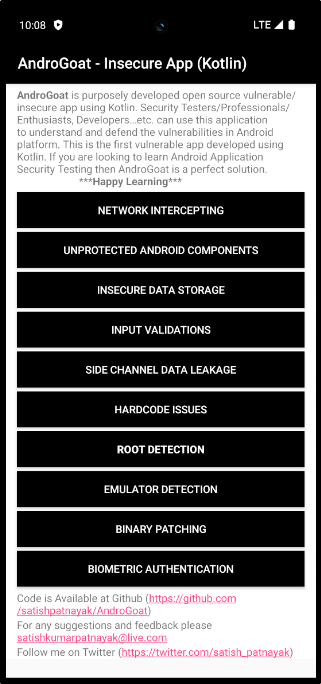
As we have completed the installation and the application is working fine. We can start the challenges one by one.
NETWORK INTERCEPTING
HTTP
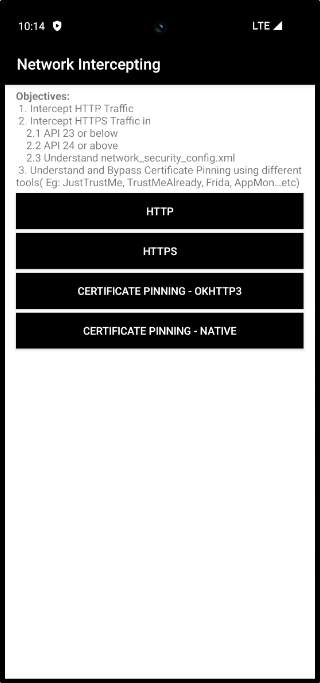
In this task we have to intercept an HTTP request made from the application. I'm using my Burp Suite for intercepting the traffic.
First go to the proxy settings in burp suite. In proxy listeners click "Add" and Select an address from the "Specific address" dropdown. Set a port also.
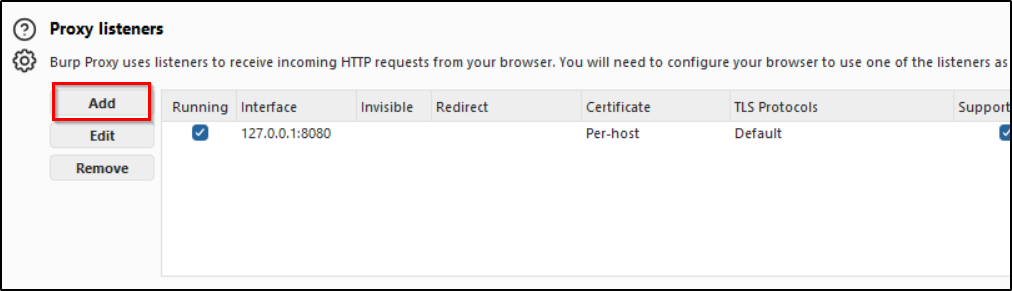
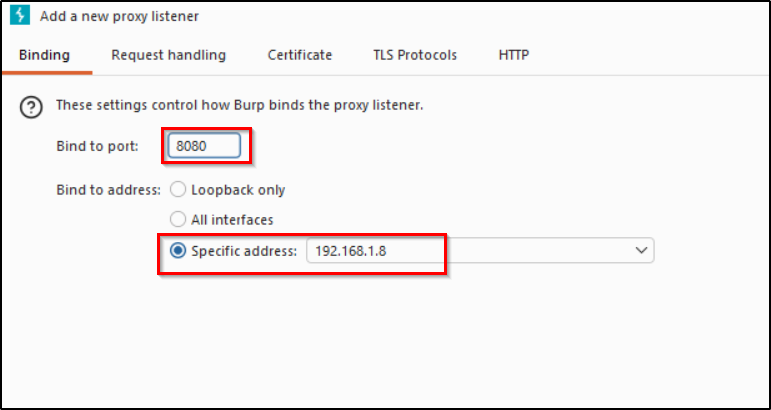
Now we have set a proxy listener in burpsuite. Next step is to proxy the internet traffic from the mobile device through the IP we mentioned in the burpsuite. For that we have to manually configure a proxy.
Settings → Network & internet → Internet → AndroidWifi
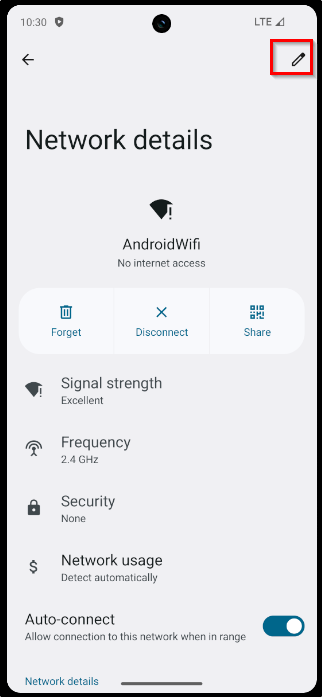
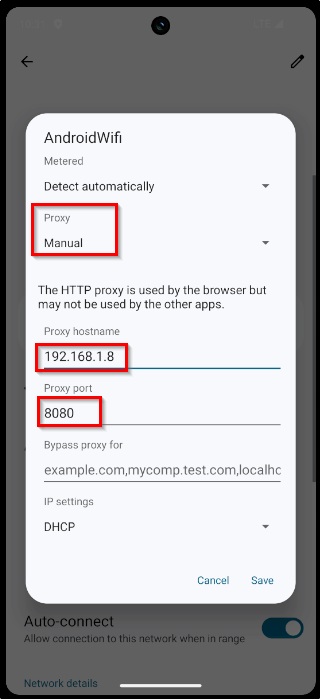
Now we have successfully directed the requests through proxy. Turn on the intercept and click the HTTP button in application.
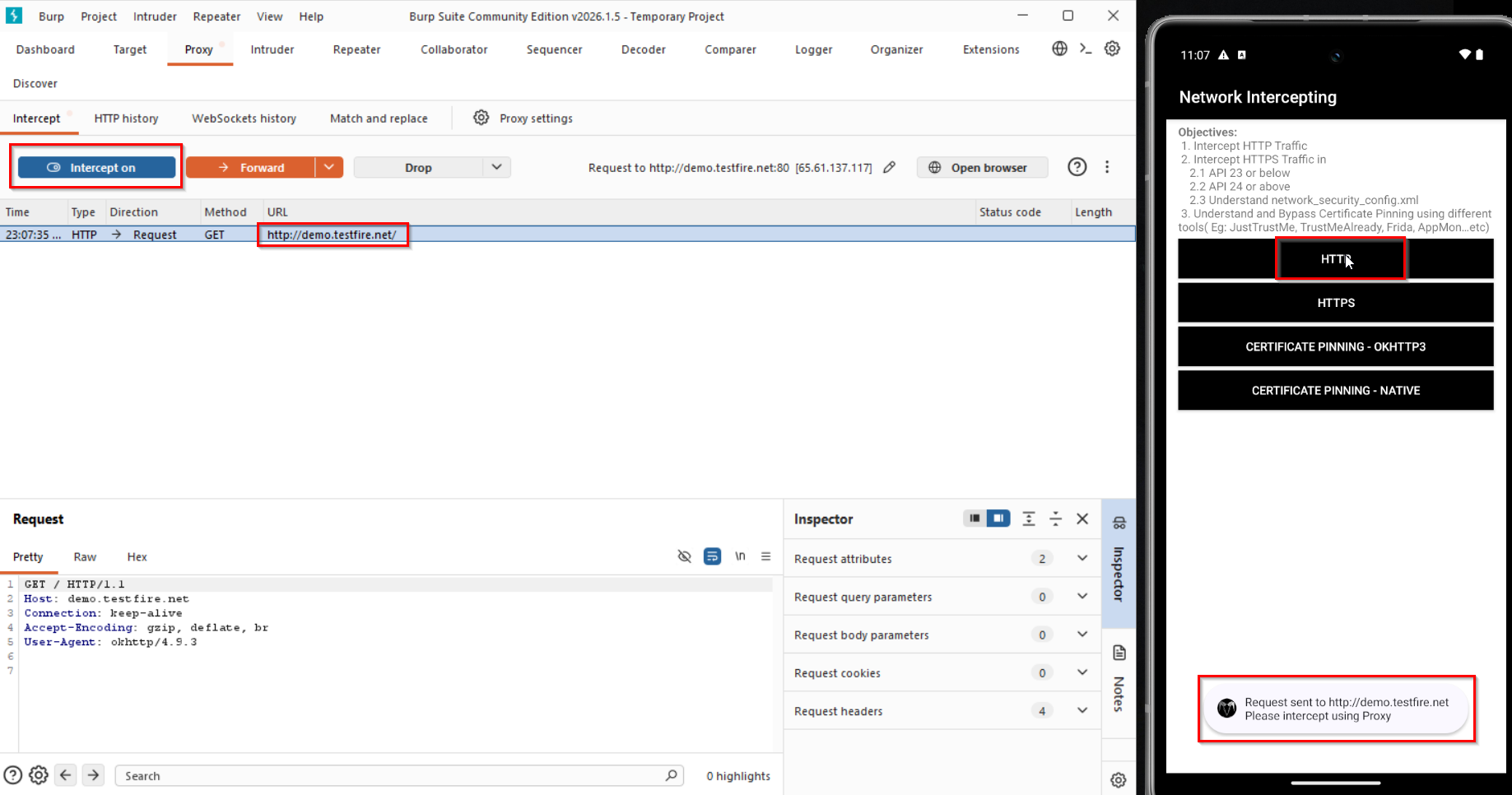
We successfully intercepted the HTTP request.
HTTPS
If you directly try to intercept HTTPS traffic using the current settings we have we'll be getting error. To fix this we need to download and install burpsuite certificate.
Go to your browser in mobile and search for the proxy you've set in your network settings.
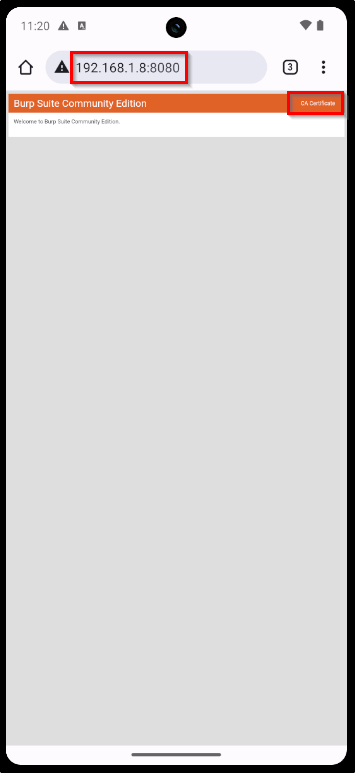
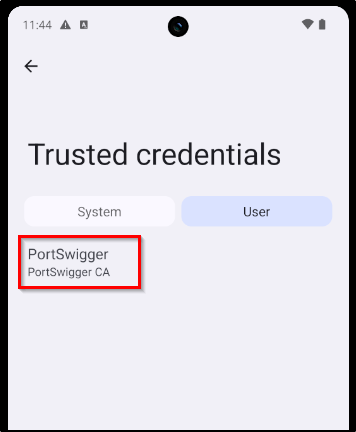
Click on the "CA Certificate" button to download burp certificate. After downloading it will show that the certificate is not installed. We are going to manually install it.
Settings → Security & privacy → More security & privacy → Encryption & credentials
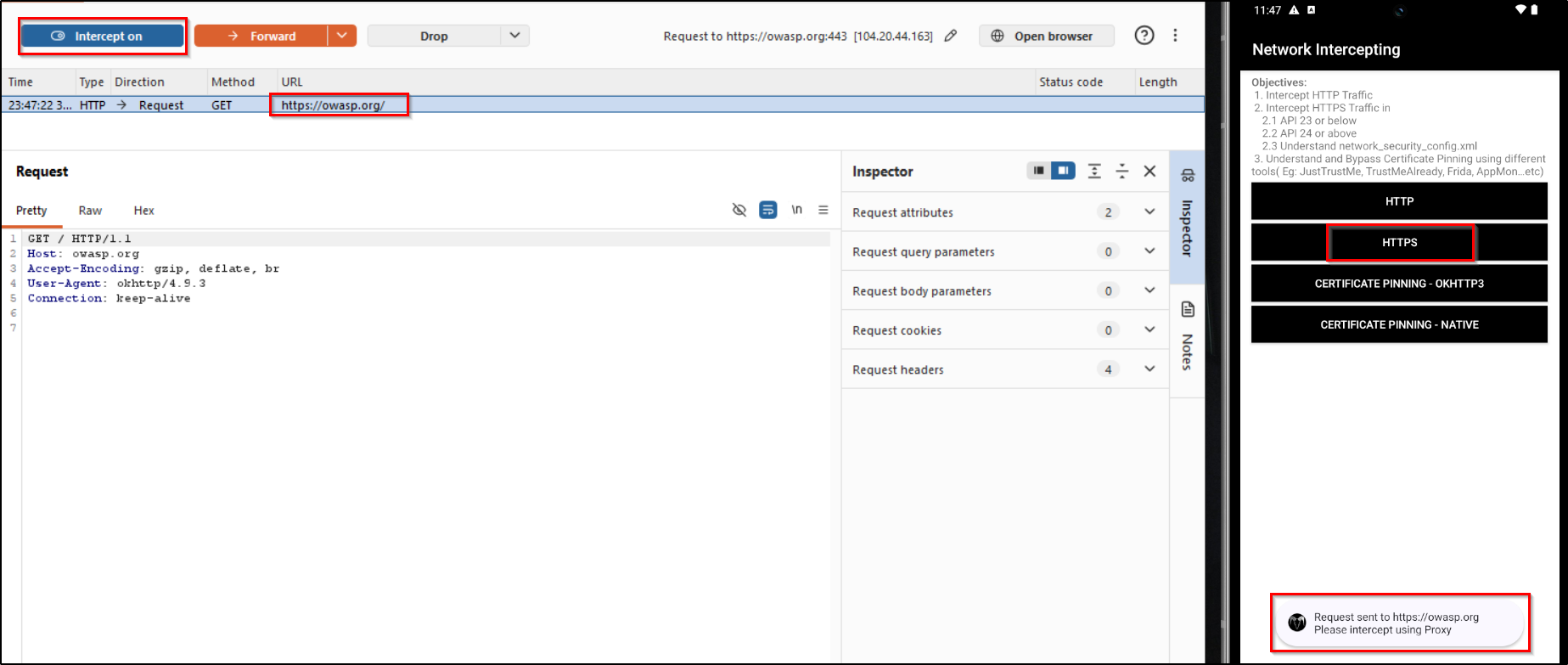
Now turn on your interceptor and click on the HTTPS button in application.
Certificate Pinning - OKHTTP3
Here we are gonna talk about circumventing certificate pinning provided by the OkHTTP3 library.
Reference:
https://blog.securityevaluators.com/bypassing-okhttp3-certificate-pinning-c68a872ca9c8
This challenge is currently under development - When clicked request is not being triggered.
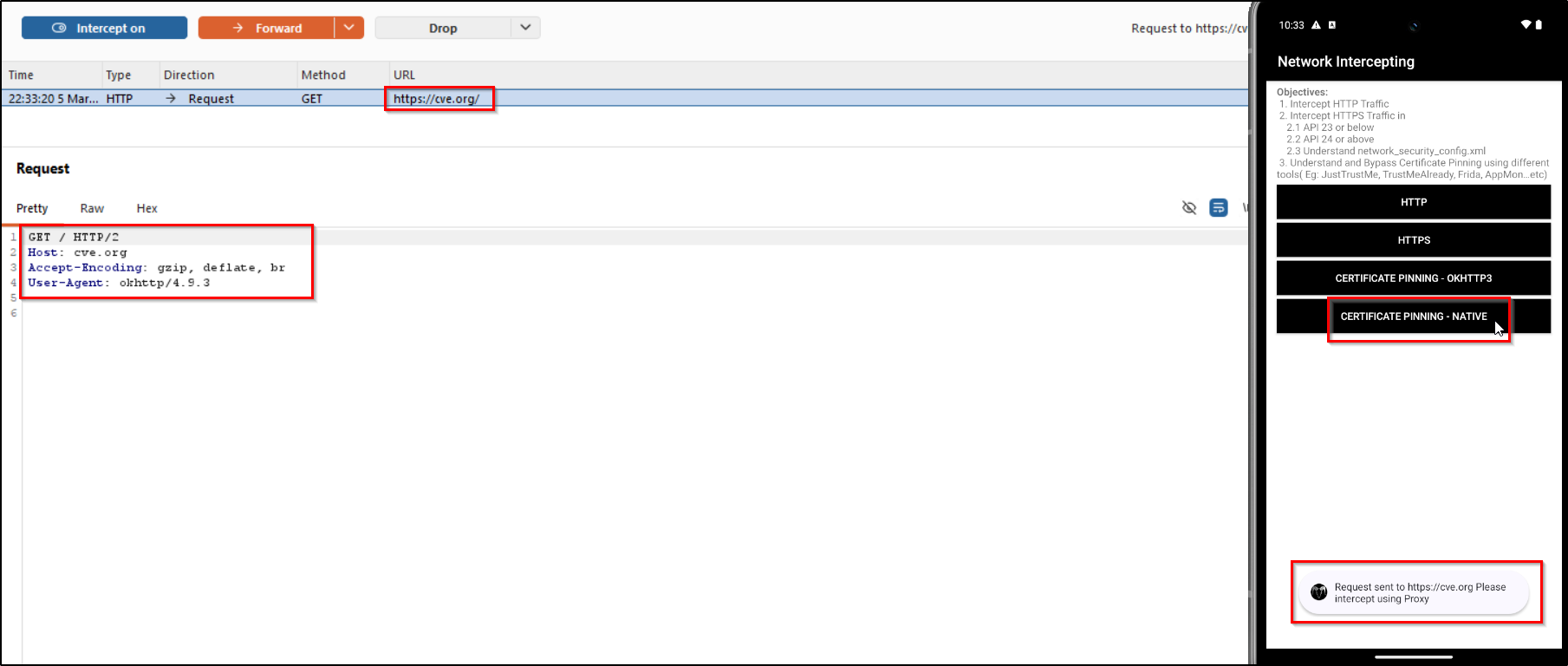
Certificate Pinning - Native
For this challenge we are going to use Frida. If you want to know how frida should be installed in attacker machine and android device you can refer the official frida docs. Otherwise you can refer my OWASP UnCrackable L1 write-up, which uses frida.
After frida setup. Confirm if it is working properly.
frida-ps -Uia
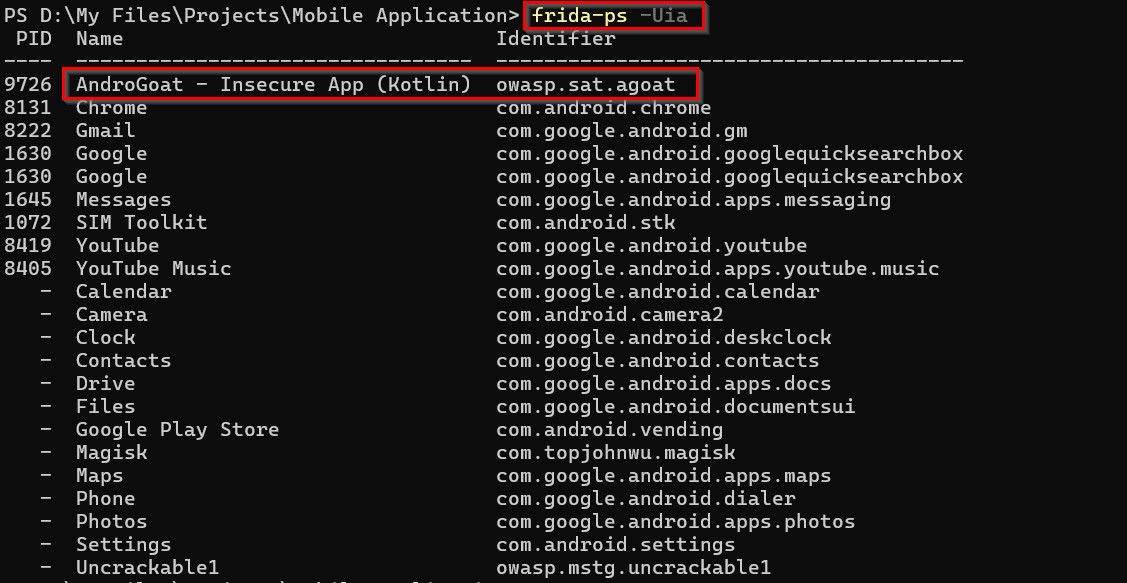
Now we need a frida script for bypassing the certificate pinning. After some research I found a working script. You can use this with frida.
frida -U -l <script.js> -f owasp.sat.agoat
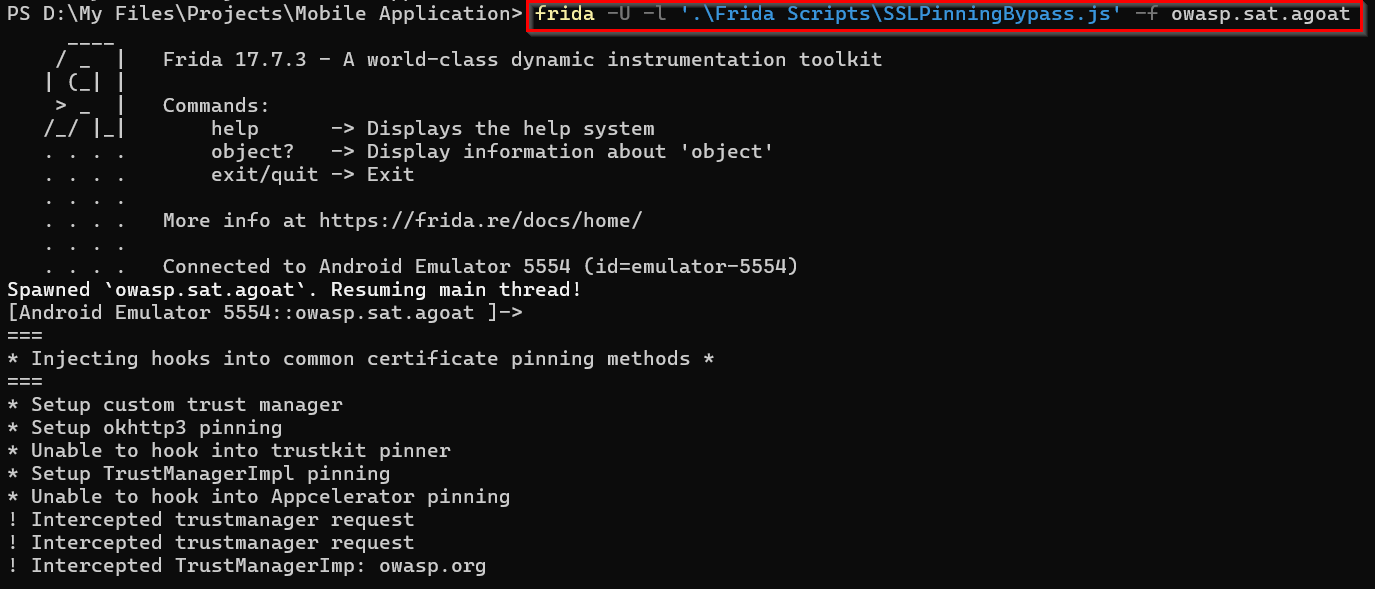
Now if you click on the button it will send a request we will be able to intercept it now using burpsuite.
UNPROTECTED ANDROID COMPONENTS
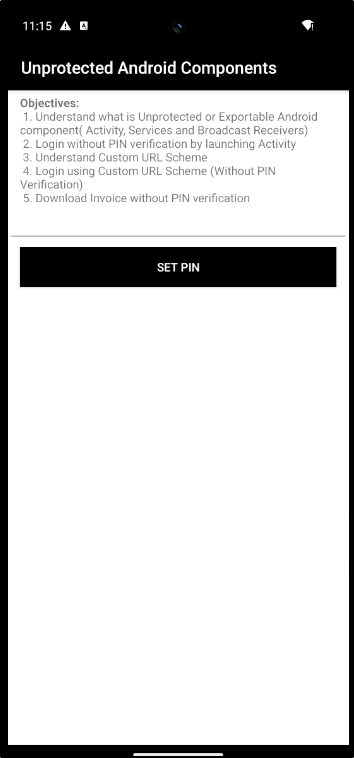
In this challenge we have to exploit an unprotected android components. There are some key components in Android, which are used for interacting with the application - In different methods(UI, Events, etc.). So for this particular challenge we will be targetting the component - Activities - Responsible for interacting with user with UI elements.
If you want to know more about Android components:
https://medium.com/@menkashah060/android-fundamentals-216ef87d4d83
In first step we have to understand the application structure, for that you can use Jadx-gui. Open the apk using Jadx and analyze the workflow.
For this challenge we are directly targetting the Pin related functionality. So one thing you can do is directly searching the keyword "Pin". It will be helpful for us to targetting specific response. I found the required code in AccessControlIssue1Activity file.
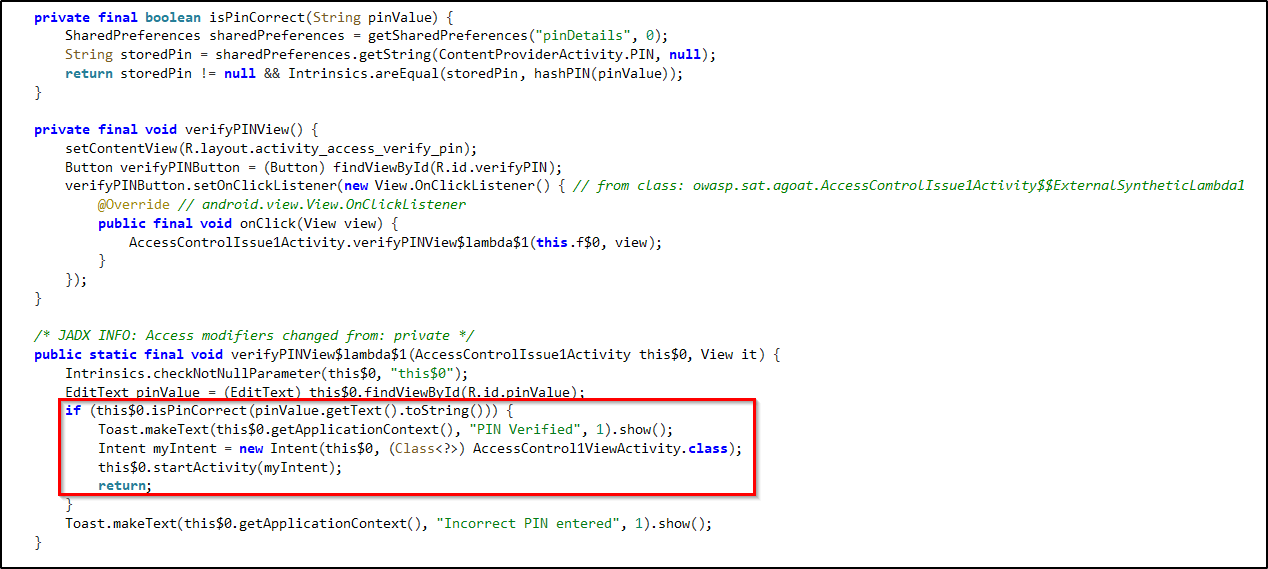
So from the code we can understand that after displaying the "Pin Verified" message the application will move to the AccessControl1ViewActivity class.
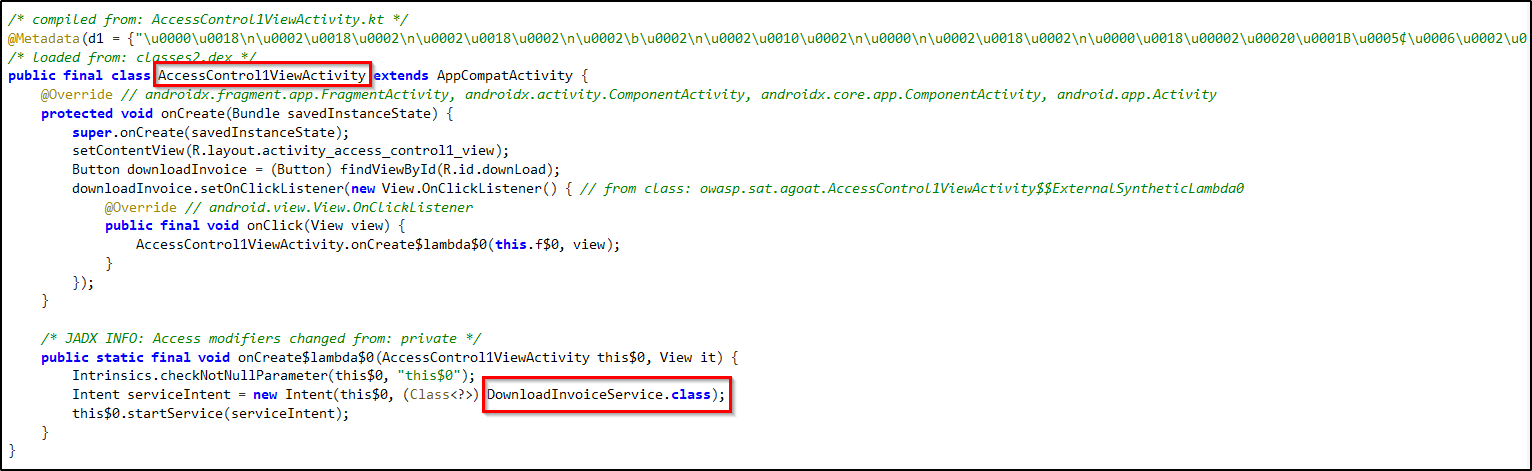
Here AccessControl1ViewActivity provides an UI with button, when clicked downloads the invoice. So after this code it will be going to the DownloadInvoiceService class.
If you open "AndroidManifest.xml" file and looked for the activities, which has "android:exported" attribute as true - Which means any external application or ADB can directly launch it. You can find AccessControl1ViewActivity and DownloadInvoiceService in this.
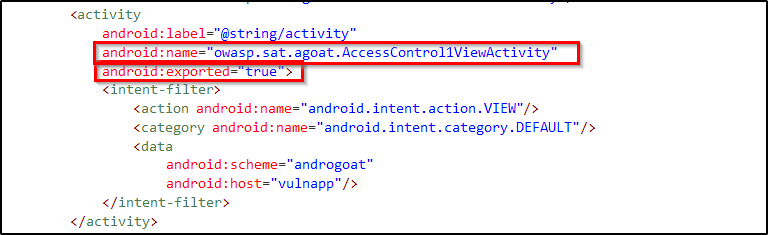

So this is what makes the code vulnerable. Developer assumes that AccessControl1ViewActivity can only be accessed after the pin verfication. But as the "android:exported" is true we'll be able to directly access this particular activity using ADB Activity Manager(am).
There are two options to complete this challenge. Either you can access the Activity to open the Invoice downloading UI and get download the invoice Or you can directly trigger the DownloadInvoiceService to directly trigger the downloading service, as it is also exported.
adb shell am start -n owasp.sat.agoat/.AccessControl1ViewActivity

Here we got the UI for downloading invoice after bypassing PIN verification.
adb shell am startservice -n owasp.sat.agoat/.DownloadInvoiceService

Here we directly called the DownloadInvoiceService and downloaded the file.
INSECURE DATA STORAGE
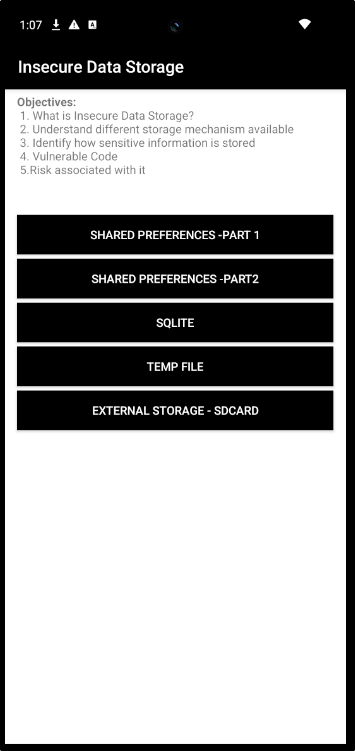
Shared Preferences - Part 1
In this challenge we are going to access the shared preferences - a data storage option in Android. Lets try to get sensitive infromation from the shared preferences.
If you want to know more about shared preferences:
https://www.geeksforgeeks.org/android/shared-preferences-in-android-with-examples/
First lets check the UI and how it is working.
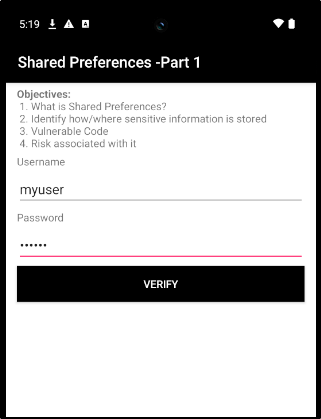
Here we can enter username, password and verify it. But when we click verify the username and password we entered is being saved in the shared preferences. We can access it through our adb shell itself.
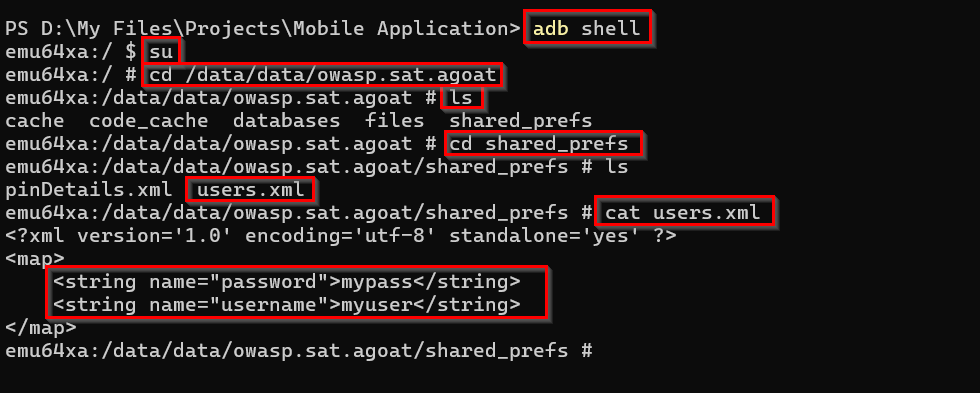
Shared Preferences - Part 2
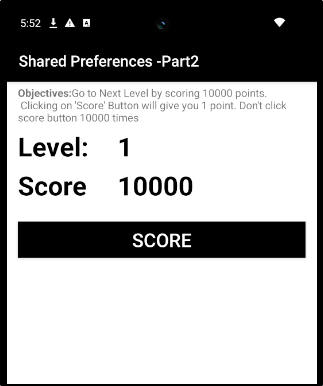
In part 2 of shared preferences, the challenge is to get a score of 10000. You can increase the score by clicking the button. But we shouldn't click it 10000 times to reach the score.
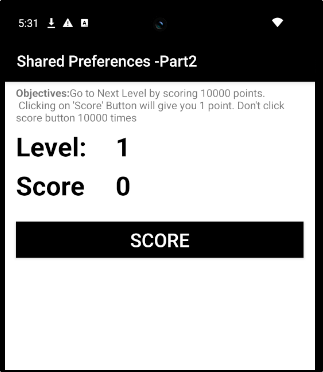
If you directly check the "shared_prefs" file you can't find the file.

First we need to trigger the data storage functionality. For that first you have to click the score button to initiate scoring.
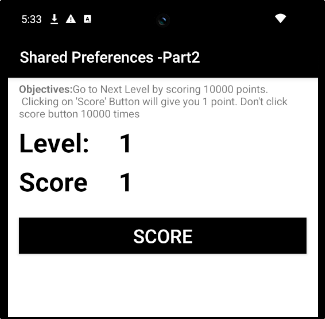
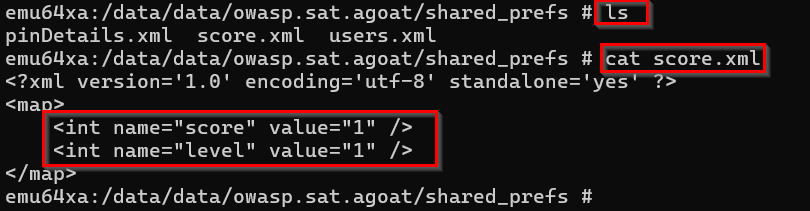
As we know where the data is stored and displayed. We can alter the file. Here I deleted the existing xml file and created another one with altered score value.
Reference:
https://stackoverflow.com/questions/20258688/can-i-edit-files-inside-the-android-adb-shell
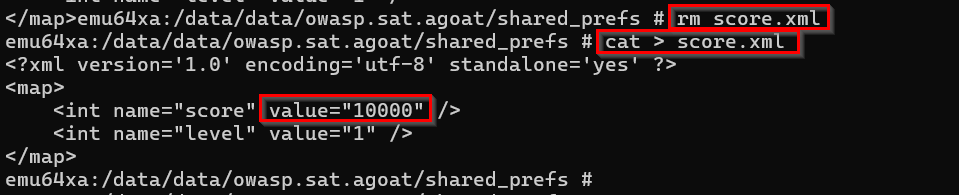
If you reload the application you can see that your score have been set as 10000.
SQLITE
Now in this challenge we are going to access the data stored in the database of the application.
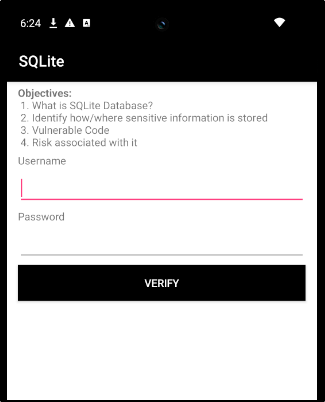
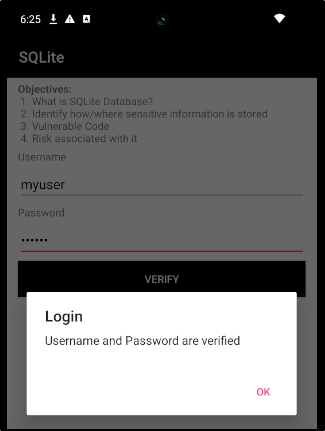
If you enter username and password it will get stored in the SQLite database. This is what we have to access.
Now go to the directory "/data/data/owasp.sat.agoat" as root user and check the databases available.

Here we are going to access the "aGoat" database. We can use the sqlite3 command for it.
If you get an error like this - "/system/bin/sh: sqlite3: inaccessible or not found", Refer this article
https://callmeryan.medium.com/fixing-sqlite3-inaccessible-or-not-found-on-android-emulator-f3ad35dd5800
<!-- Accessing the database   -->
sqlite3 aGoat

<!-- Listing the Tables   -->
.tables

<!-- Displaying contents of the table "users"   -->
select * from users;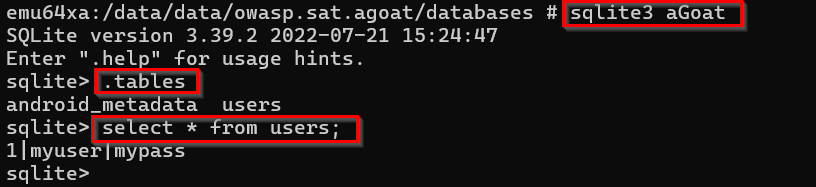
Here the username and password is stored as plain-text in Sqlite db.
Temp File
In this challenge we are going to access the temp file created by the application, which stores data temporarily.
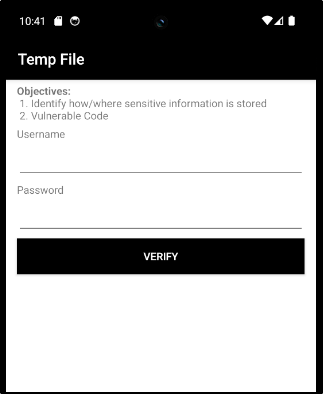
Now to generate the temporary file, we have to enter a username and password. Which will be stored in the temp file.
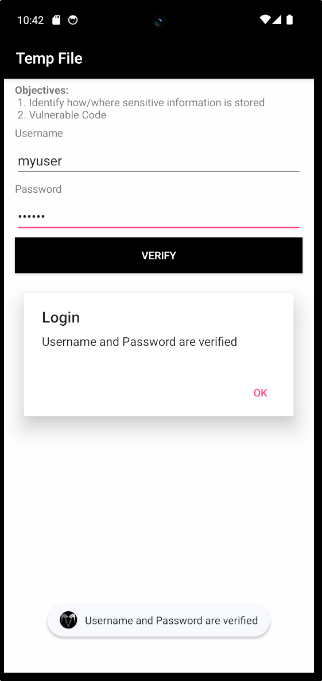
Now get the username and password from the temporary file created,

External Storage - SDCARD
Not able to perform this challenge - as I was not able to give file access permission to the application. The app is not requesting for accessing file storage.
INPUT VALIDATIONS
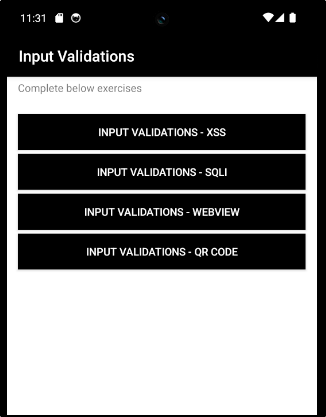
Input Validations - XSS
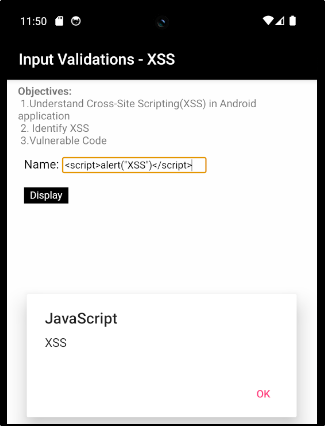
In this challenge we are gonna address the popular vulnerability - XSS (Cross-Site Scripting). It is an injection attack of malicious scripts. If there is no proper user validation implemented, user entered malicious scripts can be executed. The application might process the script as part of the source code instead of just considering it as an input string from user.
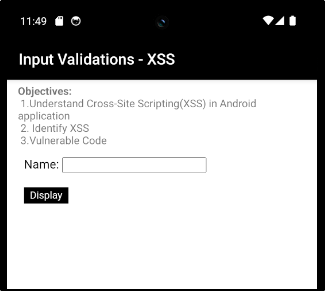
In this challenge we have text box to enter our Name. But if we enter a alert script, it will trigger an alert box.